EasyManua.ls Logo

Panasonic NV-HD90 - Page 28

Panasonic NV-HD90
40 pages
Print Icon
To Next Page IconTo Next Page
To Previous Page IconTo Previous Page
Loading...
28
2
13
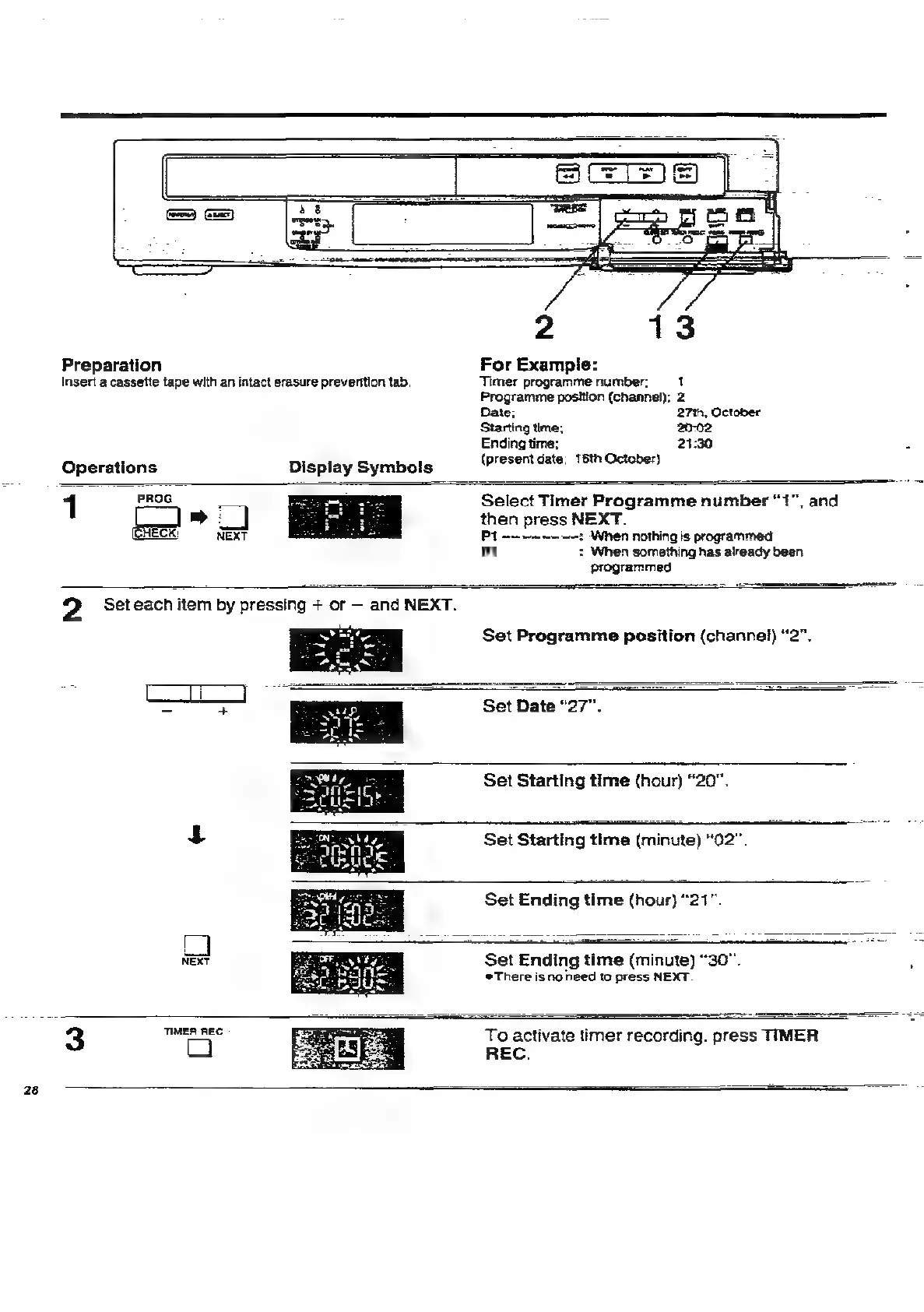
Preparation
For
Example:
Insert
a
cassette
tape
with
an
intact
erasure
preventtion
tab,
Timer
programme
number:
1
Programme
position
(channel);
2
Date;
27%,
October
Starting
time;
20-02
Ending
time;
21:30
Operations
_
Display
Symbols
(present
date;
16th
October)
PROG
1
*
CK
NEXT
Select
Timer
Programme
number
“1”,
and
then
press
NEXT.
Pt
———~~—-——:
When
nothing
is
programmed
Pt
:
When
something
has
already
been
programmed
2
Set
each
item
by
pressing
+
or
and
NEXT.
Set
Programme
position
(channel)
“2”.
Set
Date
“27”.
Set
Starting
time
(hour)
“20”.
Set
Starting
time
(minute)
“02”.
Set
Ending
time
(hour)
“21”.
NEXT
Set
‘Ending
time
(maining)
“30".
@There
is
no
need
to
press
NEXT.
3
bai
asi
Toa
activate
timer
recording.
press
TIMER
REC.

Related product manuals