PAN9026 Wi-Fi/Bluetooth Module 4 Basic Usage
Quick Start Guide Rev. 1.2 Page 10 of 34
4 Basic Usage
The basic usage includes all features that can be accessed with the remote device connecting
to the Wi-Fi access point only. It does not need any additional peripherals.
4.1 Setup (Basic)
The following components are needed:
✓ Wandboard with µSD card with Ubuntu Linux image
✓ PAN9026-MSD with µSD card form factor
✓ Headphones with 3.5 mm jack
✓ Power supply
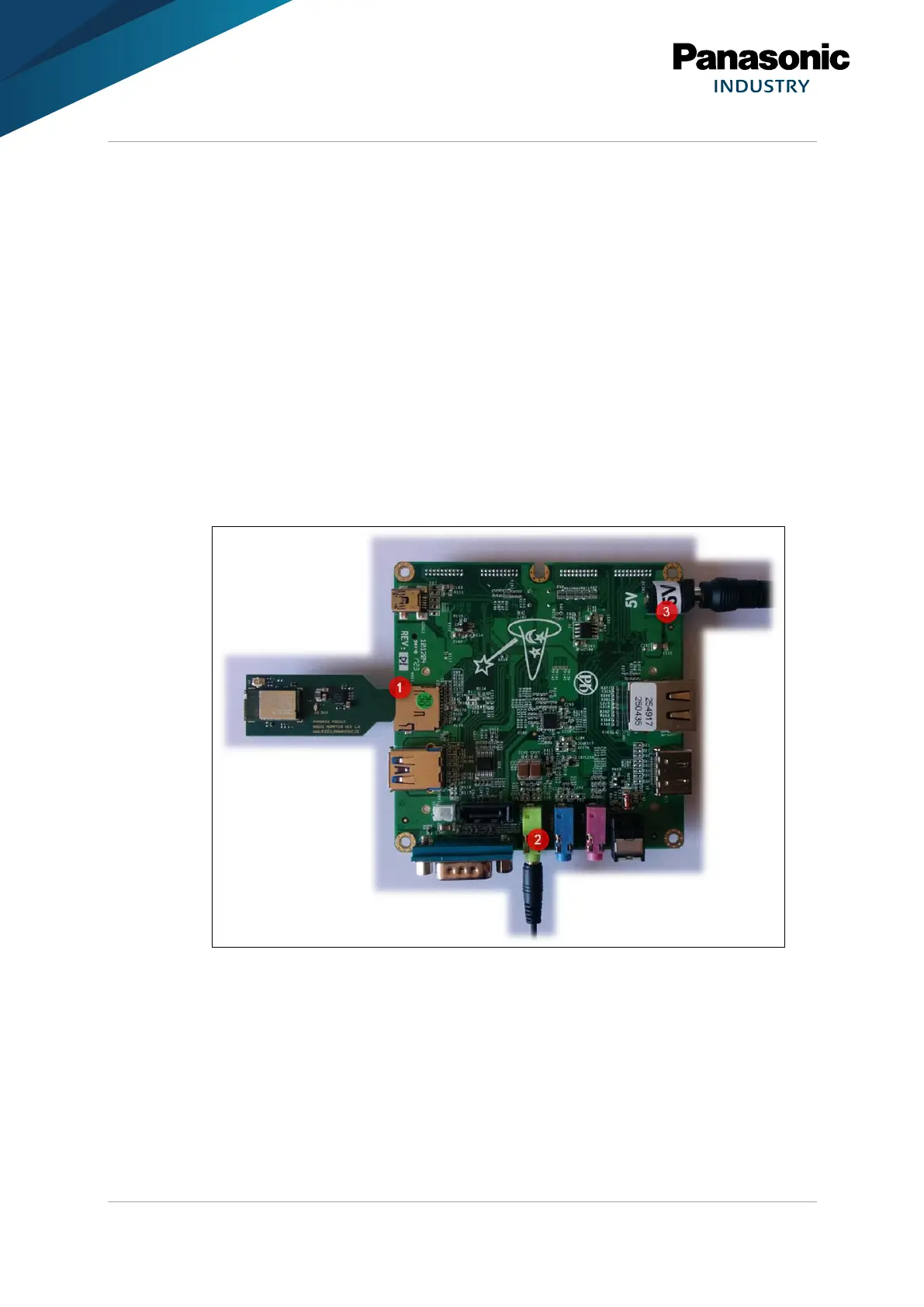
1. Insert the PAN9026-MSD into the µSD card slot of the Baseboard (1).
2. Insert the headphones with 3.5 mm jack into the green audio socket (2).
3. Insert the power supply (3).
➔ The system will boot up. This takes approximately one minute.















 To Next Page