PAN9026 Wi-Fi/Bluetooth Module 3 Installation
Quick Start Guide Rev. 1.2 Page 8 of 34
3 Installation
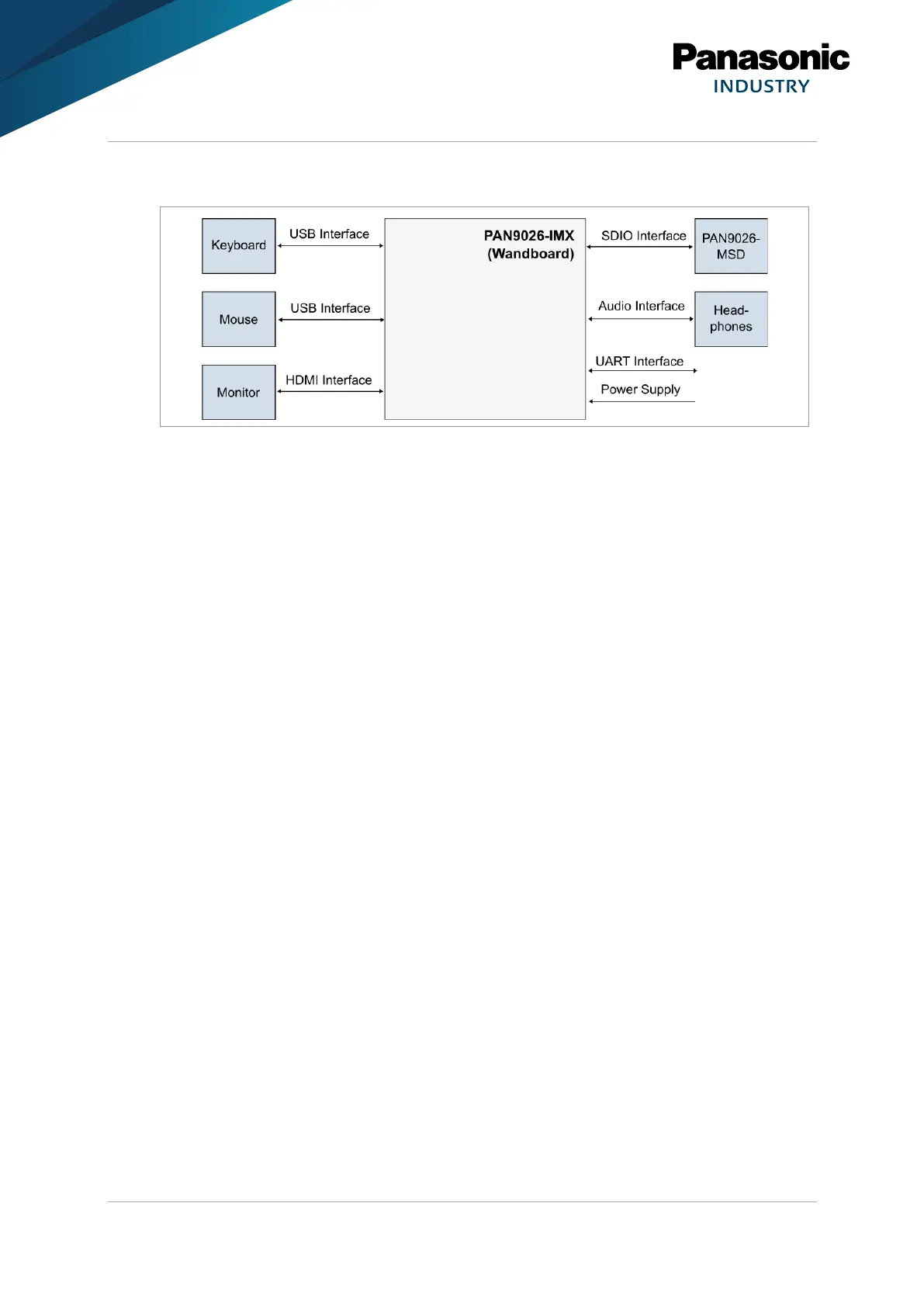
The PAN9026-IMX consists of the following components:
•
PAN9026-MSD (µSD card form factor)
•
Wandboard Dual (WB-IMX6U-BW)
•
USB power cable as power supply
•
µSD card with Ubuntu Linux image (already inserted)
The following additional components are not included, but may be required depending on the
use case:
•
USB hub (the Wandboard only has a single USB connector)
•
RS232 serial connection cable (interface the built-in UART port to a control PC)
•
HDMI cable and HDMI monitor or TV set (show the GUI of the Ubuntu Linux)
•
USB mouse and USB keyboard (interface with Ubuntu Linux)
•
USB memory stick (transfer data to and from the PAN9026-MSD)
•
Headphones with 3.5 mm jack (listen to Bluetooth audio)
•
Some Wi-Fi capable device like a mobile phone or a tablet
3.1 Setup Boot Card
The Wandboard consists of two separate parts:
•
the Baseboard that contains all the connectors and
•
the system-on-module that contains the i.MX6 processor.
The system-on-module is located on the back of the Wandboard and may have a heat-spreader
covering the processor.
The Wandboard has two µSD card slots:
• one for the boot medium which is located on the system-on-module and
• one for peripheral devices which is located on the Baseboard.















 To Next Page