PAN9026 Wi-Fi/Bluetooth Module 5 Full Usage
Quick Start Guide Rev. 1.2 Page 20 of 34
5 Full Usage
The main difference between the basic usage and the full usage is that the full usage
additionally allows the user to control some of the features PAN9026, using the
graphical user interface of the Ubuntu system.
The same functionality as in the basic setup is available. May a Wi-Fi capable device for
controlling as well is needed.
5.1 Setup (Full)
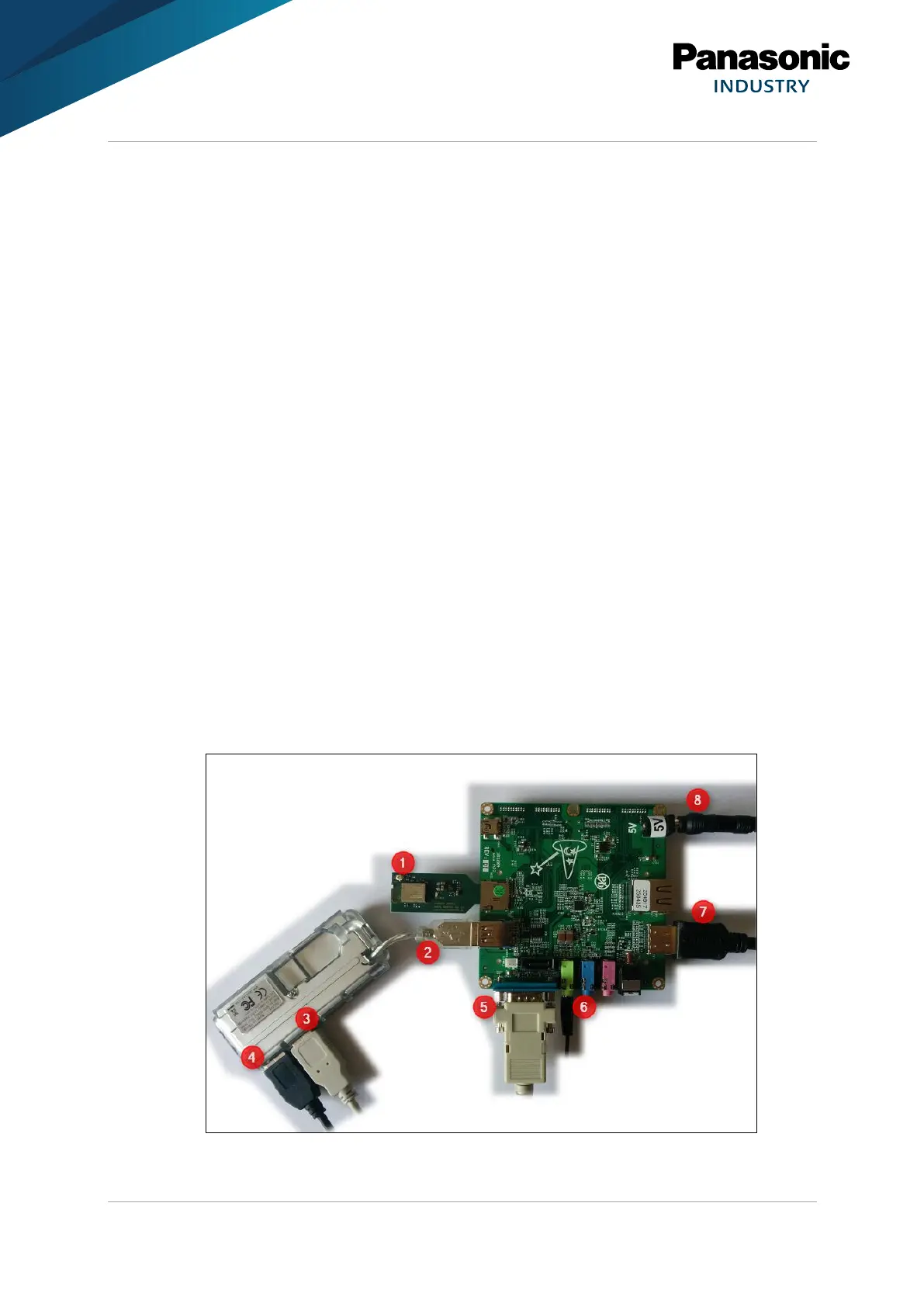
The following components are needed:
✓ Wandboard with µSD card with Ubuntu Linux image
✓ PAN9026-MSD with µSD card form factor
✓ USB hub
✓ USB keyboard
✓ USB mouse
✓ Serial port cable
✓ Headphones with 3.5 mm jack
✓ HDMI cable and matching monitor or TV set
✓ Power supply
1. Insert the PAN9026-MSD into the µSD card slot of the Baseboard (1).
2. Insert the USB hub into the USB port of the Wandboard (2).















 To Next Page