PAN9026 Wi-Fi/Bluetooth Module 5 Full Usage
Quick Start Guide Rev. 1.2 Page 22 of 34
5.3 Configuring Audio
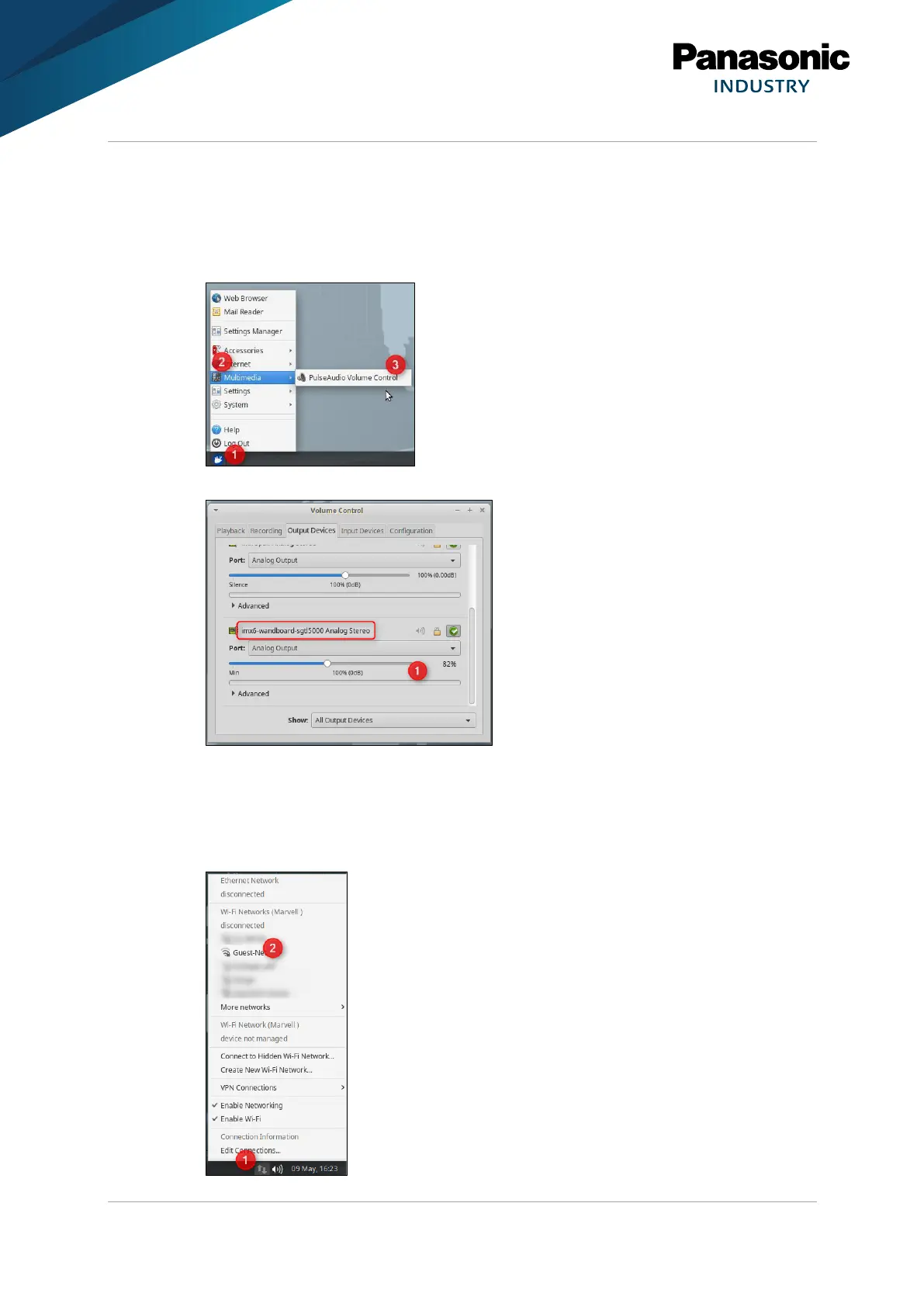
The audio configuration can be configured using the tool PulseAudio Volume Control.
1. In the main menu (1) select Multimedia (2) > PulseAudio Volume Control (3).
2. Control the volume in the section imx6-wandboard-sgtl5000 Analog Stereo (1).
5.4 Configuring Wi-Fi
1. Navigate in the task bar to the section Indicator (1) and click on the icon to open the
Network Manager Applet.















 To Next Page