PAN9026 Wi-Fi/Bluetooth Module 4 Basic Usage
Quick Start Guide Rev. 1.2 Page 12 of 34
4.3 Remote Controlling the PAN9026-IMX
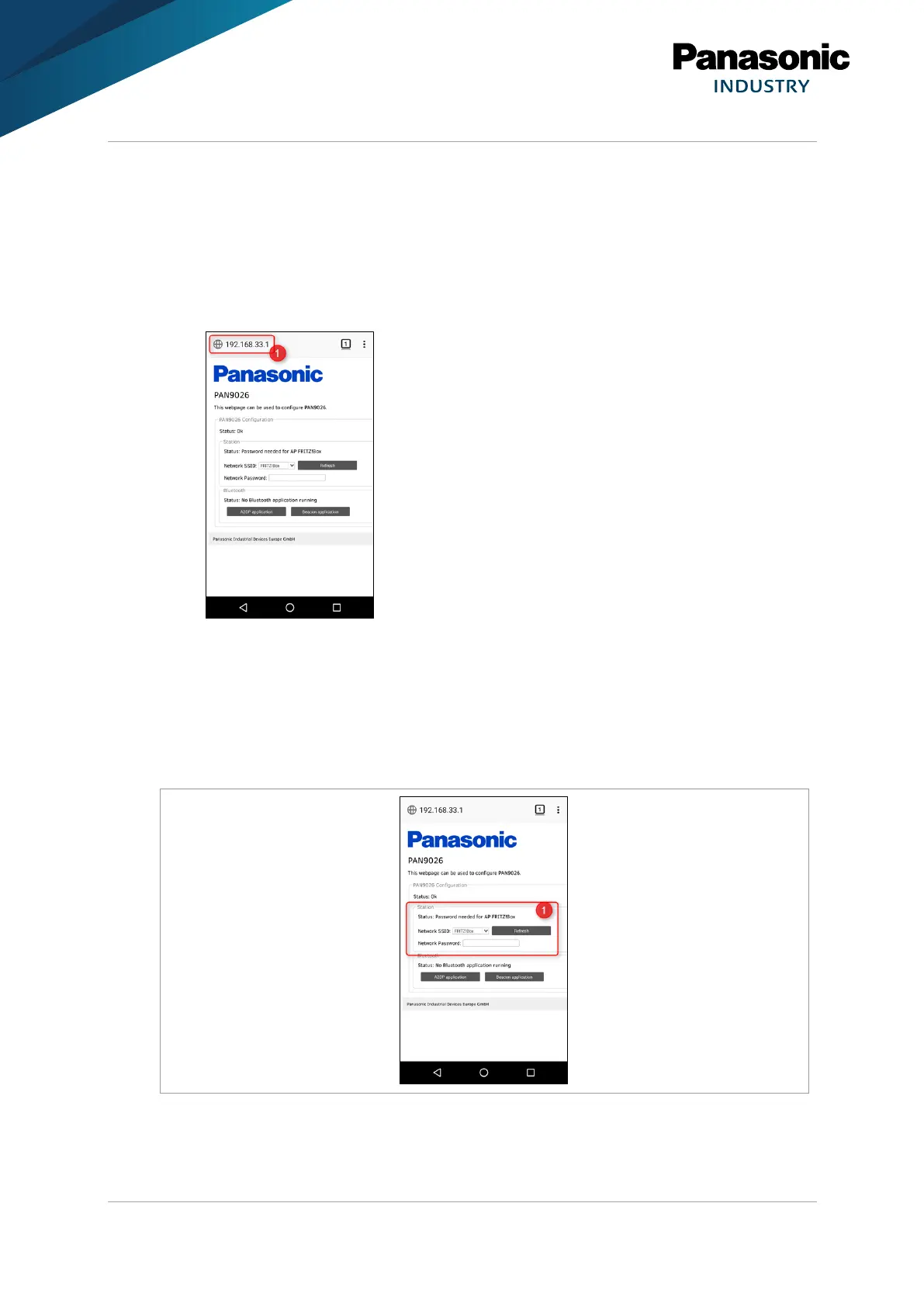
On the PAN9026-IMX a web server is running which provides the user interface for remote
controlling the system.
1. Open the web browser.
2. Navigate to the address 192.168.33.1 (1) to access.
4.4 Exploring the Wi-Fi Features
4.4.1 Connecting to the Internet
The Wi-Fi features of the PAN9026 can be controlled using the section Station (1) on the
web page.















 To Next Page