PAN9026 Wi-Fi/Bluetooth Module 4 Basic Usage
Quick Start Guide Rev. 1.2 Page 13 of 34
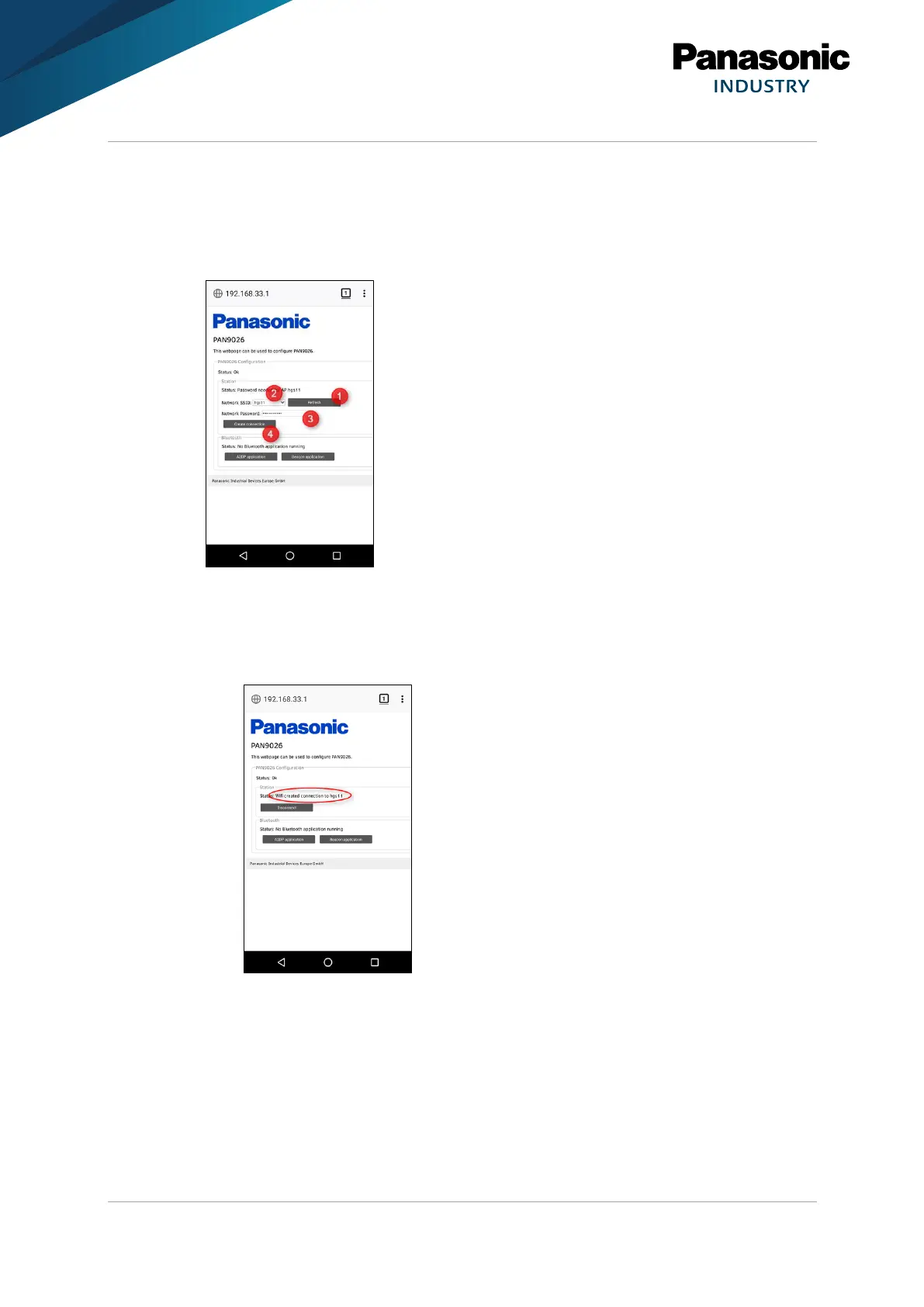
The PAN9026 is capable of connecting to an existing access point while acting as an
access point itself.
The user interface is intuitive and will guide through the possible use cases.
1. Press Refresh to refresh the list of found access points.
2. Press Network SSID to select an access point.
3. Enter the matching password into the Network Password field.
4. Press Create Connection to create the connection.
➔ The PAN9026 will connect to it. This takes approximately a couple of seconds.















 To Next Page