PAN9026 Wi-Fi/Bluetooth Module 6 Managing Software Package
Quick Start Guide Rev. 1.2 Page 28 of 34
5. Remember the name from the column NAME (3).
6. Enter the following code into the command dd to write the SD card image to the desired
target drive: sudo dd if=wandboard-pan9026.iso of=/dev/sdb bs=1M
6.2 Updating Installation
The SD card image, that comes with the PAN9026-IMX, already has the PAN9026 Software
Package pre-installed.
If new updates of the PAN9026 Software Package are released, it might be necessary to
update the installation.
The PAN9026 Software Package is a compressed bash script and is named pan9026.bsx.
1. Copy pan9026.bsx on an USB flash drive.
2. Attach pan9026.bsx to the PAN9026-IMX.
➔ The USB flash drive will be presented on the desktop.
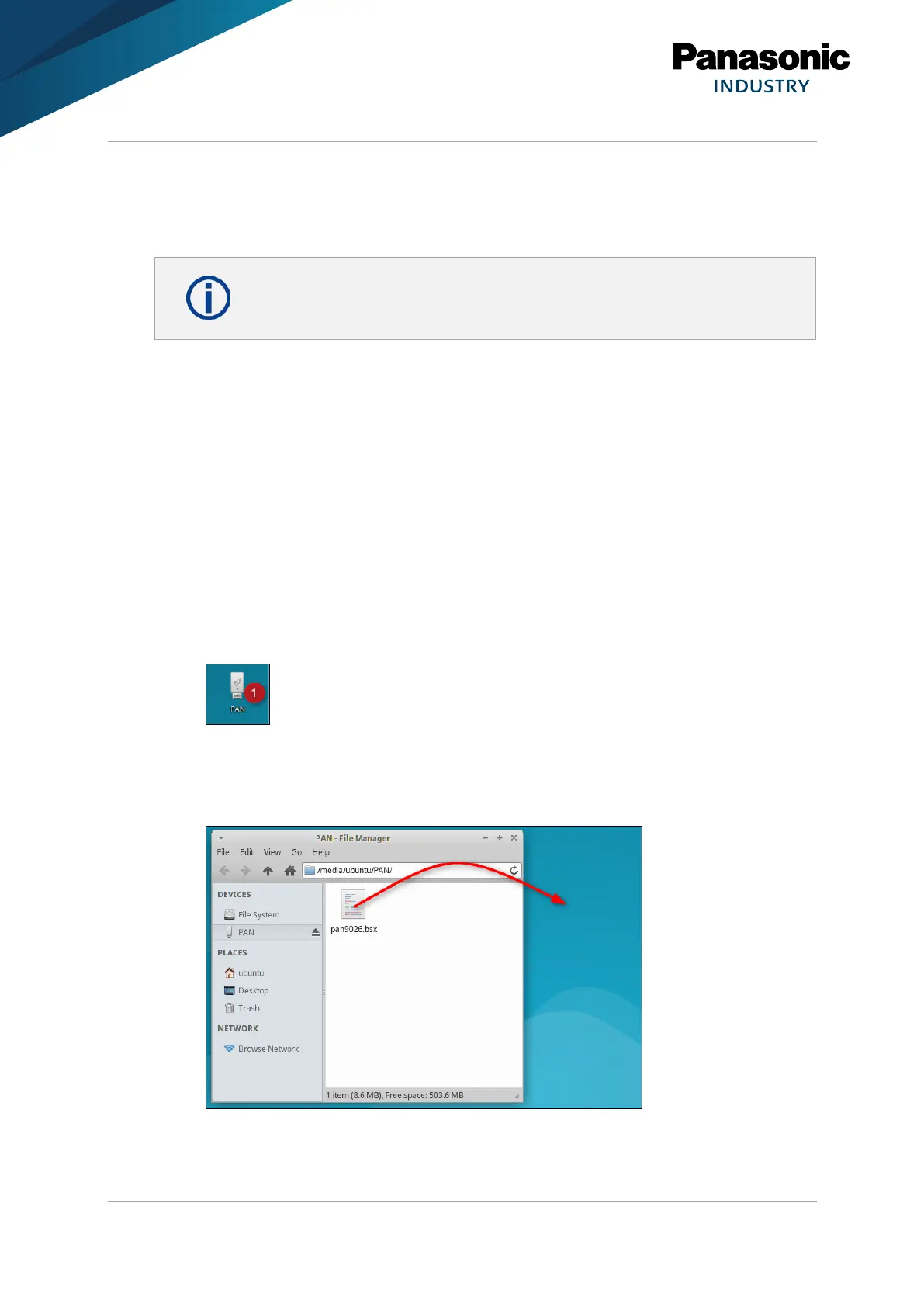
3. Open the USB flash drive (1).
If it is not possible to execute pan9026.bsx from a regular USB drive:
4. Copy pan9026.bsx to the desktop, using drag and drop from the USB driver folder to
the desktop.















 To Next Page