PAN9026 Wi-Fi/Bluetooth Module 6 Managing Software Package
Quick Start Guide Rev. 1.2 Page 29 of 34
Changing Permissions
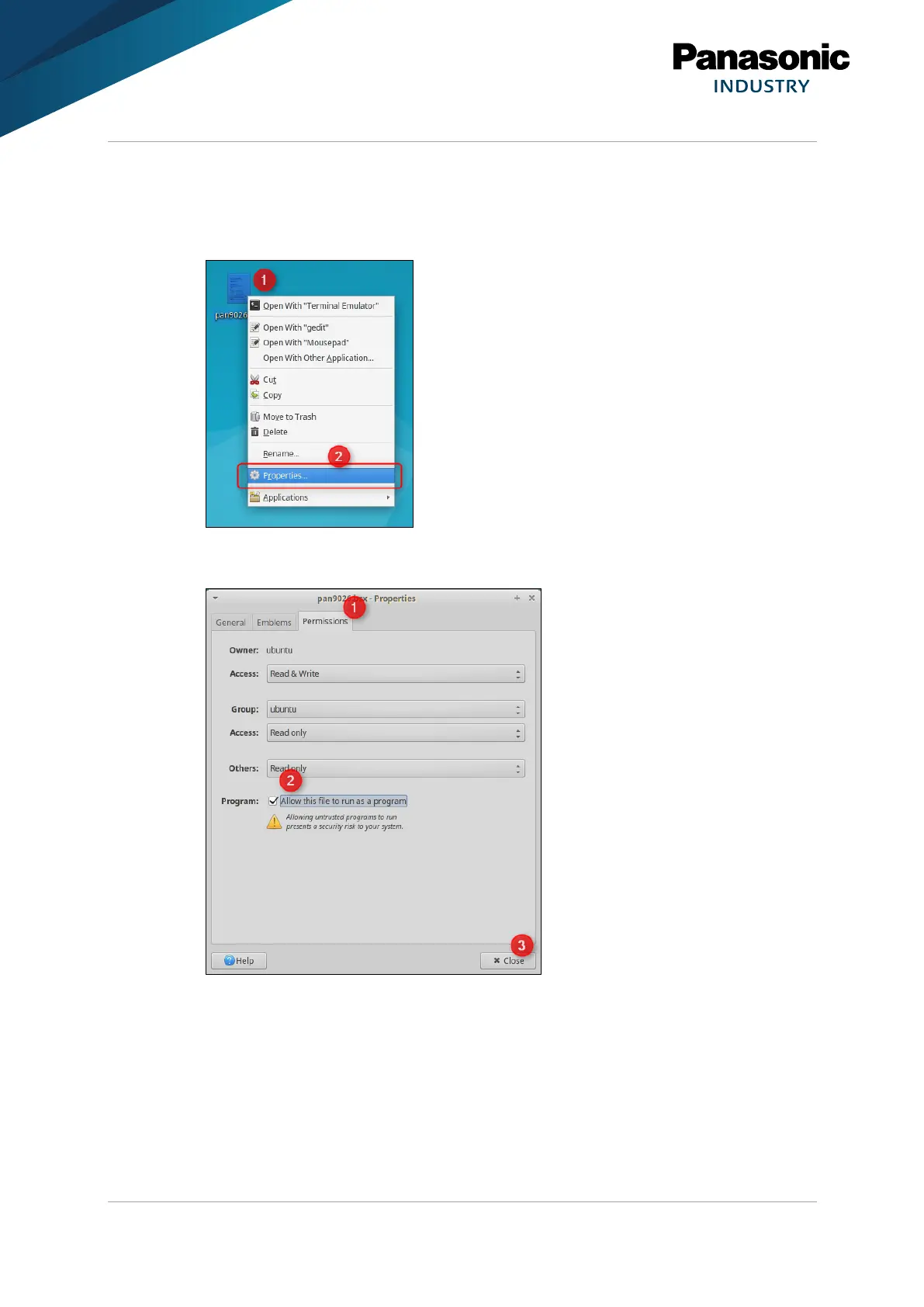
The permissions of the file pan9026.bsx must be changed so that it can be executed.
1. Right-click pan9026.bsx (1).
2. Click Properties… (2).
3. Navigate to the tab Permissions (1).
4. Allow this file to run as a program (2).
5. Click Close (3).
➔ Now the pan9026.bsx can be executed by using the Terminal Application.















 To Next Page