PAN9026 Wi-Fi/Bluetooth Module 6 Managing Software Package
Quick Start Guide Rev. 1.2 Page 30 of 34
Executing the Software Package
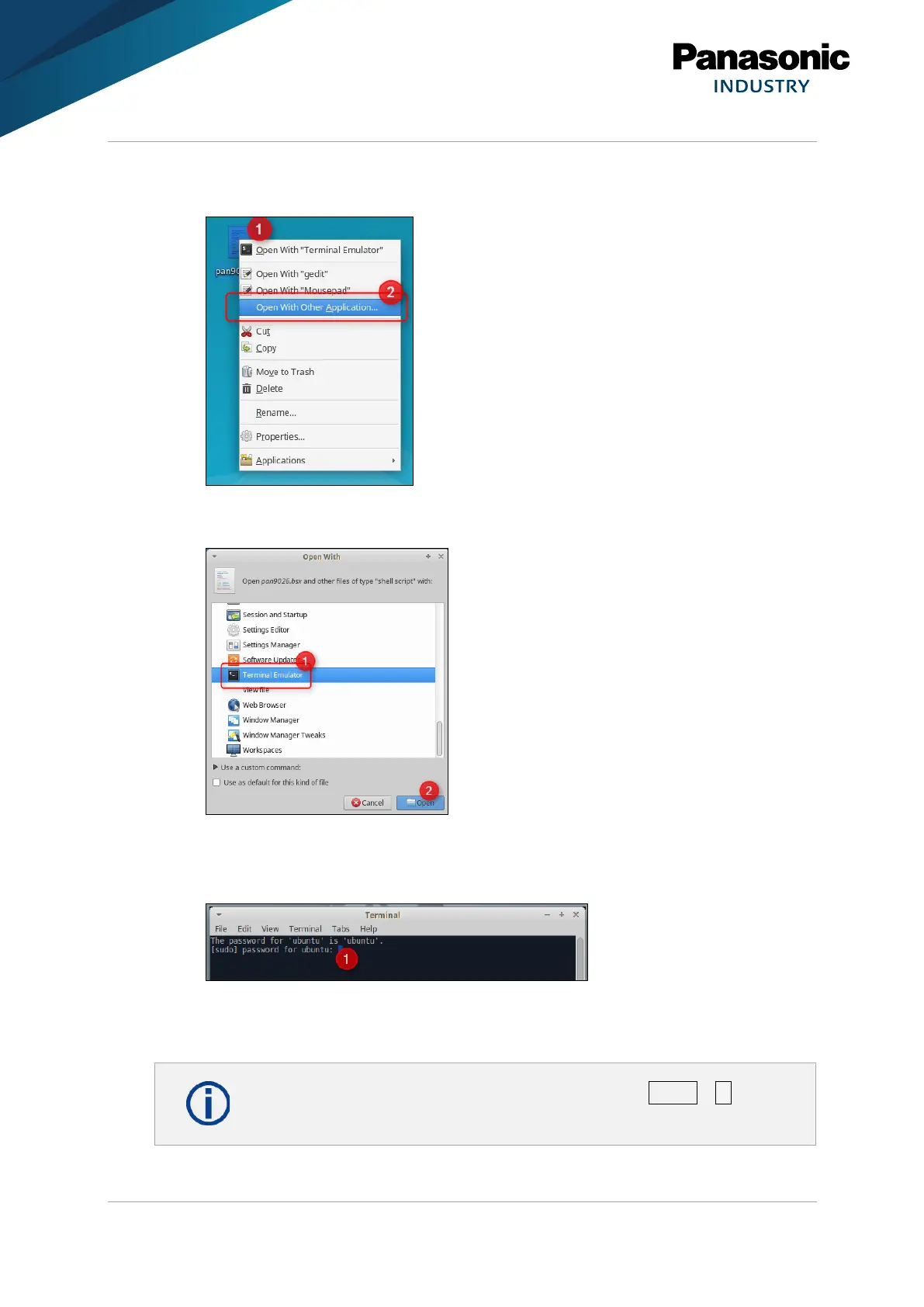
1. Right-click pan9026.bsx (1).
2. Click Open With Other Application… (2).
3. Click Terminal Emulator (1).
4. Click Open (2).
➔ A Terminal window will be displayed.
5. Enter the password for ubunto to finish the installation (1).
6. Press any key to reboot the system.
➔ The installation is finished.















 To Next Page