VQT2M18
10
• Press
STOP
to stop the unit.
• Select a folder (
➜
right).
• Select a file (
➜
right).
Press
q
/
g
(Playback starts).
Adjusting the volume
Turn up the volume: Press +.
Turn down the volume: Press –.
Volume range is 0 to 20.
(The factory setting is 13.)
Operations during playback
Jump (Skip):
Press
u
,
i
.
Press
u
midway while playing a
file and the playback jumps to the
beginning of the file. To return to the
previous file, press
u
again within 1
second.
Fast backward/Fast forward
(Search):
Press and hold
u
,
i
.
Stop: Press
q
/
g
or
STOP
.
Playing
1
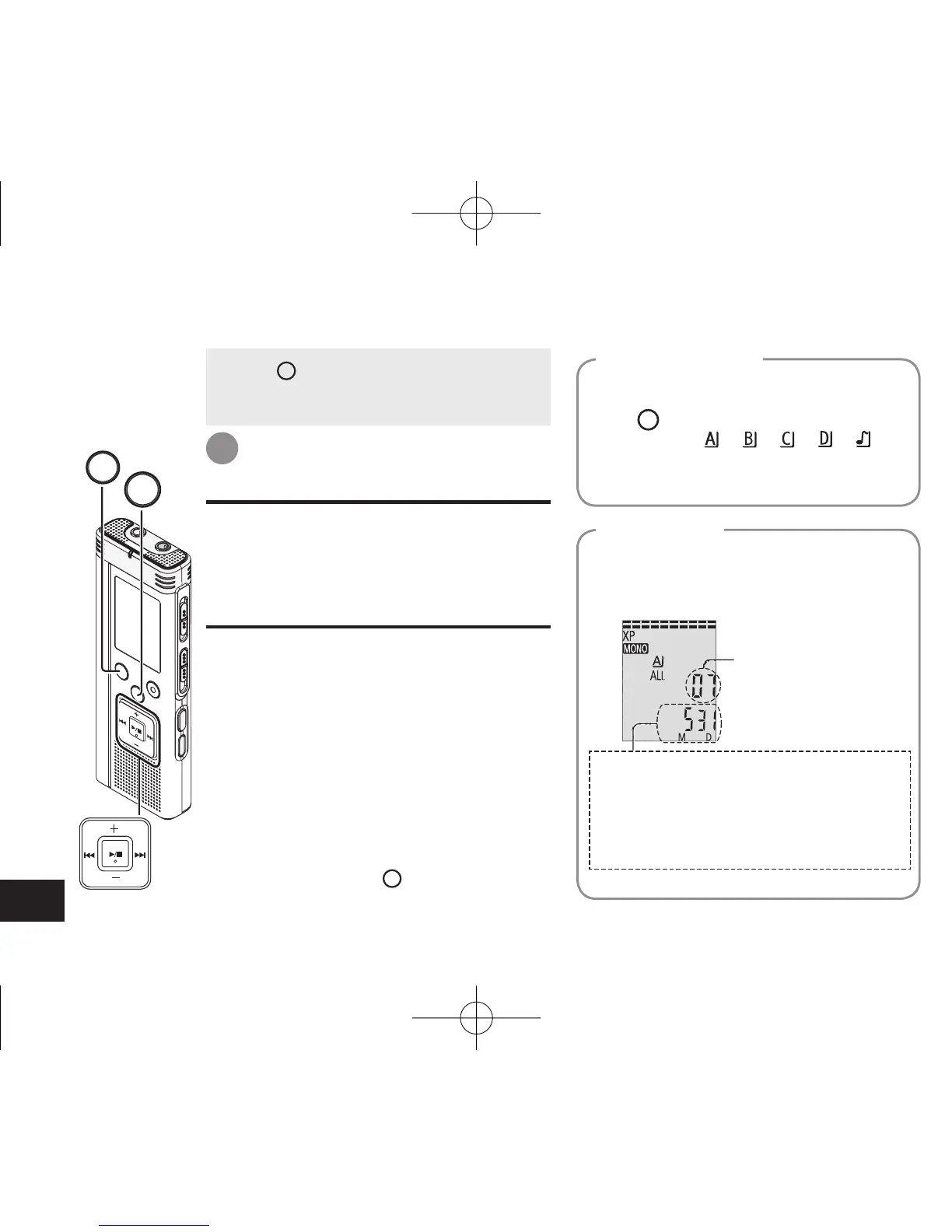
When a file is selected, the recording
information below is displayed.
Recording date
→
Recording start time
→
Recording time
→
Total number of files in the
folder
The folder is switched each time you
press
FOLDER/SPEED
.
Select among “
”, “ ”, “ ”, “ ”, “ ”.
Select the folder that contains the file to
play.
Select a folder
Press
u
,
i
to select.
Each time you press, the file number
changes.
Select a fi le
File number
STOP
FOLDER/SPEED
4475AA'A'P836/AKPFF4475AA'A'P836/AKPFF ඦ೨ඦ೨















 To Next Page