VQT2M18
6
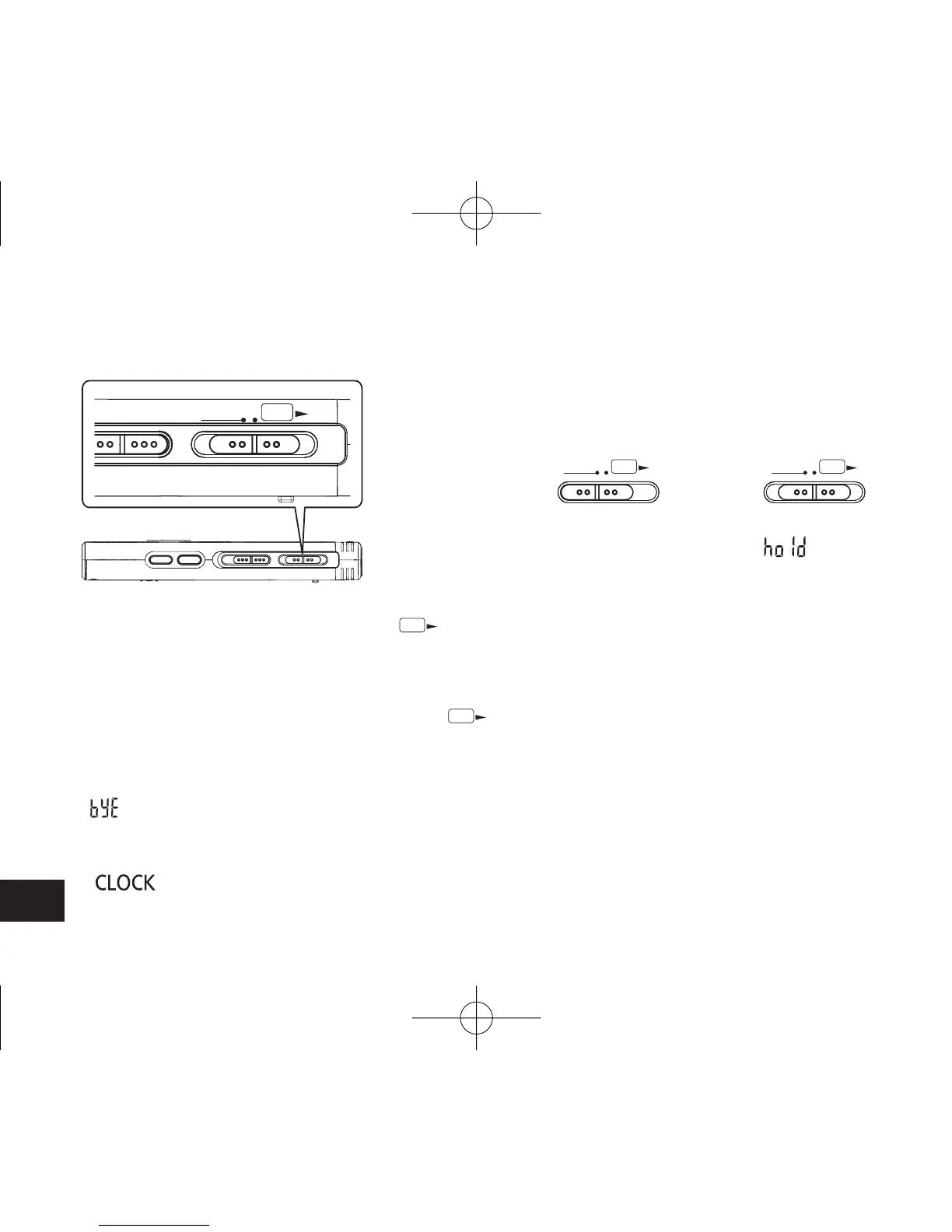
Hold function
Turning ON/OFF the Power
OPERATION/HOLD Switch
OPR
HOLD
Button operations are ignored when you set Hold
on.
Switching Hold on/off
Hold on
OPR
HOLD
Hold off
OPR
HOLD
• When the Hold function is on, button operation is
ignored even if the unit is on (“ ” is displayed).
Accordingly, operation mistakes (i.e. Recording or
playback stops midway.) can be prevented.
OPR: operation
Turning the power ON
• Slide OPERATION/HOLD switch to
OPR
side,
then the power turns on and the display lights on.
Turning the power OFF
• Slide and hold OPERATION/HOLD switch to
OPR
side for 2 seconds.
Also, when you do not operate the unit for more
than approx. 15 minutes while the unit is stopped,
“ ” is displayed and the power automatically
turns off.
* When batteries are inserted for the first time,
“ ” blinks on the display. Please set the
time (
➜
page 7).
4475AA'A'P836/AKPFF4475AA'A'P836/AKPFF ඦ೨ඦ೨















 To Next Page