VQT2M18
9
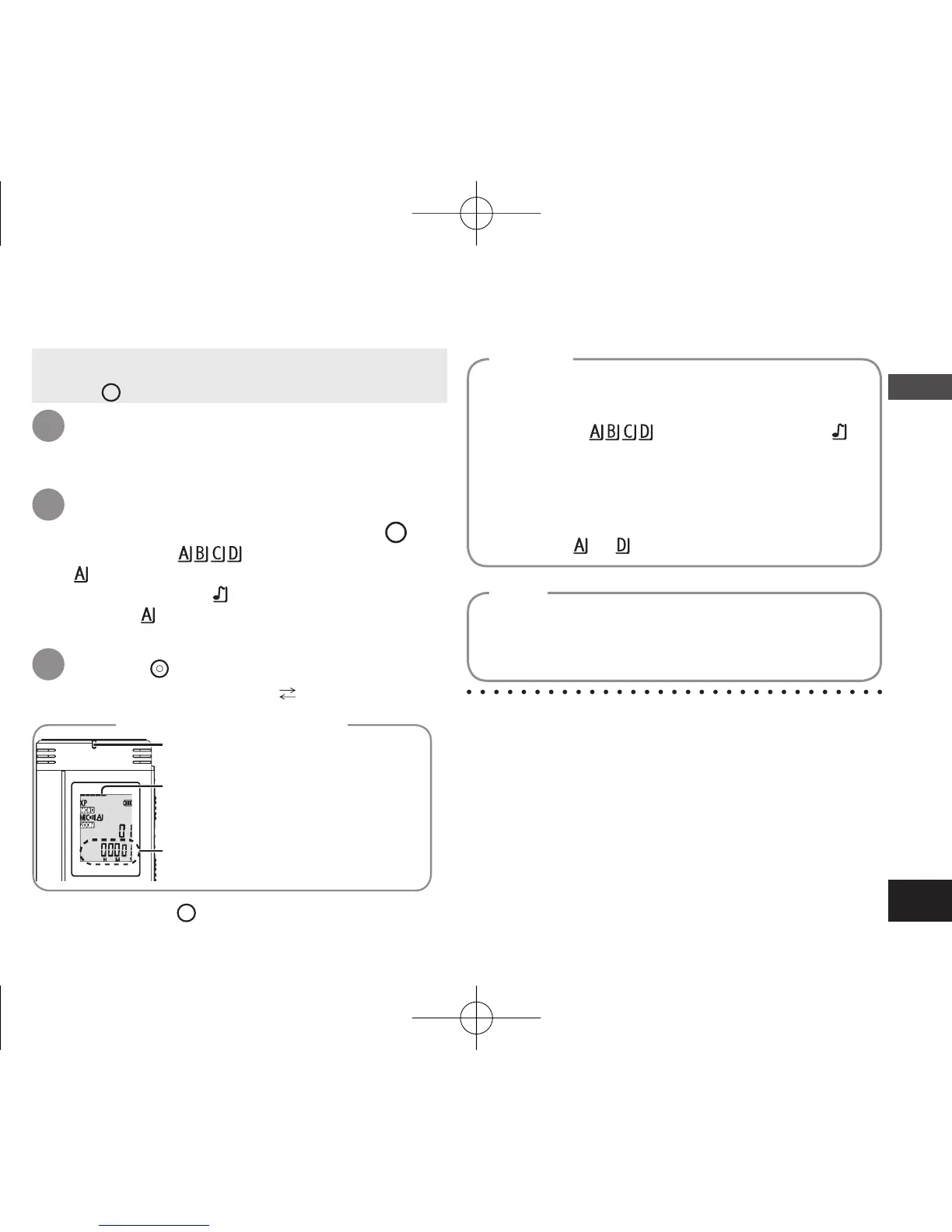
The display changes depending
on recording levels.
In stereo Top side: ch-L/Bottom
side: ch-R
Recording elapsed time
(Blinks while paused.)
To stop: Press
STOP
.
1
• Turn the power on (
➜
page 6).
• Press
STOP
to stop the unit.
*
Even if you change the position of Recording
position switch during recording, the setting will
not be changed until the recording is complete.
*
Change the recording mode as necessary
(
➜
page 15).
*
Do not block the holes of the zoom microphone and
built-in microphone during recording (
➜
page 4).
*
Note if your finger or an object touches this unit
during recording, the noise will be recorded
through the microphone.
Light stays on. (Blinks while paused.)
Display during recording
Recording
[Folder] for this unit means locations in which
recording (music) files are stored. There are 4
audio folders “
” and 1 music folder “ ” in
this unit.
Using each folder according to the purposes of
recording enables you to search files easily later.
A maximum of 99 files can be saved into each
audio folder
to .
Folder
Recorded audio data from the starting point to the
ending point is saved as a file.
The saved data is called a file.
File
Slide recording position switch to
select a position.
Switch modes according to situations (
➜
page 8).
Press
REC/PAUSE
(Recording starts).
Each time you press Pause Recording resumes
2
3
Select a folder for recording.
The folder is switched each time you press
FOLDER/SPEED
.
Select among “
” (The factory setting is
“ ”).
When you select “ ”, recording is automatically
saved in “ ” (If the folder already contains 99 files,
the next folder with recordable space is used).















 To Next Page