VQT2M18
12
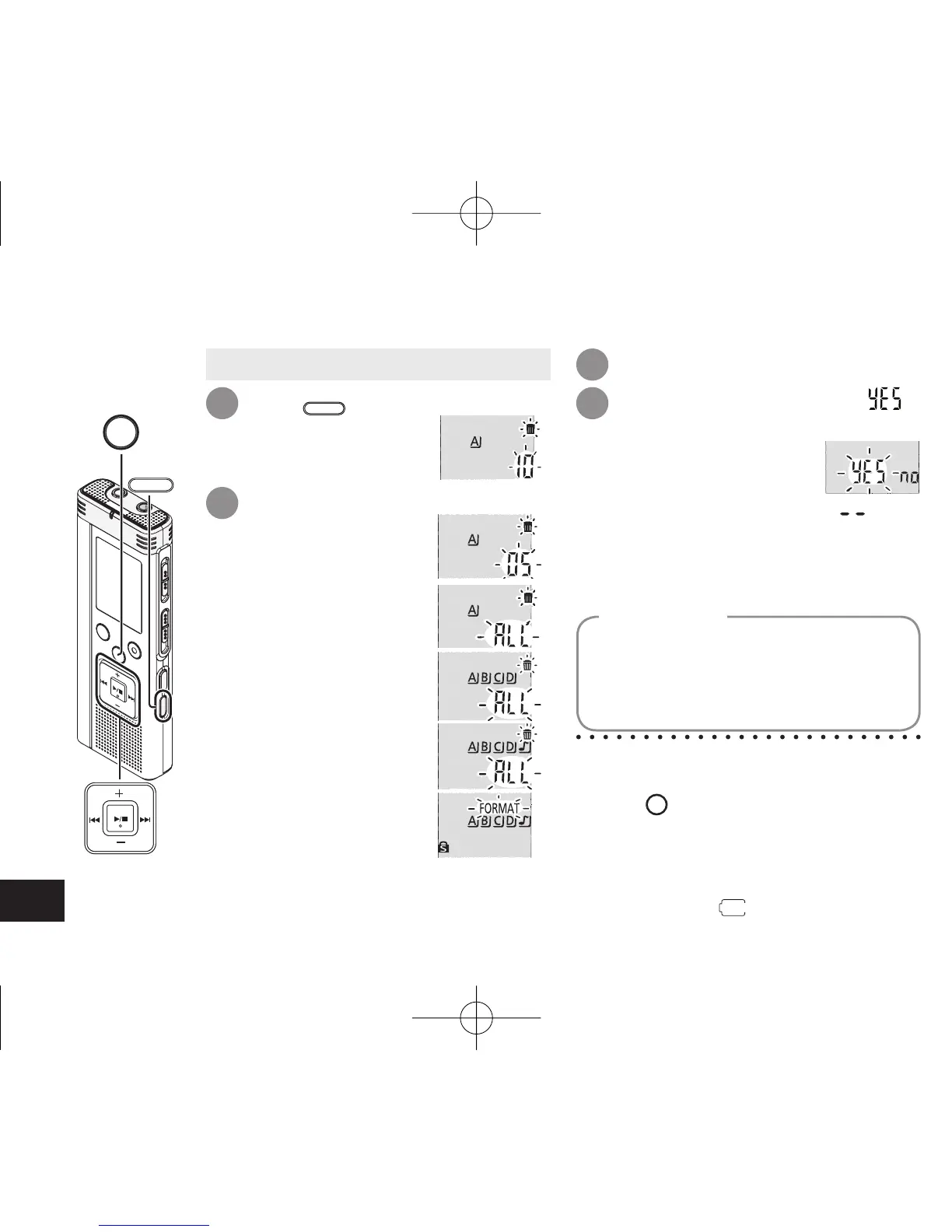
Deleting recorded files
Press
ERASE
while
playing or the unit
is stopped.
Press
u
,
i
to select “ ”
and press
q
/
g
to enter.
When deleting is complete, “ ” is
displayed.
It may take dozens of seconds until
deleting is complete.
1 4
• Select a folder (
➜
page 10).
* Deleted files cannot be recovered.
* You cannot delete a portion of a file.
* Press
STOP
to stop the operation midway.
* The file numbers displayed on this unit
are moved forward after deleting files.
* Both deleting and formatting data are
not available when the remaining battery
display shows “
” (blinking).
Press
q
/
g
to enter.
3
Press
u
,
i
to select the file.
Ӳ Deleting all files in
one folder
ӳ Deleting all files in
folder A through D
Ӵ Deleting all files in
all folders
ӱ Deleting one file
ӵ Formatting this unit
2
ӱ to Ӵ : Protected files and files which
cannot be played back on this
unit cannot be deleted.
If the unit is formatted, all existing files
including protected files, music files,
data files transferred from PCs, etc. are
deleted.
Formatting
STOP
ERASE
4475AA'A'P836/AKPFF4475AA'A'P836/AKPFF ඦ೨ඦ೨















 To Next Page