VQT2M18
22
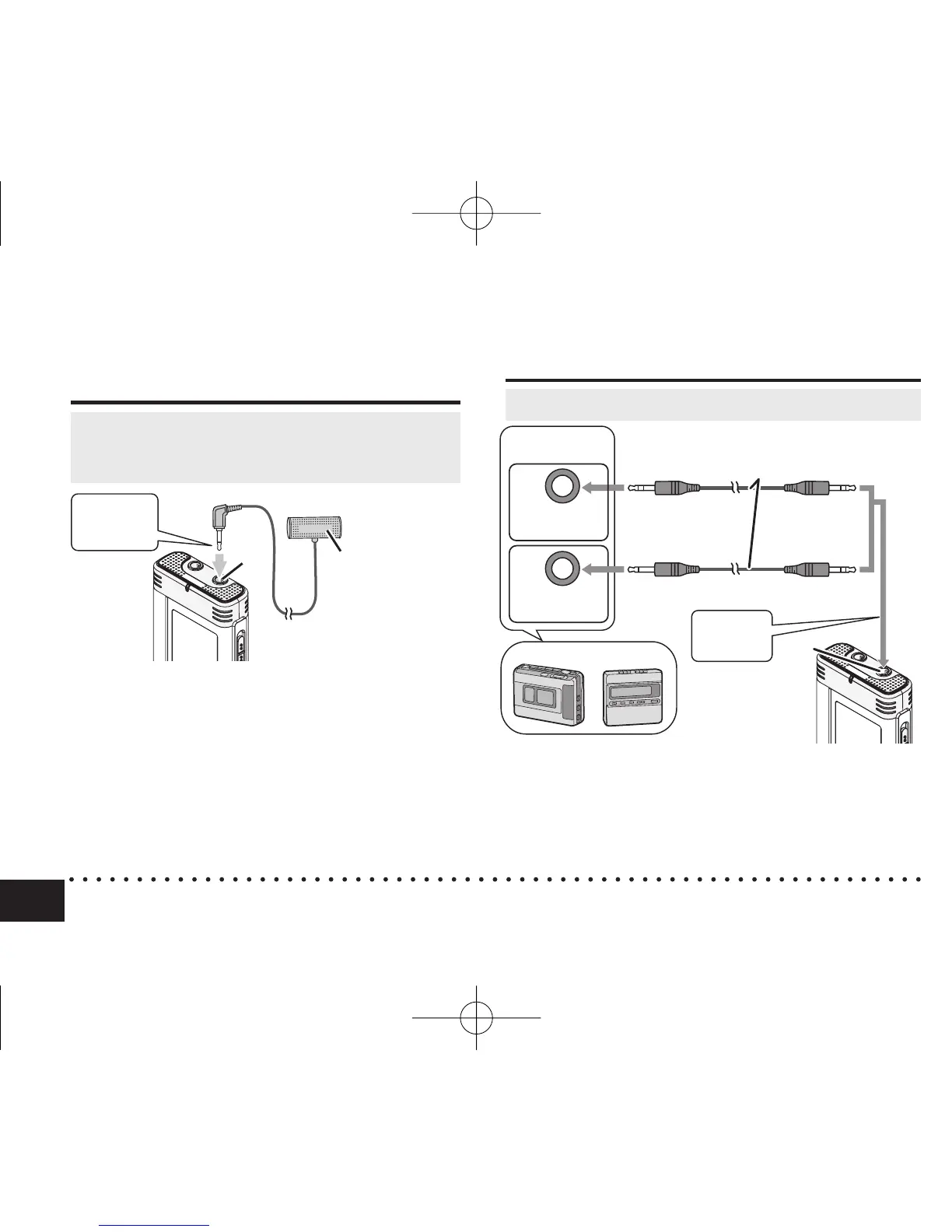
Recording using an external
microphone
Recording using an external microphone/Recording from other devices
Recording from other devices
• Change the setting to monaural/stereo on
this unit according to the microphone’s
monaural/stereo (
➜
page 14).
ӱ On the source, play audio you want to copy.
Ӳ On this unit, record the audio (
➜
page 9).
*
Use the connection cable that matches monaural/stereo of the connected device.
Wrong connection may cause recording trouble (i.e. Only 1 channel is recorded.).
*
The recorded sound may differ from the original recording sound.
*
Adjust the recording volume on the source to the desired level.
ӱ Record the audio (
➜
page 9).
MIC
Insert
securely.
Plug type:
ø 3.5 mm
stereo mini plug
Audio Cable with resistor (not included)
Stereo
mini plug
Stereo
mini plug
Monaural
mini plug
Head phone
jack
(Stereo
device)
(Monaural
device)
Stereo
mini plug
Playing
* If the recording level is too low or high, adjust the
microphone sensitivity (
➜
page 14).
External
microphone
(not included)
Insert
securely.
* Read the operating instructions for the connected device.
*
The microphone function of this unit does not work as long as a device is connected to the external microphone jack.
Plug type:
ø 3.5 mm
stereo mini
plug
• Set monaural/stereo to stereo (
➜
page 14).
MIC
4475AA'A'P836/AKPFF4475AA'A'P836/AKPFF ඦ೨ඦ೨















 To Next Page