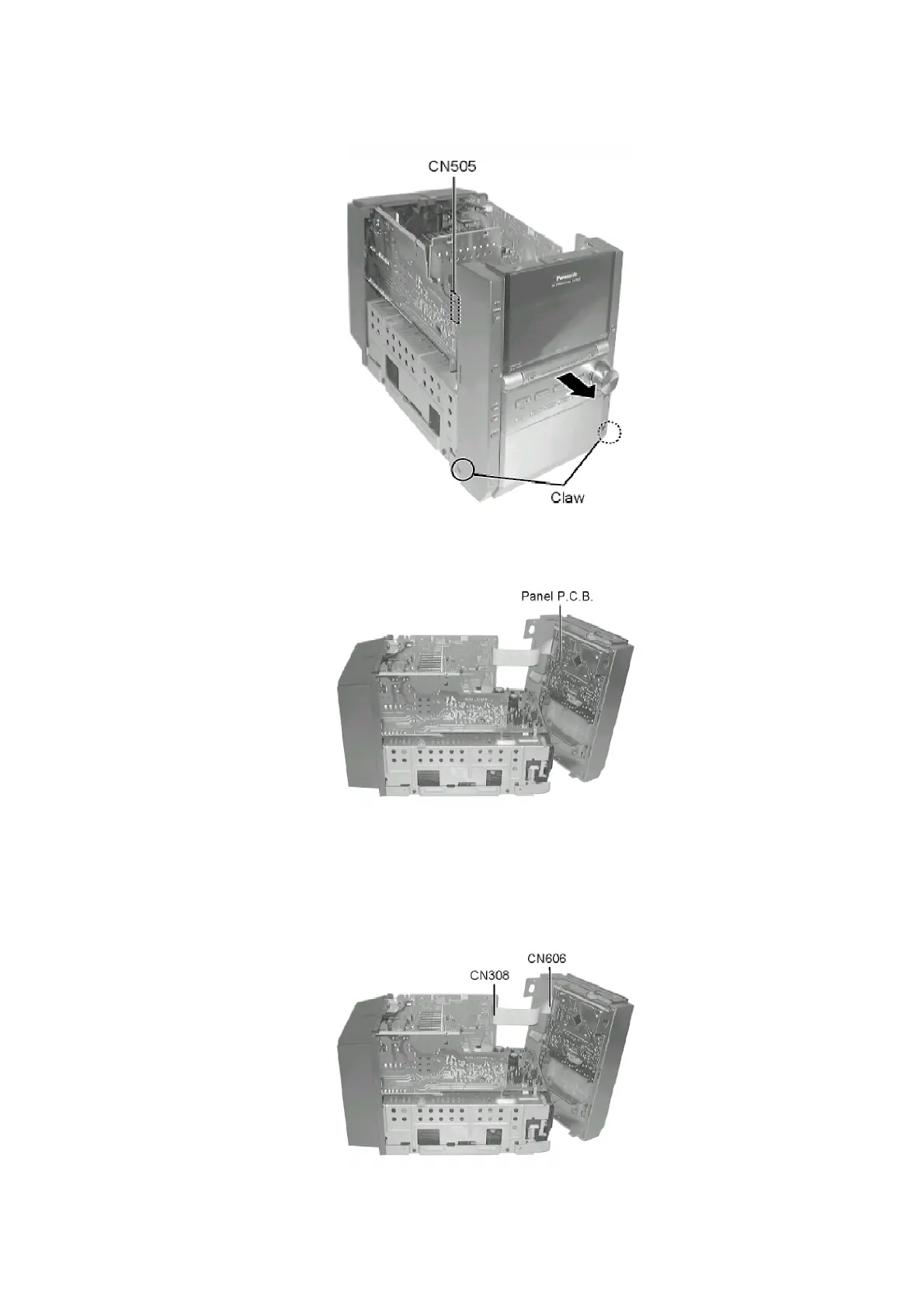
Step 4 Push front panel forward as arrow shown.
Step 5 Reconnect CN1303, CN1304, CN505 and CN506 for checking operation for main unit.
- Checking for Panel P.C.B.
8.1.4. Checking for Headphone P.C.B., AC Led P.C.B. and Tact Switch P.C.B.
- Follow the (Step 1) - (Step 4) of Item 8.1.1.
- Follow the (Step 1) - (Step 2) of Item 8.1.2.
- Follow the (Step 1) - (Step 4) of Item 8.1.3.
Step 1 Disconnect CN308 and CN606.
15









 To Next Page