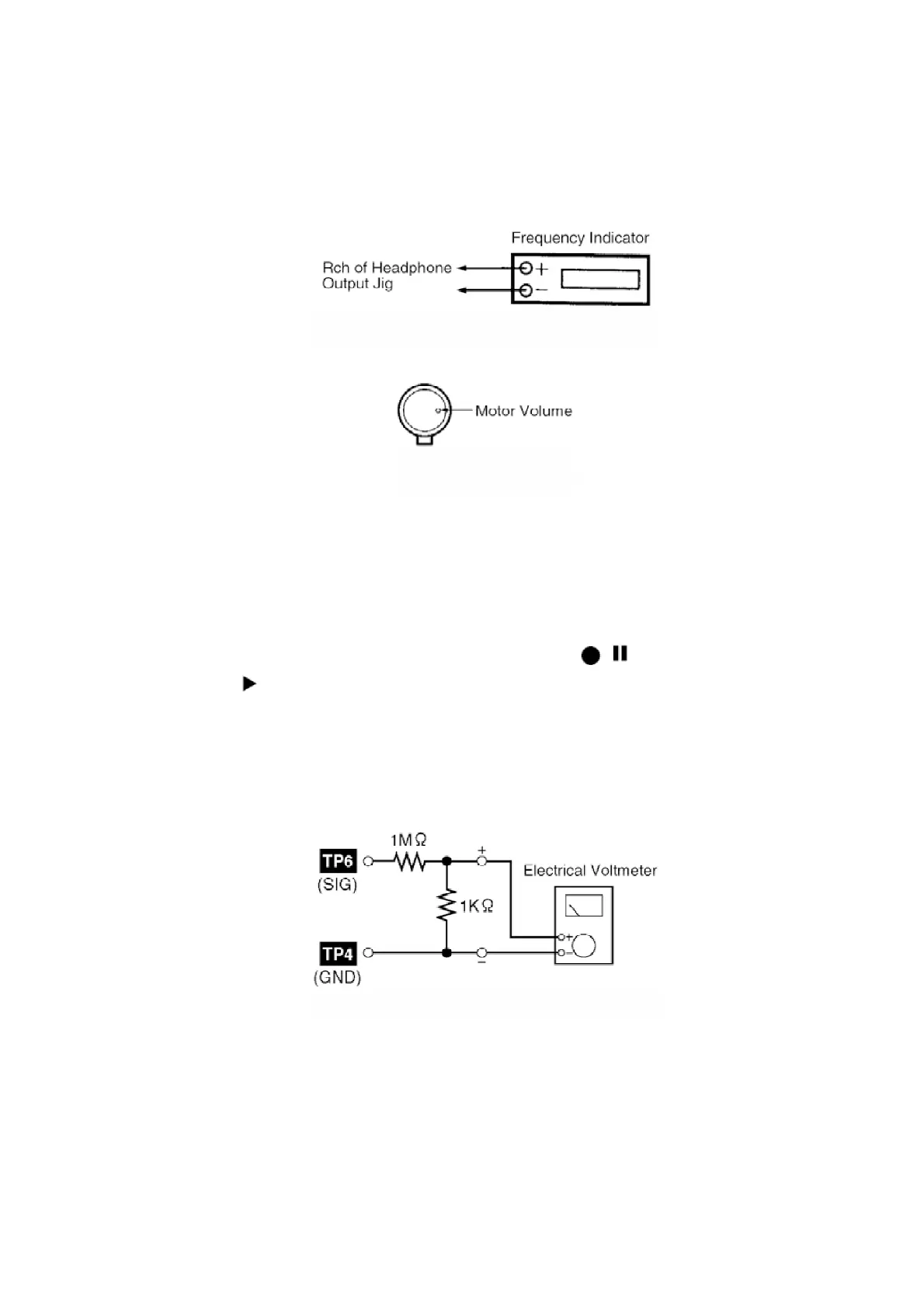
produced. (Cf. Fig. 10)
Adjustment Range: 3,000 ± 90Hz (a constant speed)
Fig. 10
Fig. 11
12.2.5. Bias Voltage Check
1. Connect an electrical voltmeter. (Cf. Fig. 9) (Cf. Fig. 12)
2. Set the function to “TAPE” position.
3. Insert a normal blank cassette tape (QZZCRA).
4. While pressing and holding down [REC ( / )] button, press
[TAPE ( )] button to pause the recording mode. (Repeat pressing
the buttons till the recording pause mode is activated.)
5. Check that the output level is within the standard range.
Standard Range: 14 ± 4mV
Fig. 12
12.2.6. Bias Frequency Check
1. Connect a digital frequency counter (Figure 13).
2. Set the function to “TAPE” position.
3. Insert a normal blank cassette tape (QZZCRA) and press “REC”
80









 To Next Page