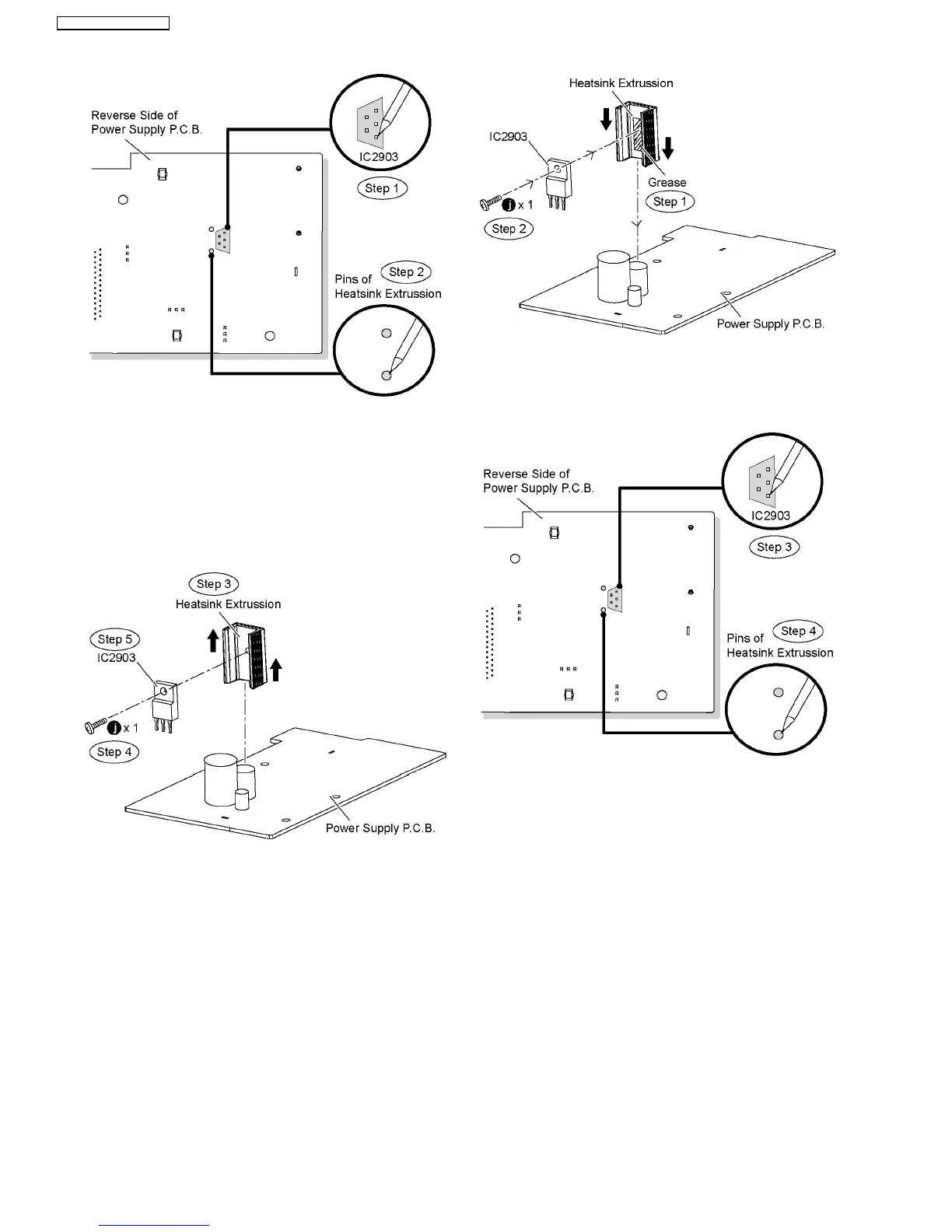
Step 3 Remove the heatsink extrussion in the direction of
arrows.
Step 4 Remove 1 screw from the regulator IC (IC2903).
Step 5 Remove the regulator IC (IC2903) from the heatsink
extrussion.
Caution: Handle the heatsink extrussion with caution due
to its high temperature after prolonged use. Touching it
may lead to injuries.
Note: Refer to the diagrams of Power Supply P.C.B. (Item
20.3.) for location of the part.
9.24.1. Assembly of Regulator IC (IC2903)
Step 1 Apply grease to the heatsink extrussion.
Step 2 Fix and screw the regulator IC (IC2903) to the heatsink
extrussion.
Special Note: Ensure the regulator IC (IC2903) is tighly
screwed to the heatsink extrussion.
Step 3 Solder pins of the regulator IC (IC2903) on the reverse
side of Power Supply P.C.B.
Step 4 Solder pins of the hestsink extrussion on the reverse
side of Power Supply P.C.B.
Special Note: Ensure pins of the regulator IC (IC2903) are
properly seated and soldered on Power Supply P.C.B.
9.25. Disassembly of DVD Module
P.C.B.
•
• •
• Follow (Step 1) to (Step 3) of Item 9.3.
•
• •
• Follow (Step 1) to (Step 9) of Item 9.12.
Step 1 Detach 50P FFC cable at the connector (CN2001) on
Main P.C.B.
64
SA-PT760P / SA-PT760PC




 To Next Page