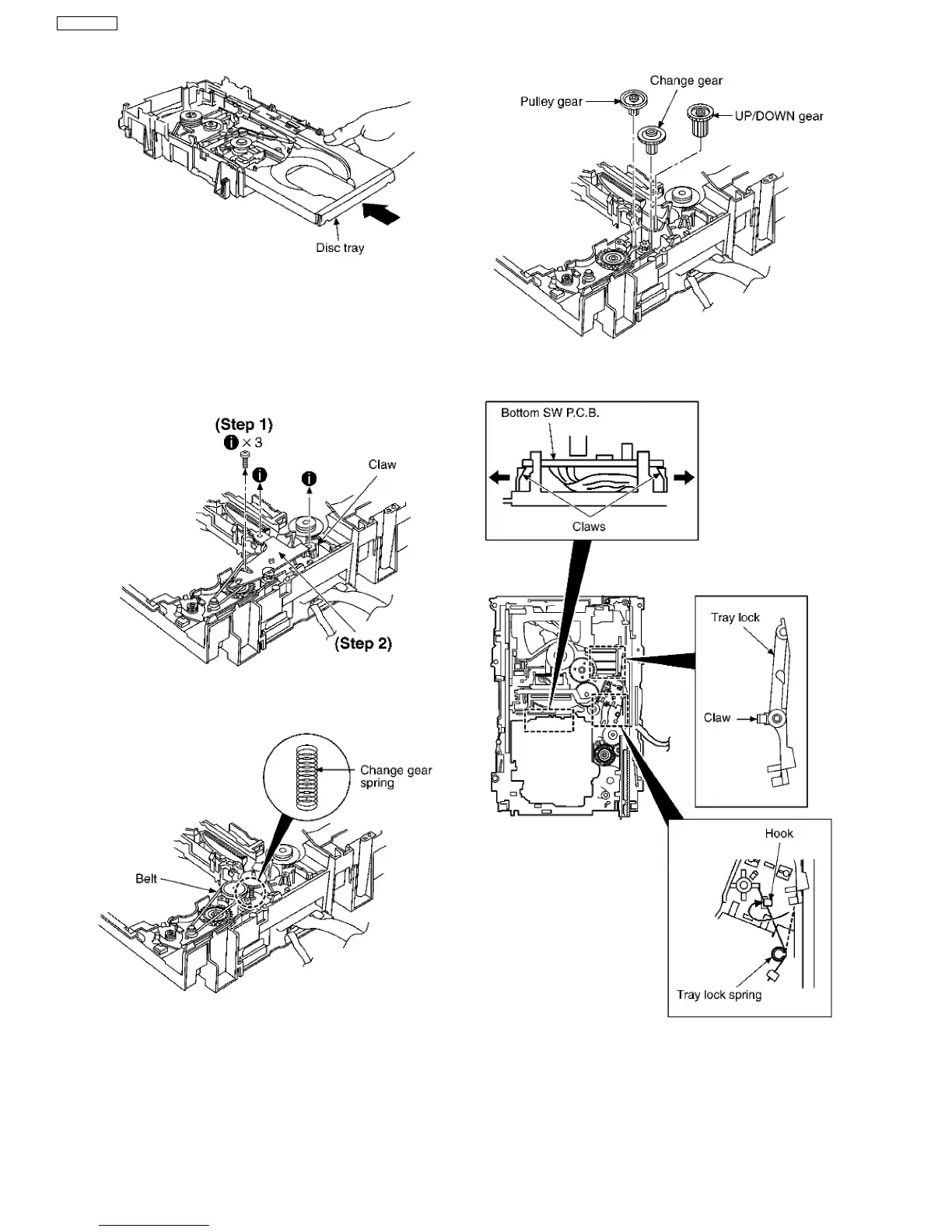
Step 4 Holding the disc tray manually, push the disc tray in the
direction of the arrow.
17.8.3. Disassembly and reassembly for
mechanism base drive unit
·
Follow the (Step 1) - (Step 9) of Item 17.8.2.
Step 1 Remove 3 screws.
Step 2 Release the claw, and then remove the gear holder.
Step 3 Remove the belt and change gear spring.
NOTE:
Take care not to lose the change gear spring.
Step 4 Remove the pulley gear, change gear and UP/DOWN
gear.
Step 5 Release the 2 claws, and then remove the bottom SW
P.C.B..
Step 6 Install the tray lock spring to hook temporary.
Step 7 Release the claw, and then remove the tray lock.
Step 8 Release the claw, and then remove the rear lock.
42
SA-VK61DGS





 To Next Page