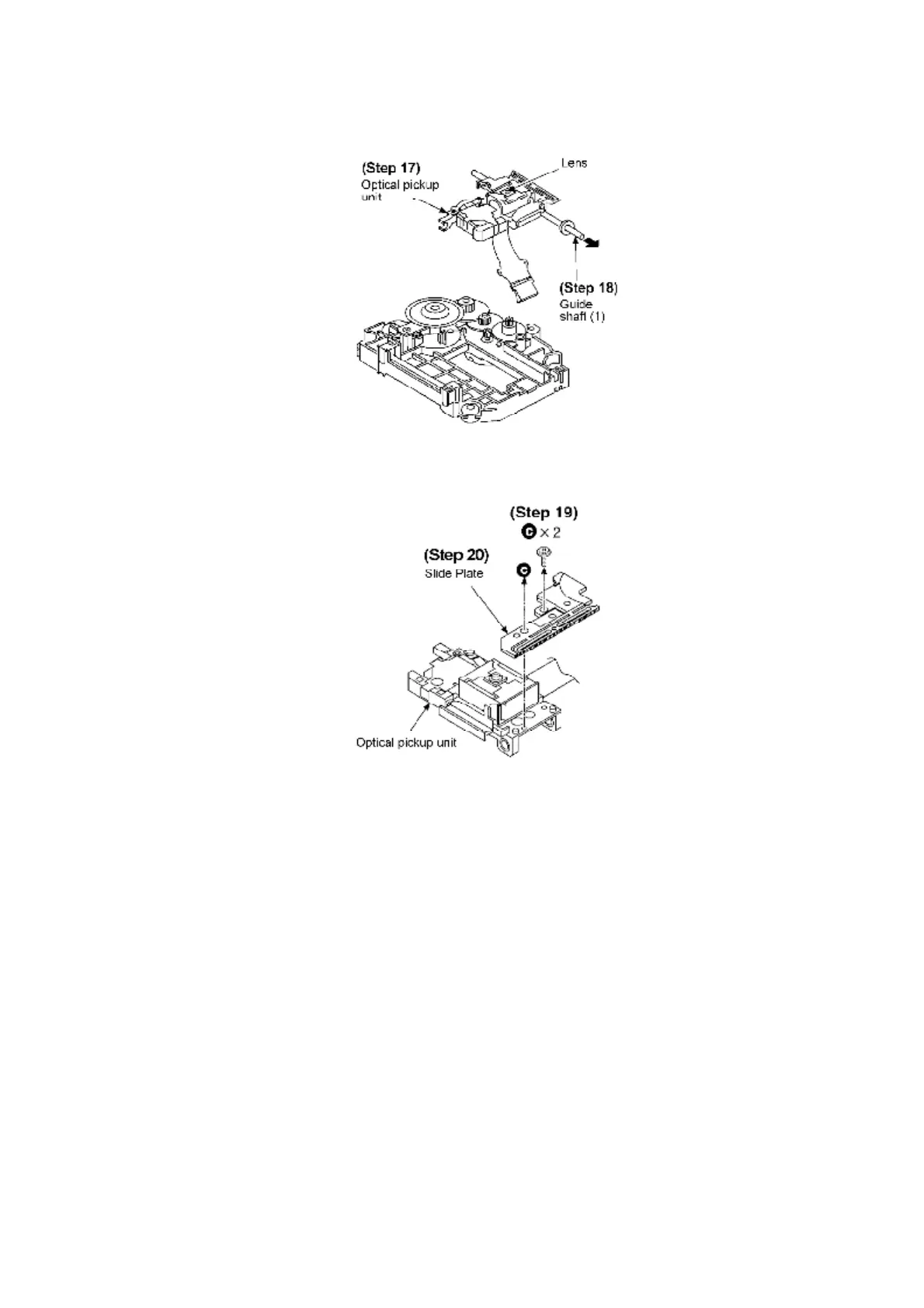
Step 19: Remove all the screws.
Step 20: Remove the slide plate.
[Installing Optical Pickup Unit]
Step 1: Pull FFC through the hole of traverse chassis.
Step 2: Hook the optical pickup guide on the guide shaft (2).
Step 3: Attach the end of the guide shaft (1) to the hole of the guide.
Step 4: Attach the guide shaft (1) to the guide.
66








 To Next Page