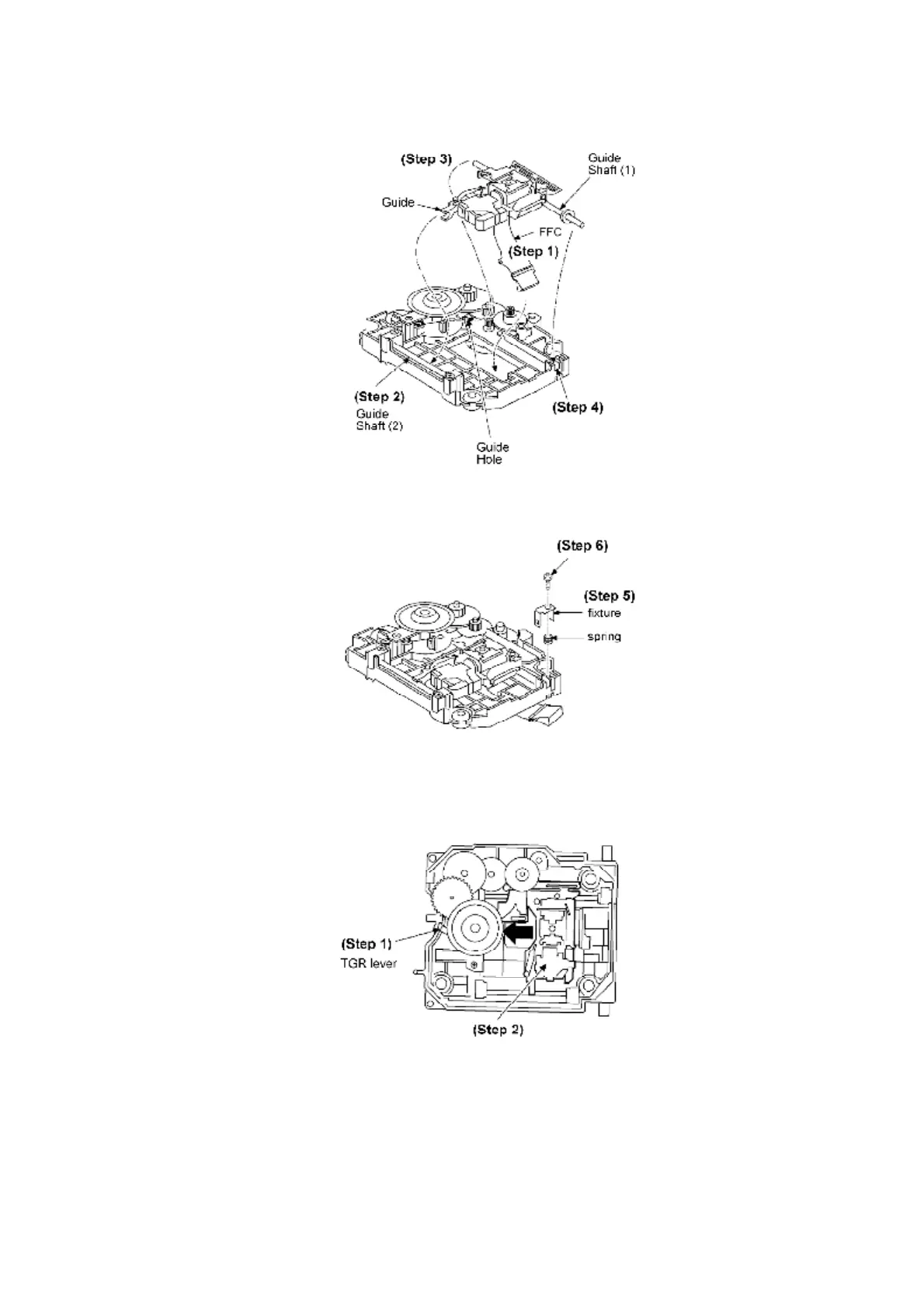
Step 5: Attach the spring and the attaching fixture.
Step 6: Fasten with a screw
[Installing Traverse Base Unit]
Step 1: Check the TGR lever is positioned as shown in the diagram below.
Step 2: Fully slide the optical pickup unit to the arrowed direction.
Step 3: Check that when the optical pickup unit is fully slid to the specified direction, TRG lever
shifts to the arrowed direction.
Step 4: Attach the drive gear.
[Completion of Preparation for Traverse Base Unit Installation]
67









 To Next Page