EasyManua.ls Logo

Panasonic SC-CH52 - To Fast Forward or Rewind the Tape

Panasonic SC-CH52
28 pages
Print Icon
To Next Page IconTo Next Page
To Previous Page IconTo Previous Page
Loading...
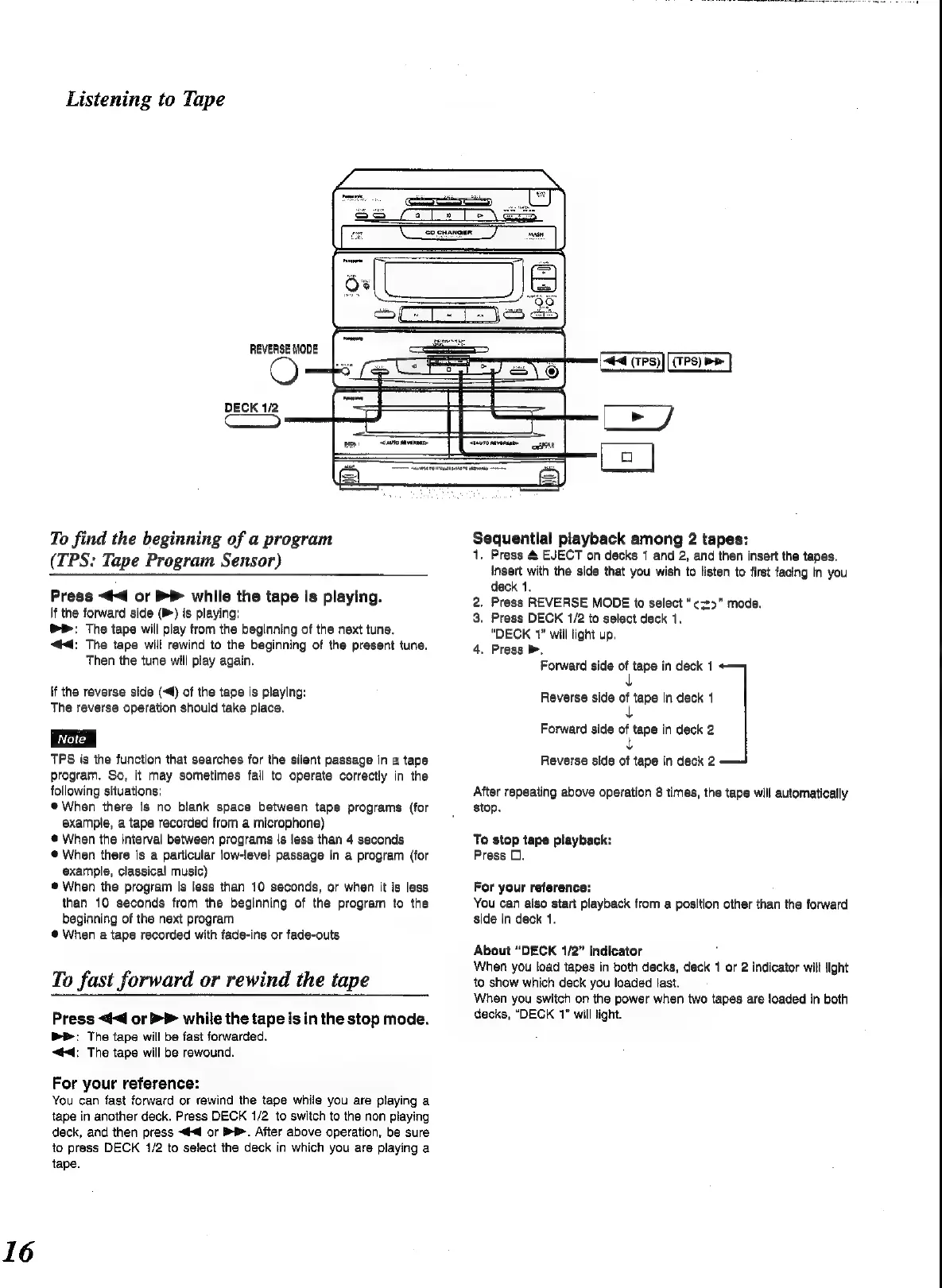
Listening
to
Tape
REVERSE
MODE
#4
(7PS)
DECK
1/2
ES)
Eee]
To
find
the
beginning
of
a
program
(TPS:
Tape
Program
Sensor)
Press
<q
or
while
the
tape
is
playing.
If
the
forward
side
(@)
is
playing:
>
The
tape
will
play
from
the
beginning
of
the
next
tune.
“@4;
The
tape
will
rewind
to
the
beginning
of
the
present
tune.
Then
the
tune
will
play
again.
If
the
reverse
side
(4)
of
the
tape
is
playing:
The
reverse
operation
should
take
place.
TPS
is
the
function
that
searches
for
the
silent
passage
in
a
tape
program.
So,
it
may
sometimes
fail
to
operate
correctly
in
the
following
situations:
®
When
there
is
no
blank
space
between
tape
programs
(for
example,
a
tape
recorded
from
a
microphone)
@
When
the
interval
between
programs
is
less
than
4
seconds
@
When
there
is
a
particular
low-level
passage
in
a
program
(for
example,
classical
music)
®
When
the
program
is
less
than
10
seconds,
or
when
it
is
less
than
10
seconds
from
the
beginning
of
the
program
to
the
beginning
of
the
next
program
@
When
a
tape
recorded
with
fade-ins
or
fade-outs
To
fast
forward
or
rewind
the
tape
Press
<¢<d
or
>>
while
the
tape
isin
the
stop
mode.
Pr:
The
tape
will
be
fast
forwarded.
44:
The
tape
will
be
rewound.
For
your
reference:
You
can
fast
forward
or
rewind
the
tape
while
you
are
playing
a
tape
in
another
deck.
Press
DECK
1/2
to
switch
to
the
non
playing
deck,
and
then
press
<#<@
or
BB.
After
above
operation,
be
sure
to
press
DECK
1/2
to
select
the
deck
in
which
you
are
playing
a
tape.
Sequential
playback
among
2
tapes:
1.
Press
&
EJECT
on
decks
1
and
2,
and
then
insert
the
tapes.
Insert
with
the
side
that
you
wish
to
listen
to
first
facing
in
you
deck
1.
.
Prass
REVERSE
MODE
to
select
“¢z>"
mode.
.
Press
DECK
1/2
to
select
deck
1.
“DECK
1”
will
light
up.
4,
Press
>,
Forward
side
ai
tape
in
deck
1
on
Reverse
side
of
tape
in
deck
1
+
Forward
side
of
tape
in
deck
2
L
Reverse
side
of
tape
in
deck
2
After
repeating
above
operation
8
times,
the
tape
will
automatically
stop.
To
stop
tape
playback:
Press
0.
For
your
reference:
You
can
also
start
playback
from
a
position
other
than
the
forward
side
in
deck
1.
About
“DECK
1/2”
indicator
When
you
load
tapes
in
both
decks,
deck
1
or
2
indicator
will
fight
to
show
which
deck
you
loaded
last.
When
you
switch
on
the
power
when
two
tapes
are
loaded
in
both
decks,
“DECK
1"
will
light.

Related product manuals