EasyManua.ls Logo

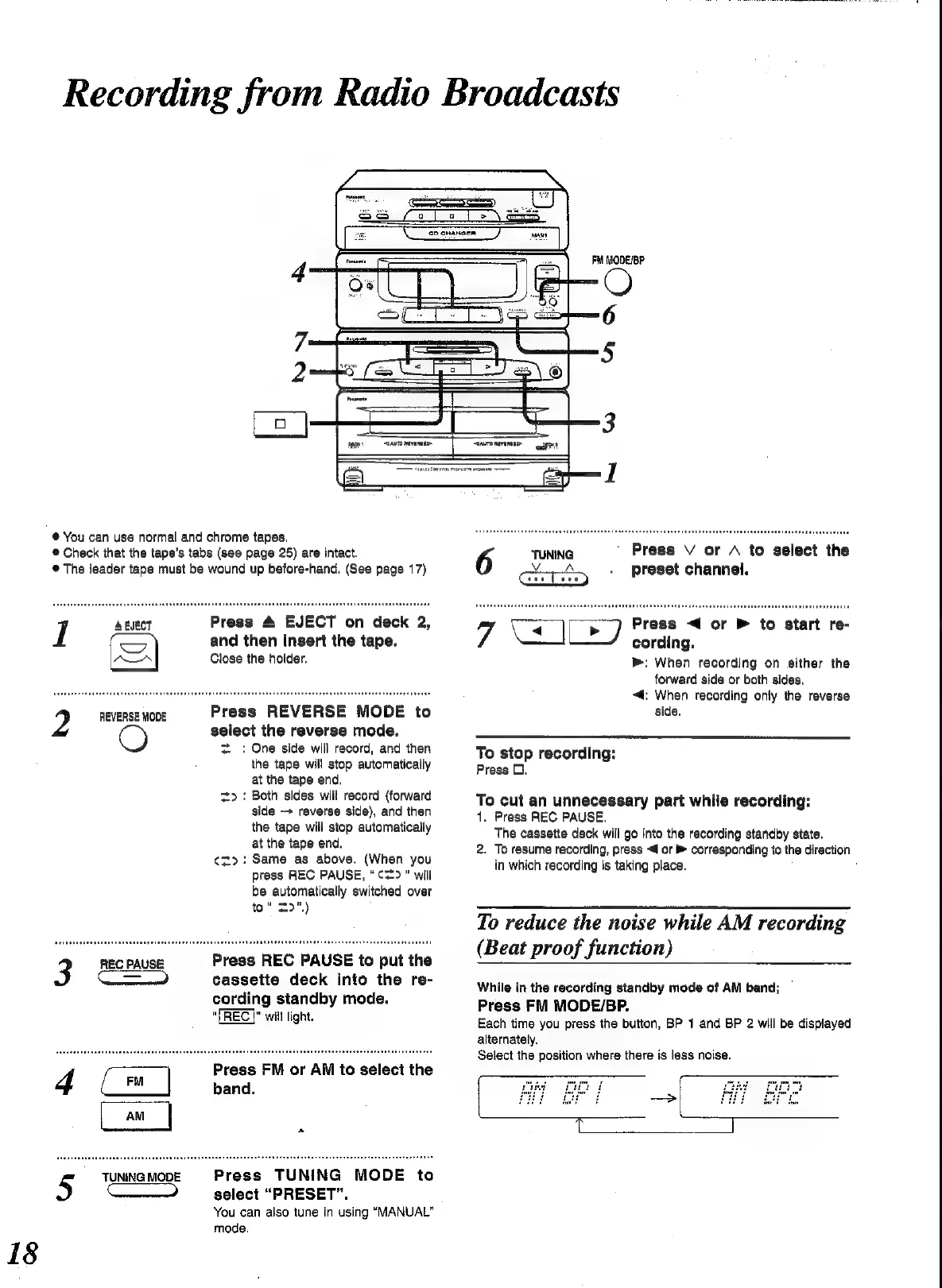
Panasonic SC-CH52 - Recording from Radio Broadcasts; Preparing for Radio Recording; Starting and Managing Radio Recording

Panasonic SC-CH52
28 pages
Print Icon
To Next Page IconTo Next Page
To Previous Page IconTo Previous Page
Loading...
18
2
REVERSE
MODE
Recording
from
Radio
Broadcasts
PM
MODE/BP
@
You
can use
normal
and
chrome
tapes.
@
Check
that
the
tape’s
tabs
(see
page
25)
are
intact.
@
The
leader
tape
must
be
wound
up
before-hand.
(See
page
17)
IT
A
EJECT
ADA
Press
REVERSE
MODE
to
select
the
reverse
mode.
=
=:
One
side
will
record,
and
then
the
tape
will
stop
automatically
at
the
tape
end.
>:
Both
sides
will
record
(forward
side
-+
reverse
side),
and
then
the
tape
will
stop
automaticalty
at
the
tape
end.
¢z>:
Same
as
above.
(When
you
press
REC
PAUSE,
“¢=>”
will
be
automatically
switched
over
to“
29")
Press
4
EJECT
on
deck
2,
and
then
Insert
the
tape.
Close
the
holder.
REC
PAUSE
Press
REC
PAUSE
to
put
the
3
Ee
|
cassette
deck
into
the
re-
cording
standby
mode.
“TREC
|”
will
light.
Press
FM
or
AM
to
select
the
band.
emu]
Press
TUNING
MODE
to
select
“PRESET”.
You
can
also
tune
in
using
“MANUAL”
mode.
TUNING
MODE
4
GD
Press
V
or
A
to
select
the
preset
channel.
Press
<4
or
>
to
start
re-
cording.
b>:
When
recording
on
either
the
forward
side
or
both
sides.
“4:
When
recording
only
the
reverse
side.
To
stop
recording:
Press
D.
To
cut
an
unnecessary
part
while
recording:
1.
Press
REC
PAUSE.
The
cassette
deck
will
go
into
the
recording
standby
state.
2.
To
resume
recording,
press
<4
or
corresponding
to
the
direction
in
which
recording
is
taking
place.
:
To
reduce
the
noise
while
AM
recording
(Beat
proof
function)
While
in
the
recording
standby
mode
of
AM
band;
Press
FM
MODE/BP.
Each
time
you
press
the
button,
BP
1
and
BP
2
will
be
displayed
alternately.
Select
the
position
where
there
is
less
noise.

Related product manuals