EasyManua.ls Logo

Panasonic SC-CH52 - Convenient Functions; To Mute the Volume

Panasonic SC-CH52
28 pages
Print Icon
To Next Page IconTo Next Page
To Previous Page IconTo Previous Page
Loading...
Convenient
Functions
AM
“aaa
naan
ooh
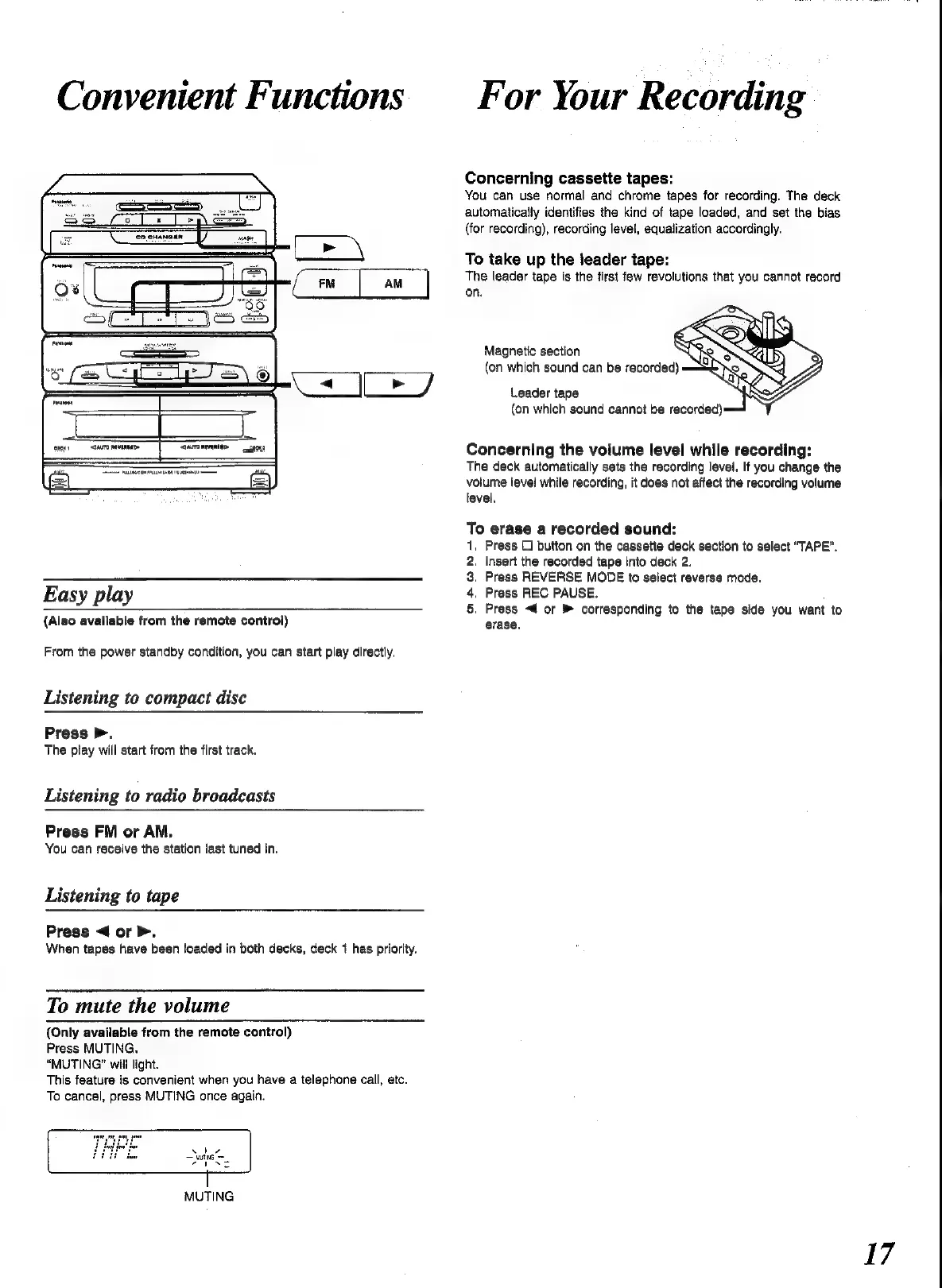
Easy
play
{Also
available
from
the
remote
control)
From
the
power
standby
condition,
you
can
start
play
directly.
Listening
to
compact
dise
Press
Pb.
The
play
will
start
from
the
first
track.
Listening
to
radio
broadcasts
Press
FM
or
AM.
You
can
receive
the
station
last
tuned
in.
Listening
to
tape
Press
<4
or
P.
When
tapes
have been
loaded
in
both
decks,
deck
1
has
priority.
To
mute
the
volume
(Only
available
from
the
remote
control)
Press
MUTING.
“MUTING”
will
light.
This
feature
is
convenient
when
you
have
a
telephone
call,
etc.
To
cancel,
press
MUTING
once
again.
Noe
june’.
r
MUTING
For
Your
Recording
Concerning
cassette
tapes:
You
can
use
normal
and
chrome
tapes
for
recording.
The
deck
automatically
identifies
the
kind
of
tape
loaded,
and
set
the
bias
(for
recording),
recording
level,
equalization
accordingly.
To
take
up
the
leader
tape:
The
leader
tape
is
the
first
few
revolutions
that
you
cannot
record
on.
Magnetic
section
(on
which
sound
can
be
recorded)
Leader
tape
(on
which
sound
cannot
be
recorded):
Concerning
the
volume
level
while
recording:
The
deck
automatically
sets
the
recording
level.
If
you
change
the
volume
level
while
recording,
it
does
not
affect
the
recording
volume
level.
To
erase
a
recorded
sound:
Press
C1
button
on
the
cassette
deck
section
to
select
“TAPE”.
Insert
the
recorded
tape
into
deck
2.
Press
REVERSE
MODE
to
select
reverse
mode.
Press
REC
PAUSE.
Press
<4
or
®
corresponding
to
the
tape
side
you
want
to
erase.
arRoONns
17

Related product manuals