EasyManua.ls Logo

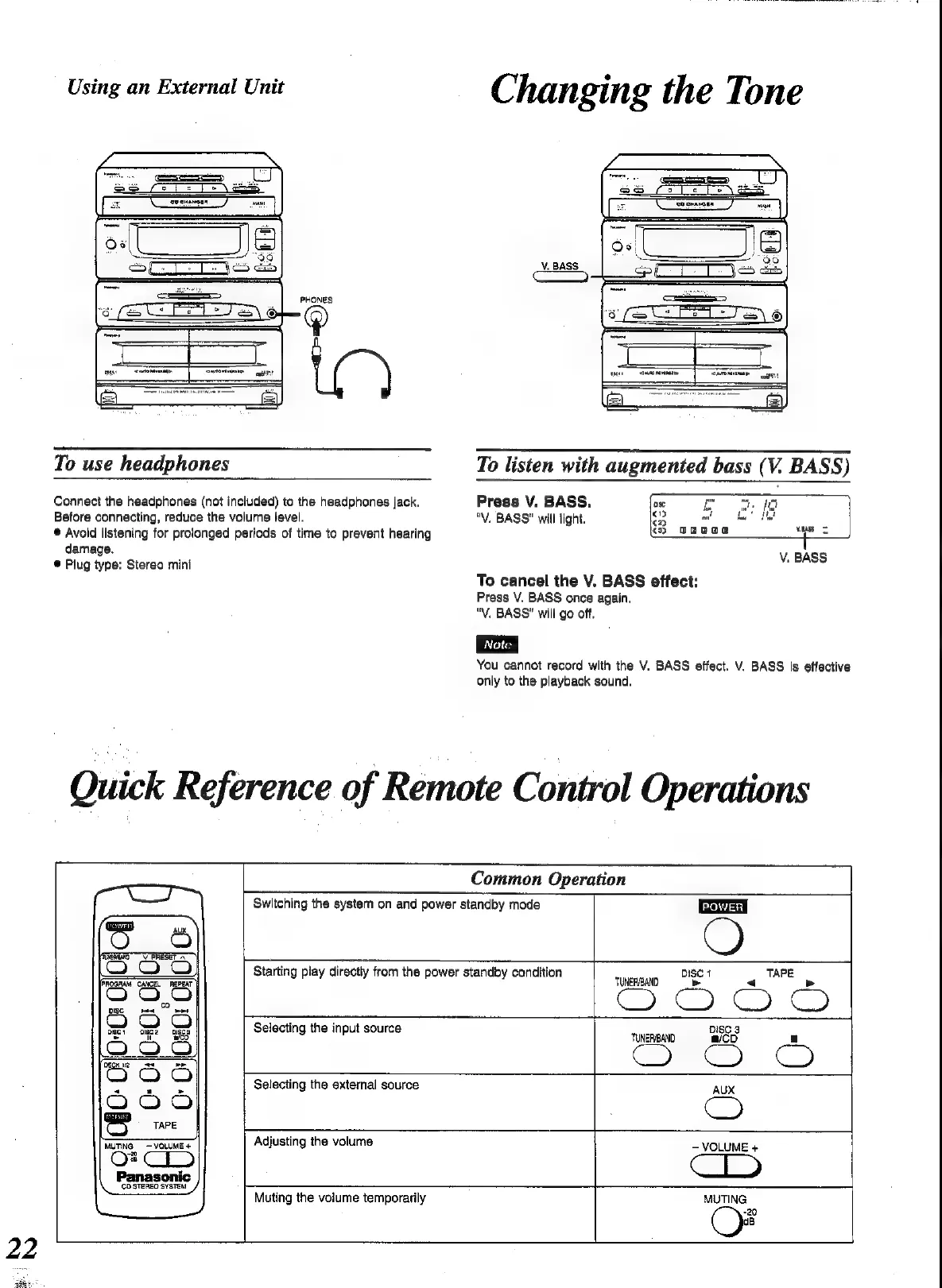
Panasonic SC-CH52 - Quick Reference of Remote Control Operations; Common Remote Operations Summary

Panasonic SC-CH52
28 pages
Print Icon
To Next Page IconTo Next Page
To Previous Page IconTo Previous Page
Loading...
Using
an
External
Unit
PHONES
~
To
use
headphones
Connect
the
headphones
(not
included)
to
the
headphones
jack.
Before
connecting,
reduce
the
volume
level.
®
Avoid
listening
for
prolonged
periods
of
time
to
prevent
hearing
damage.
©
Plug
type:
Sterea
mini
V.
BASS
To
listen
with
augmented
bass
(V.
BASS)
Press
V.
BASS,
ose
“V,
BASS"
will
light.
be
=
«3
OREo
Aa
Vv.
BASS
To
cancel
the
V.
BASS
effect:
Press
V.
BASS
once
again.
“V.
BASS’
will
go
off.
You
cannot
record
with
the
V.
BASS
effect.
V.
BASS
is
effective
only
to
the
playback
sound.
Quick
Reference
of
Remote
Control
Operations
Common
Operation
Switching
the
system
on
and
power
standby
mode
tarting
play
di
rom
nit.
TAPE
Starting
piay
directly
from
the
power
standby
condition
DISC
1
i
in
nr
Di
Selecting
the
input
source
SS.
3
Selecting
the
external
source
MUTING
—VOLUME
+
Adjusting
the
volume
Ey
ionic
CD
STEREO
SYSTEM
VOLUME
+
CT
Muting
the
voiume
temporarily
MUTING
Or

Related product manuals