EasyManua.ls Logo

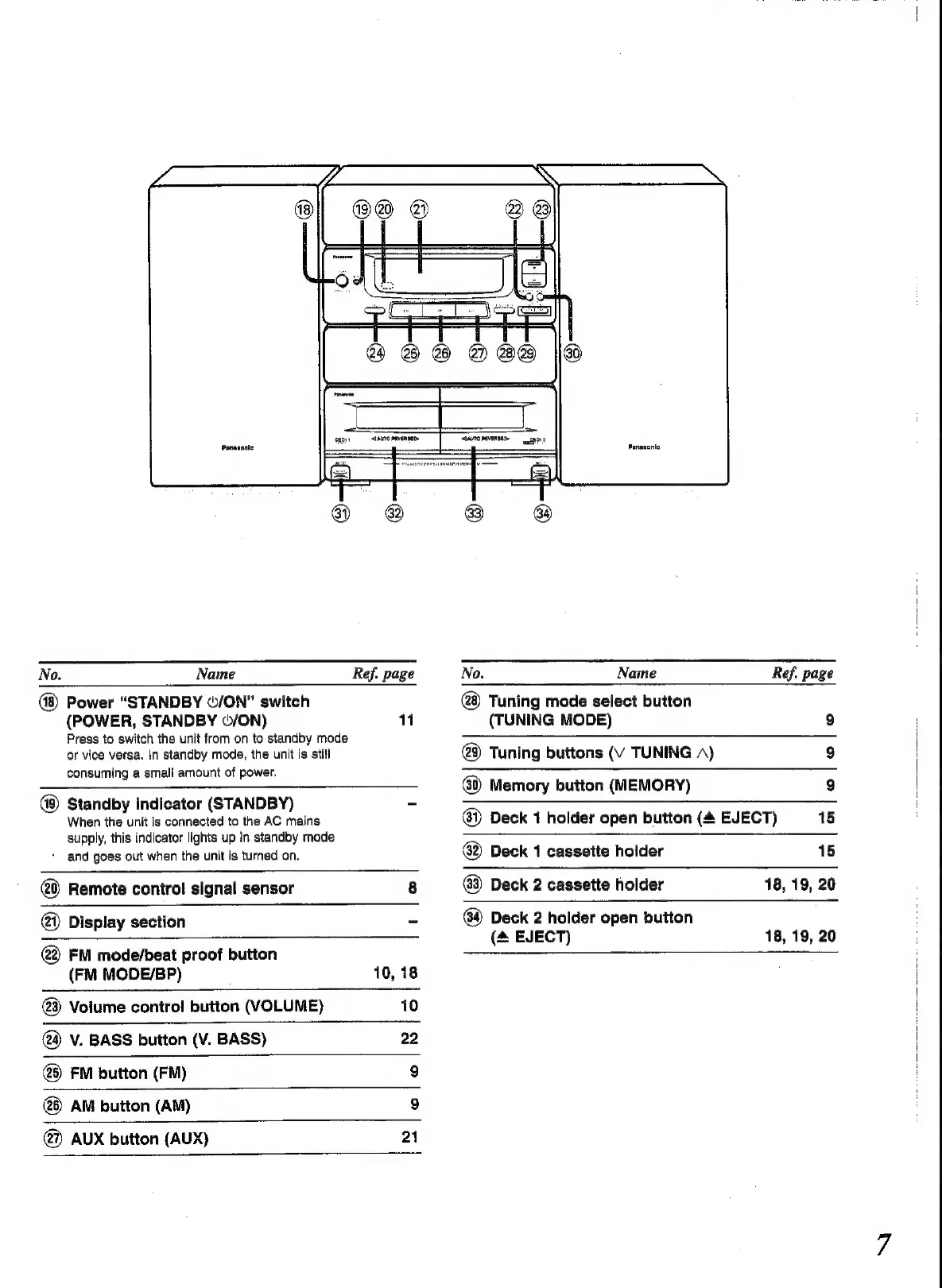
Panasonic SC-CH52 - Main Unit Control Details; System and Input Controls; Cassette Deck Control Layout

Panasonic SC-CH52
28 pages
Print Icon
To Next Page IconTo Next Page
To Previous Page IconTo Previous Page
Loading...
No.
Name
Ref.
page
No.
Naine
Ref.
page
Power
“STANDBY
©/ON”
switch
Tuning
mode
select
button
(POWER,
STANDBY
©/ON)
1
(TUNING
MODE)
9
Press
to
switch
the
unit
from
on
to
standby
mode
ee
or
vice
versa.
In
standby
mode,
the
unit
is
still
Tuning
buttons
(V
TUNING
A)
9
consuming
a
small
amount
of
power.
Memory
button
(MEMORY)
9
Standby
indicator
(STANDBY)
-
When
the
unit
is
connected
to
the
AC
mains
@)
Deck
1
holder
open
button
(4
EJECT)
15
supply,
this
indicator
lights
up
in
standby
mode
*
and
goes
out
when
the
unit
is
turned
on.
Deck
1
cassette
holder
15
Remote
control
signal
sensor
8
@)
Deck
2
cassette
holder
18, 19,
20
@
Display
section
-
Deck
2
holder
open
button
(&
EJECT)
18, 19,
20
@2)
FM
mode/beat
proof
button
(FM
MODE/BP)
10,
18
@3)
Volume
control
button
(VOLUME)
10
V.
BASS
button
(V.
BASS)
22
@)
FM
button
(FM)
9
AM
button
(AM)
9
@)
AUX
button
(AUX)
21

Related product manuals