27
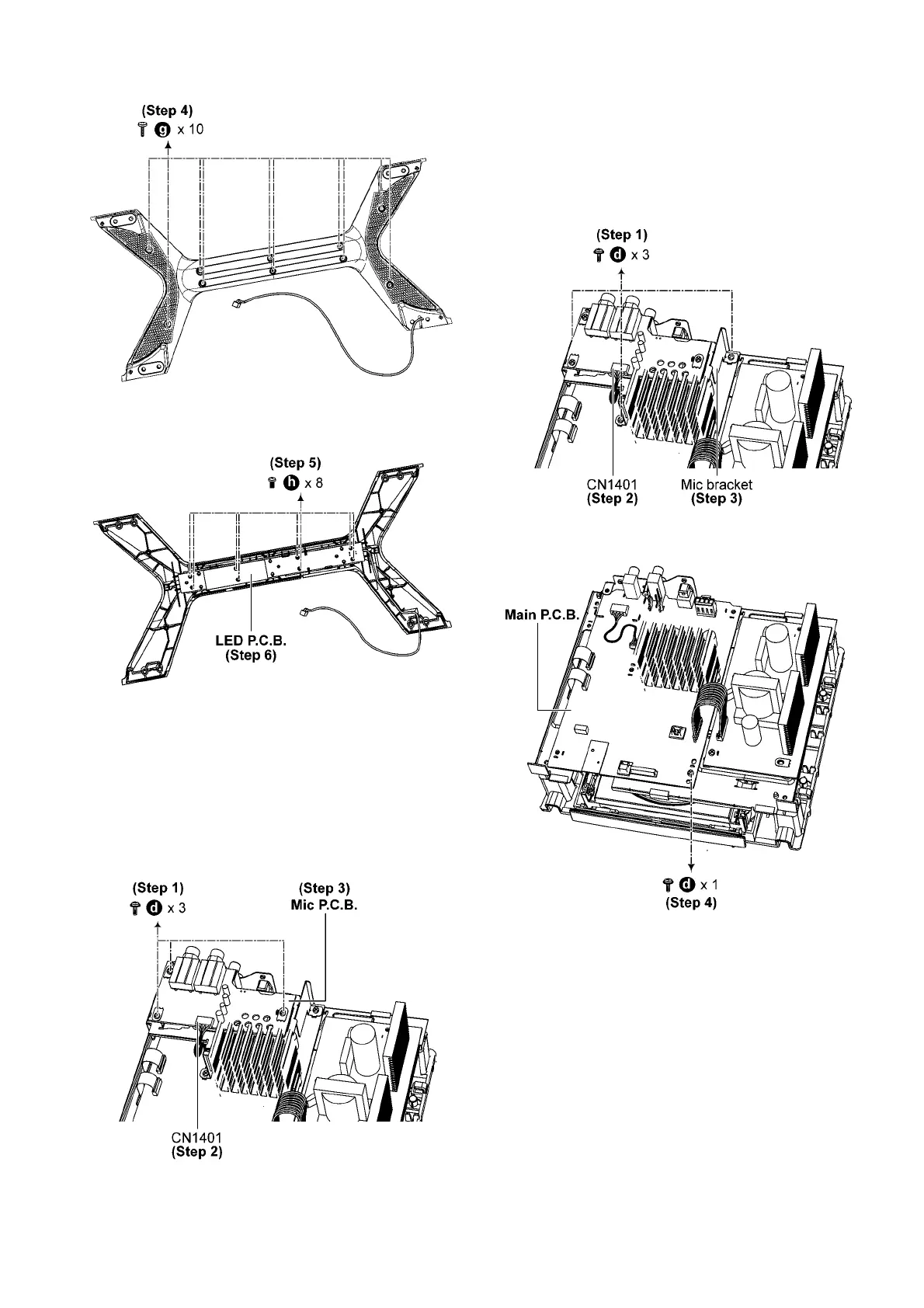
Step 4 Remove 10 screws.
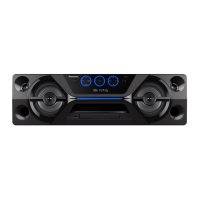
Step 5 Remove 8 screws.
Step 6 Remove LED P.C.B..
8.11. Disassembly of Mic P.C.B. (For
E/PR/PU)
• Refer to “Disassembly of Front Panel Unit”.
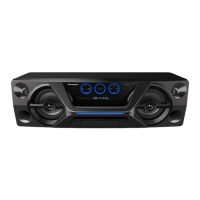
Step 1 Remove 3 screws.
Step 2 Detach 5P Wire at connector (CN1401) on Mic P.C.B..
Step 3 Remove Mic P.C.B..
8.12. Disassembly of Main P.C.B.
• Refer to “Disassembly of Front Panel Unit”.
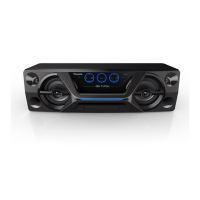
Step 1 Remove 3 screws. (For E/PR/PU)
Step 2 Detach 5P Wire at connector (CN1401) on Mic P.C.B..
(For E/PR/PU)
Step 3 Remove Mic bracket. (For E/PR/PU)
Step 4 Remove 1 screw. (For E)


 To Next Page