32
9 Service Position
Note: Refer to Section 8 for disassembly instruction for the related parts.
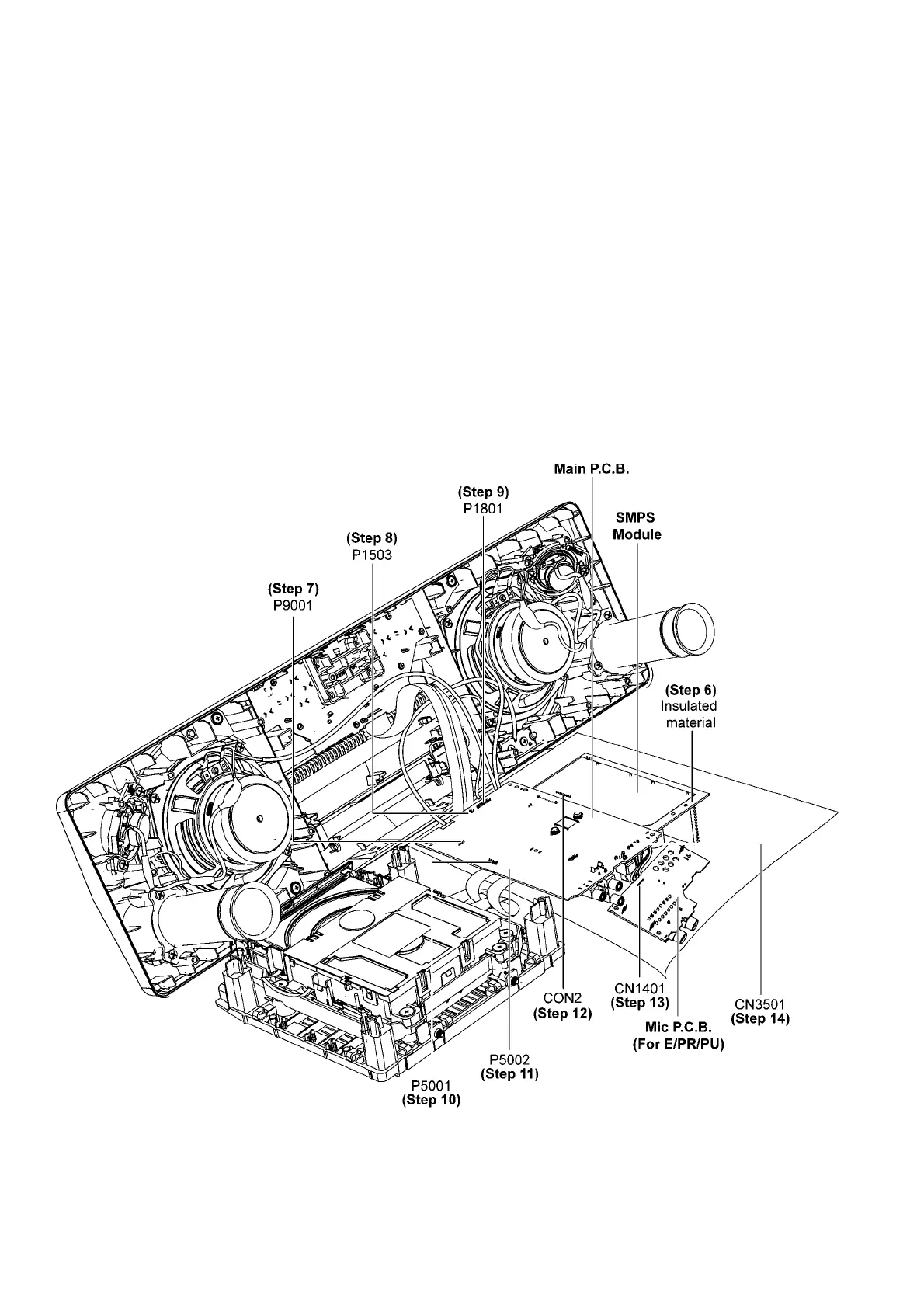
9.1. Checking of Main P.C.B. and SMPS Module
Step 1 Remove Front Panel Unit.
Step 2 Remove Mic P.C.B.. (For E/PR/PU)
Step 3 Remove Main P.C.B..
Step 4 Remove SMPS Module.
Step 5 Remove CD Mechanism Unit.
Step 6 Place Main P.C.B. and SMPS Module on the insulated material as shown.
Step 7 Attach 4P Wire at connector (P9001) on Main P.C.B..
Step 8 Attach 2P Wire at connector (P1503) on Main P.C.B..
Step 9 Attach 17P FFC at connector (P1801) on Main P.C.B..
Step 10 Attach 10P FFC at connector (P5001) on Main P.C.B..
Step 11 Attach 24P FFC at connector (P5002) on Main P.C.B..
Step 12 Attach 9P Wire at connector (CON2) on SMPS Module.
Step 13 Attach 5P Wire at connector (CN1401) on Mic P.C.B. (For E/PR/PU)
Step 14 Attach 4P Wire at connector (CN3501) on Main P.C.B..
Step 15 Main P.C.B. and SMPS Module can be checked as diagram shown.


 To Next Page