Playback
59
VQT1P61
Playback
Motion picture playback
Play back the motion pictures.
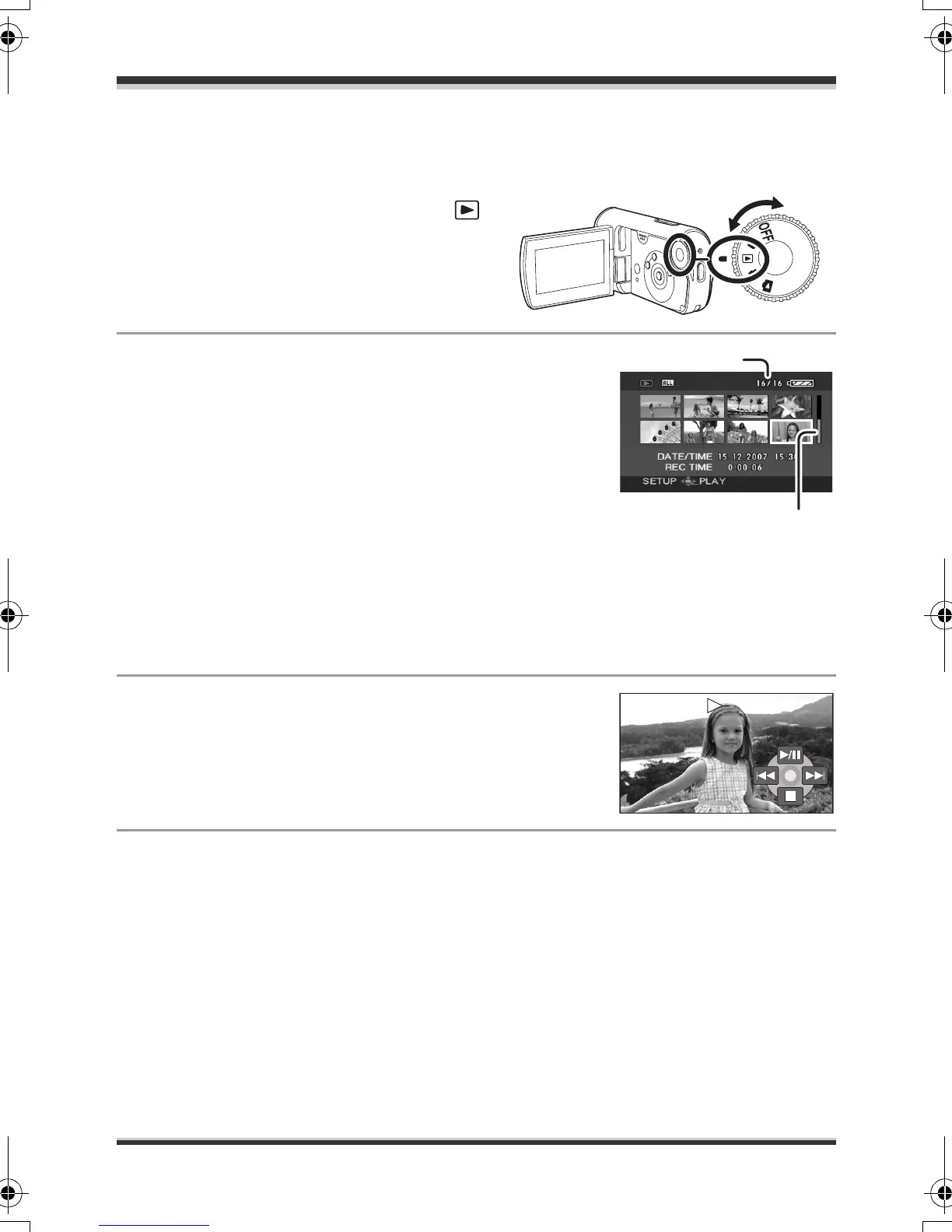
1 Rotate the mode dial to select .
The motion pictures (up to 8 scenes)
recorded on the SD card are displayed
as thumbnails.
2 Select the scene to be played back.
A Scene number
B Scroll bar display
The selected scene will be encircled by a yellow frame.
≥ When 9 or more scenes have been recorded, the
next (or previous) page is displayed by pressing the
cursor button up, down, left or right.
≥ If you press and hold the cursor button up or down,
you can advance 8 scenes at a time. The screen will
not change at this time, but the scene numbers and
scroll bar display will change so release the cursor
button when you have arrived at the page with the
scene you want to display.
3 Press the cursor button in the centre.
The selected scene is played back on the full screen.
The operation icon is automatically displayed on the
screen.
4 Press the cursor button to operate.
1/;: Playback/Pause
:: Skip playback (backward)
9: Skip playback (forward)
∫: Stops the playback and shows the thumbnails.
SDR-S9-VQT1P61_eng.book 59 ページ 2007年12月18日 火曜日 午後3時59分







 To Next Page