111
LSQT1150
With a computer (VDR-D310/VDR-D230)
Installation (Macintosh)
≥ Before starting the installation, close any other
software applications which are running.
≥ Do not perform any other operations on your
computer while the software is being installed.
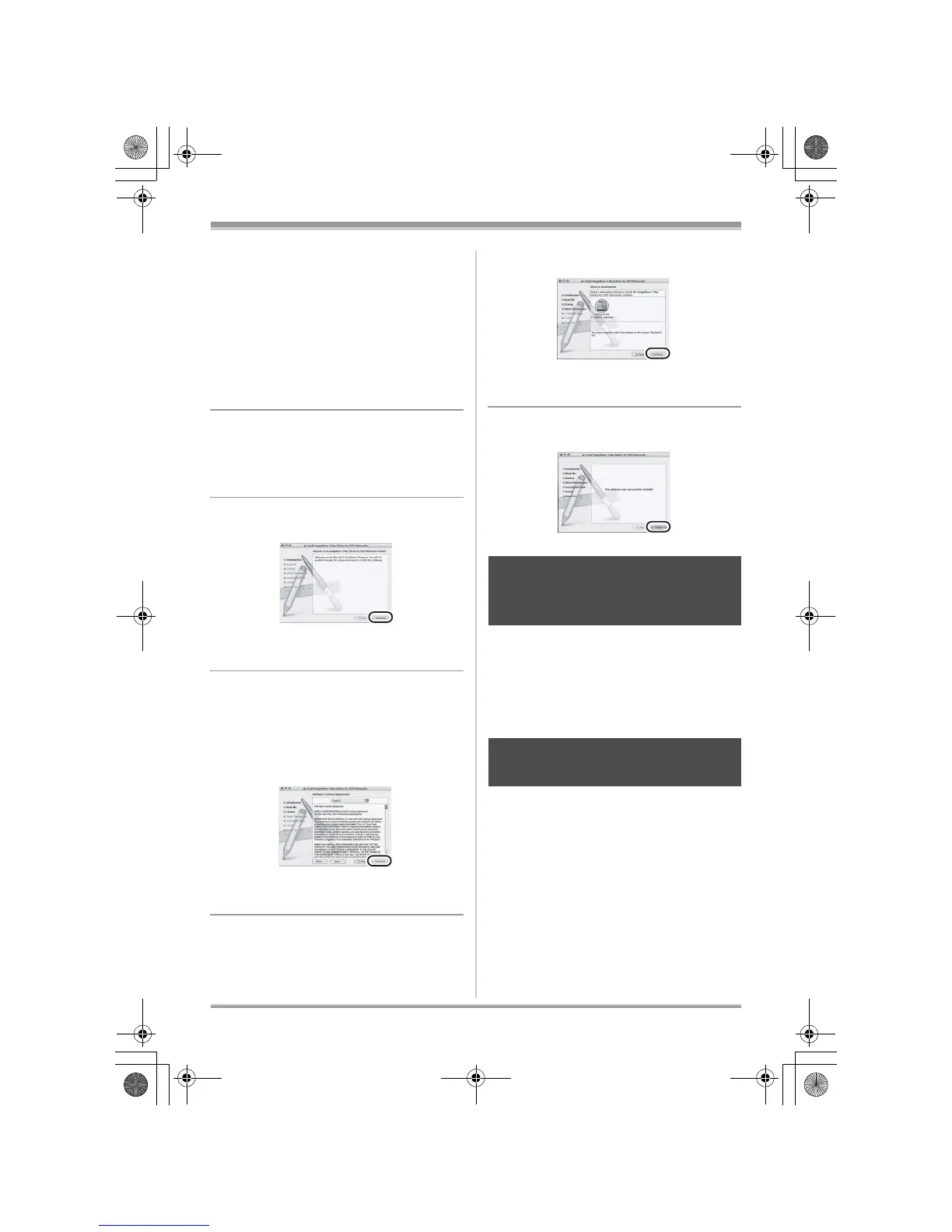
1 Insert the CD-ROM into the
computer.
[PANASONIC] CD-ROM icon appears.
2 Double-click [PANASONIC] #
[ImageMixer3forDVDPalmcorder.
pkg].
The installer setup screen appears.
3 Click [Continue].
Continue to follow the on-screen messages to
install it.
4 Read carefully through the terms
and conditions shown on the
screen for the [Software License
Agreement], click [Continue] and
then click [Agree].
≥ You cannot install the application if you click
[Disagree].
5 Click [Continue].
Continue to follow the on-screen messages to
install it.
6 Click [Close].
For details on how to use the software
application, read the help.
∫ ImageMixer 3
After starting ImageMixer 3, select [Help] #
[ImageMixer 3 Help] from the Menu Bar.
Refer to the [Uninstallation] file in
the [ReadMe] folder and delete
[ImageMixer 3 for DVD Palmcorder]
and any related data.
≥ After uninstalling the software, be sure to
reboot the computer.
Reading the operating
instructions of the software
application
Software application
uninstallation
LSQT1150.book 111 ページ 2007年1月19日 金曜日 午前9時27分














 To Next Page