16
LSQT1150
Before using
Parts identification and
handling
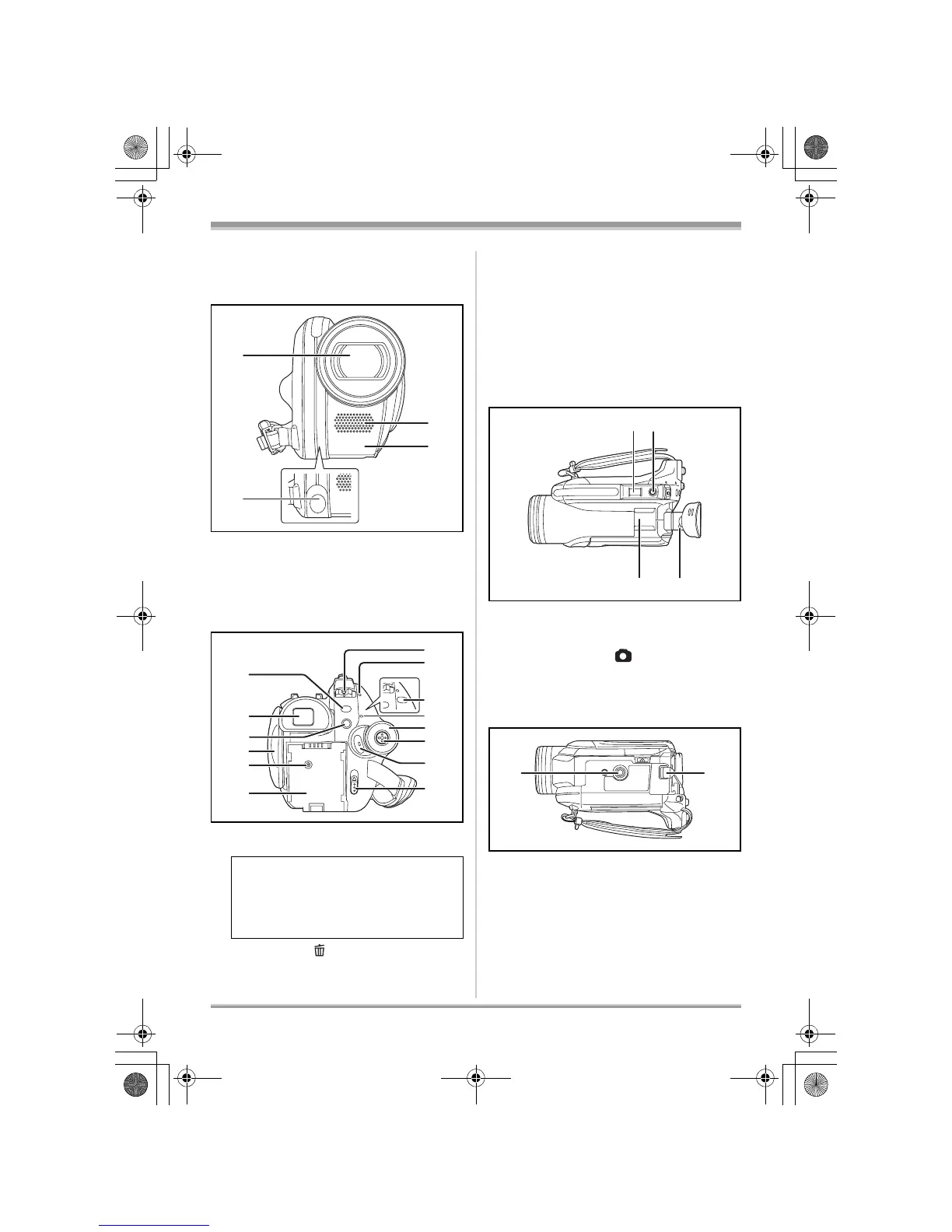
1 Lens (LEICA DICOMAR) (VDR-D310)
Lens (VDR-D230/VDR-D210)
2 Video light (VDR-D230) (l 54)
3 Microphone (built-in, stereo)
4 White balance sensor (l 62)
Remote control sensor (VDR-D310) (l 21)
5 Menu button [MENU] (l 40)
6 Viewfinder (l 20)
7 Delete button [ ] (l 71, 75, 78)
8 LCD monitor open part (l 19)
9 DC input terminal [DC/C.C. IN] (l 32)
10 Battery holder (l 28)
11 Power switch [OFF/ON] (l 32)
12 Status indicator (l 32)
13 Video light button [LIGHT] (VDR-D230)
(l 54)
14 Disc/computer access lamp [ACCESS/
PC] (l 33, 103, 113)
15 Mode dial (l 36)
16 Joystick (l 36)
17 Recording start/stop button (l 46)
18 Disc eject lever [DISC EJECT] (l 33)
19 When recording: Zoom lever [W/T] (l 53)
When playing back: Volume lever
[sVOLr] (l 67)
20 Photoshot button [ ] (l 48, 49)
21 Accessory shoe
≥ Accessories, such as a video DC light
(optional), are attached here.
22 Eyepiece corrector knob (l 43)
23 Tripod receptacle (l 19)
24 Battery release lever [BATTERY] (l 28)
Due to limitations in LCD production
technology, there may be some tiny bright
or dark spots on the viewfinder screen.
However, this is not a malfunction and
does not affect the recorded picture.














 To Next Page