17
LSQT1150
Before using
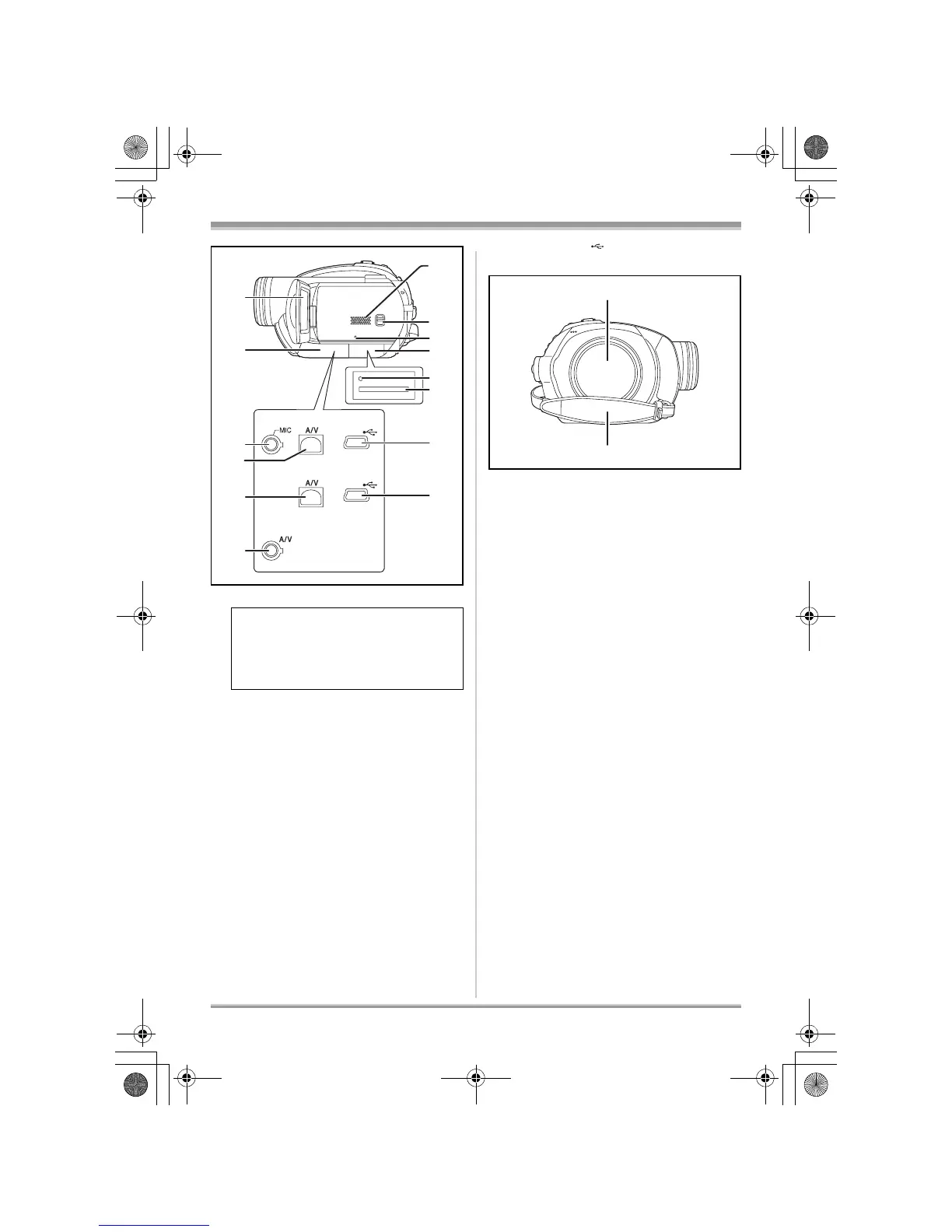
25 LCD monitor (l 19)
26 Terminal cover
27 Microphone terminal [MIC] (VDR-D310)
≥ A compatible plug-in powered microphone
can be used as an external microphone.
≥ When the unit is connected with the AC
adaptor, sometimes noise may be heard
depending on the microphone type. In this
case, please switch to the battery for the
power supply and the noise will stop.
28 Audio-video output terminal [A/V]
(l 85, 87)
29 Speaker
30 Mode select switch [AUTO/MANUAL/
FOCUS] (l 45, 60, 61)
31 Reset button [RESET] (l 130)
32 Card slot cover [SD CARD] (VDR-D310/
VDR-D230) (l 35)
33 Card access lamp (VDR-D310/VDR-D230)
(l 36)
34 Card slot (VDR-D310/VDR-D230) (l 35)
35 USB terminal [ ] (VDR-D310/VDR-D230)
(l 88, 102, 112)
36 Disc compartment (l 33)
37 Grip belt (l 18)
Due to limitations in LCD production
technology, there may be some tiny bright
or dark spots on the LCD monitor screen.
However, this is not a malfunction and
does not affect the recorded picture.
25
27
29
30
31
35
34
33
32
28
26
35
28
28
VDR-D310
VDR-D230
VDR-D210
36
37
LSQT1150.book 17 ページ 2007年1月19日 金曜日 午前9時27分














 To Next Page