19
LSQT1150
Before using
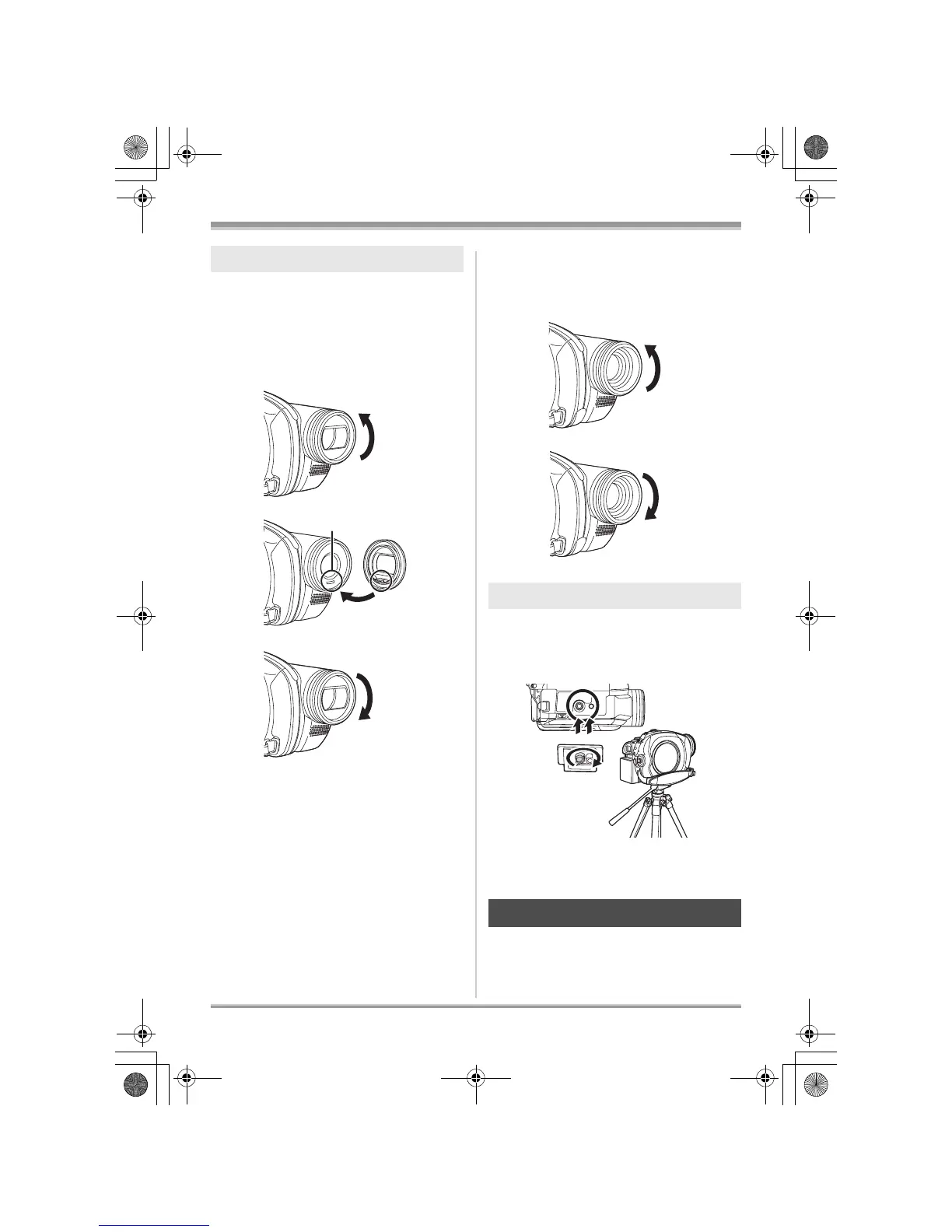
Rotate the lens hood counter-
clockwise A to remove it.
∫ VDR-D310
In order to attach it, place into slot
B, and then rotate it clockwise C.
∫ VDR-D230/VDR-D210
In order to attach it, rotate it
clockwise B.
This is a hole for attaching the unit to the optional
tripod.
(Please carefully read the operating instructions
for how to attach the unit to the tripod.)
≥ When the tripod is used, the card slot cover
cannot be opened. Insert an SD card before
attaching this unit to the tripod. (l 35)
You can record the image while viewing it on the
LCD monitor.
Lens hood
A
B
C
Tripod receptacle
Using the LCD monitor
A
B
LSQT1150.book 19 ページ 2007年1月19日 金曜日 午前9時27分














 To Next Page