12
LSQT1150
Before using
Quick Guide
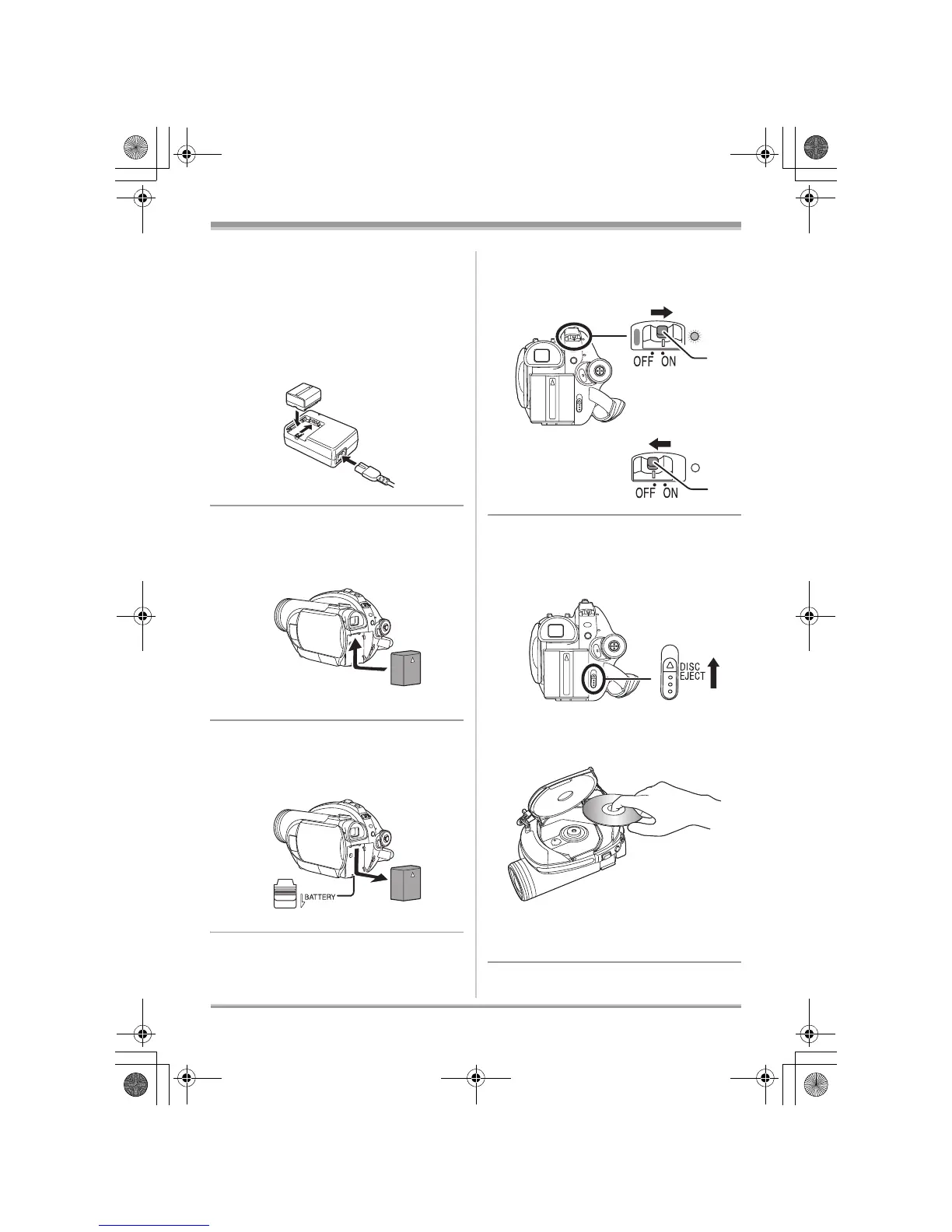
∫ Charging the battery
1 Connect the AC cable to the AC adaptor
and the AC outlet.
2 Put the battery on the battery mount by
aligning the mark, and then securely plug
it in.
∫ Inserting the battery
Push the battery against the battery holder
and slide it until it clicks.
∫ Removing the battery
While sliding the BATTERY lever, slide the
battery to remove it.
∫ How to turn on/off the power
While pressing the button A, set the OFF/ON
switch to ON/OFF.
∫ Inserting/removing a disc
1 Slide the DISC EJECT lever once and
release it.
2 Open the cover of the disc compartment
by hand and insert/remove the disc.
3 Push the section marked PUSH CLOSE
on the cover of the disc compartment to
close the cover.
A
A
LSQT1150.book 12 ページ 2007年1月19日 金曜日 午前9時27分














 To Next Page