13
LSQT1150
Before using
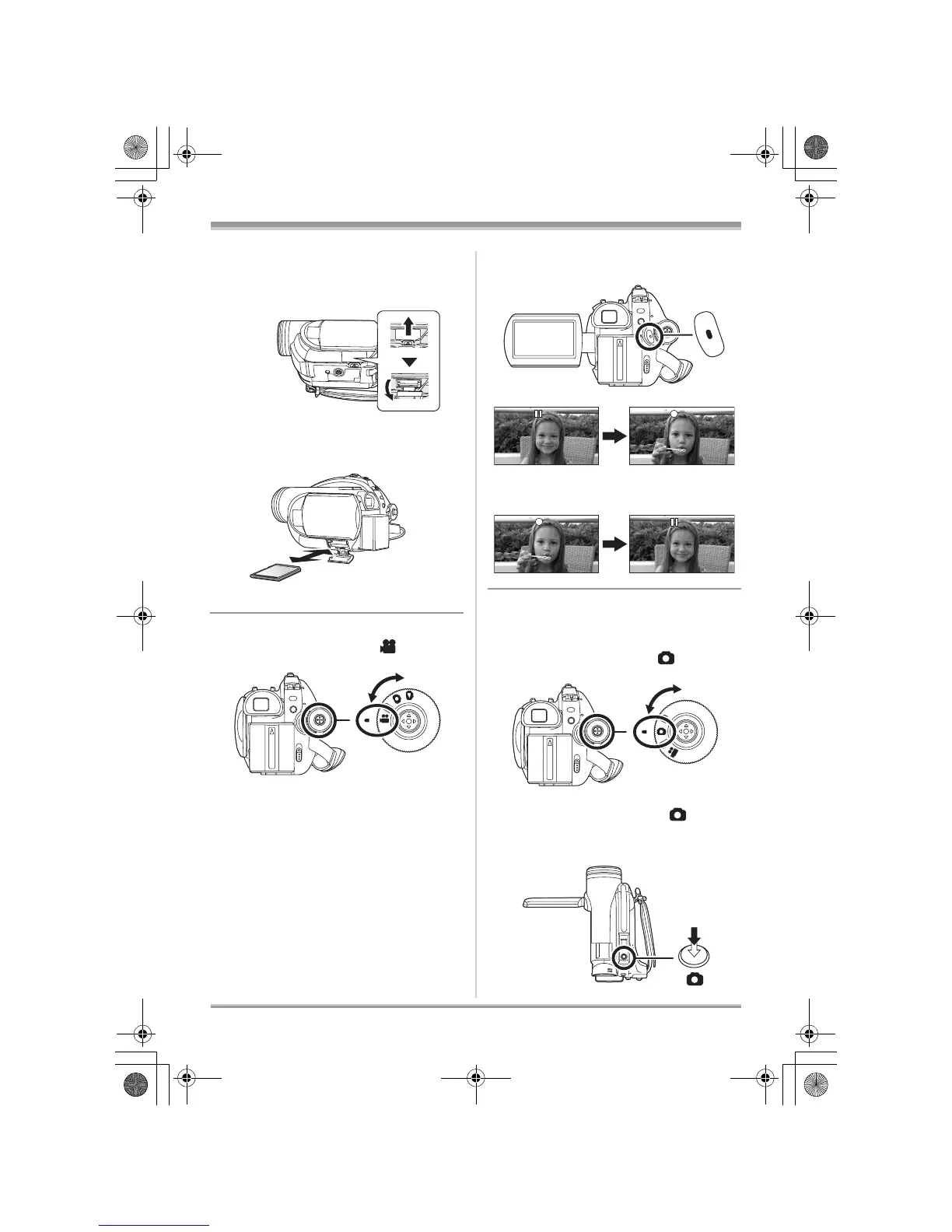
∫ Inserting/removing an SD card
(VDR-D310/VDR-D230)
1 Slide the card slot cover to open.
2 Insert/remove the SD card into/from the
card slot.
3 Securely close the card slot cover.
∫ Recording motion pictures
≥ Rotate the mode dial to select .
1 Press the recording start/stop button to
start recording.
2 Press the recording start/stop button
again to pause recording.
∫ Recording still pictures (JPEG
still pictures) (VDR-D310/
VDR-D230)
≥ Rotate the mode dial to select .
VDR-D310:
1 Press the Photoshot button [ ] halfway
in order to adjust focusing. (For auto
focusing only)
LSQT1150.book 13 ページ 2007年1月19日 金曜日 午前9時27分














 To Next Page