Recording
49
LSQT1150
Recording still pictures (JPEG still pictures)
(VDR-D310/VDR-D230)
(SD)
Record the still picture on an SD card.
≥ When this unit is purchased, [PICTURE SIZE] is set to [ ] (VDR-D310)/[ ] (VDR-D230) for
recording pictures compatible with a wide-screen TV (16:9).
To record pictures with a 4:3 aspect ratio, change the [PICTURE SIZE] setting before recording
(l 52).
≥ Remove the lens cap before turning the unit on.
If the unit is turned on with the lens cap attached, the automatic white balance adjustment may not
function properly.
1 Turn the unit on.
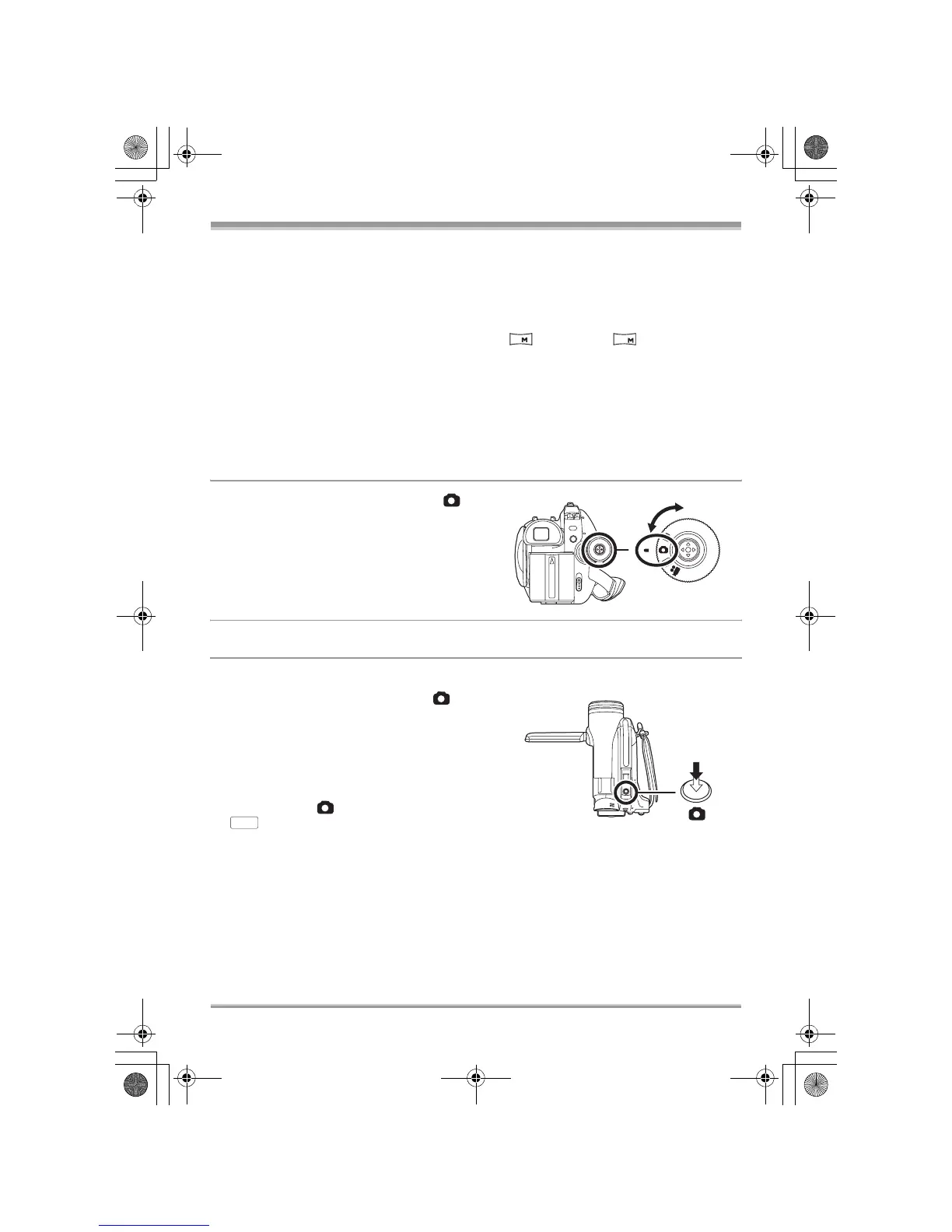
2 Rotate the mode dial to select .
3 Open the LCD monitor or extend the viewfinder.
∫ VDR-D310
4 Press the Photoshot button [ ]
halfway in order to adjust focusing.
(For auto focusing only)
The shutter speed and the iris/gain value are fixed
and the unit focuses on the subject automatically.
≥ If [O.I.S.] (l 59) is set to [ON], the image stabilizer
function will become more effective when the
Photoshot button [ ] is pressed halfway.
([ ] (MEGA optical image stabilizer) will be
displayed.)
2
0.2
MEGA
LSQT1150.book 49 ページ 2007年1月19日 金曜日 午前9時27分














 To Next Page