98
LSQT1150
With a computer (VDR-D310/VDR-D230)
≥ Before starting the installation, close any other
software applications which are running.
≥ Do not perform any other operations on your
computer while the software is being installed.
≥ If another DVD-RAM Driver is already installed
in your computer, check this DVD-RAM Driver.
If packet writing software which supports DVD-
RAM discs is installed, it is necessary to
uninstall it and then install the provided
DVD-RAM Driver.
≥ Install DVD-RAM Driver and then install
DVD-MovieAlbumSE or DVDfunSTUDIO.
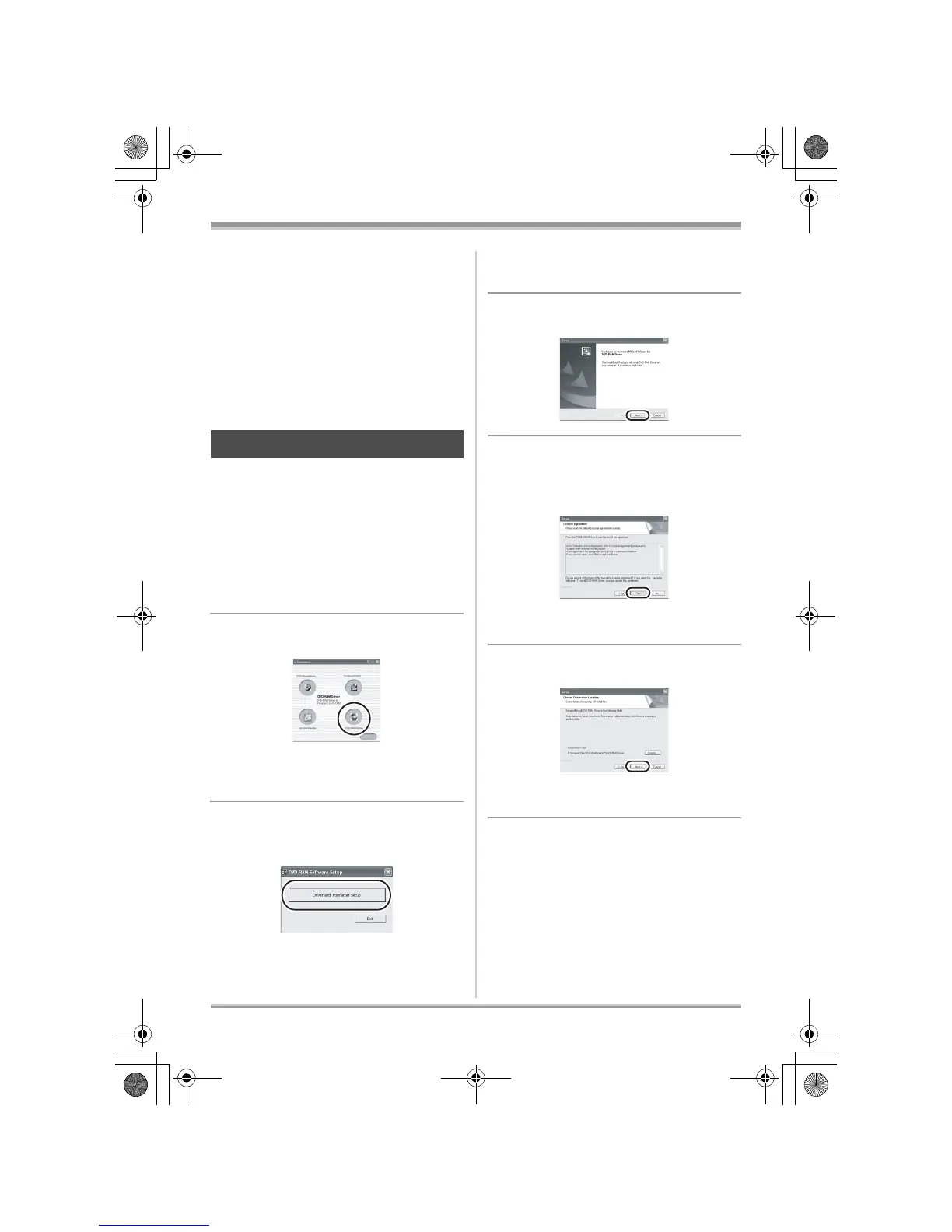
1 Insert the CD-ROM into the
computer.
The introduction movie starts.
Click [To continue the installation] at the end of
the introduction movie and then the [Setup
Menu] screen will appear.
≥ If the introduction movie screen does not
appear, double-click the CD-ROM drive icon in
[My Computer].
2 Click [DVD-RAM Driver].
≥ The software application may not run properly
if you cancel the installation at any point (e.g.
by pressing [Cancel]).
3 Click
[Driver and Formatter Setup].
≥ If an [Information] or [Question] message
appears, continue following the on-screen
messages for installation.
4 Click [Next].
5 Read carefully through the End
User License Agreement (l 97),
then click [Yes].
≥ You cannot install the application if you click
[No].
6 Click [Next].
Continue to follow the on-screen messages to
install it.
7 When installation is complete, some notes
will appear:
Installing DVD-RAM Driver
LSQT1150.book 98 ページ 2007年1月19日 金曜日 午前9時27分














 To Next Page