18
LSQT1150
Before using
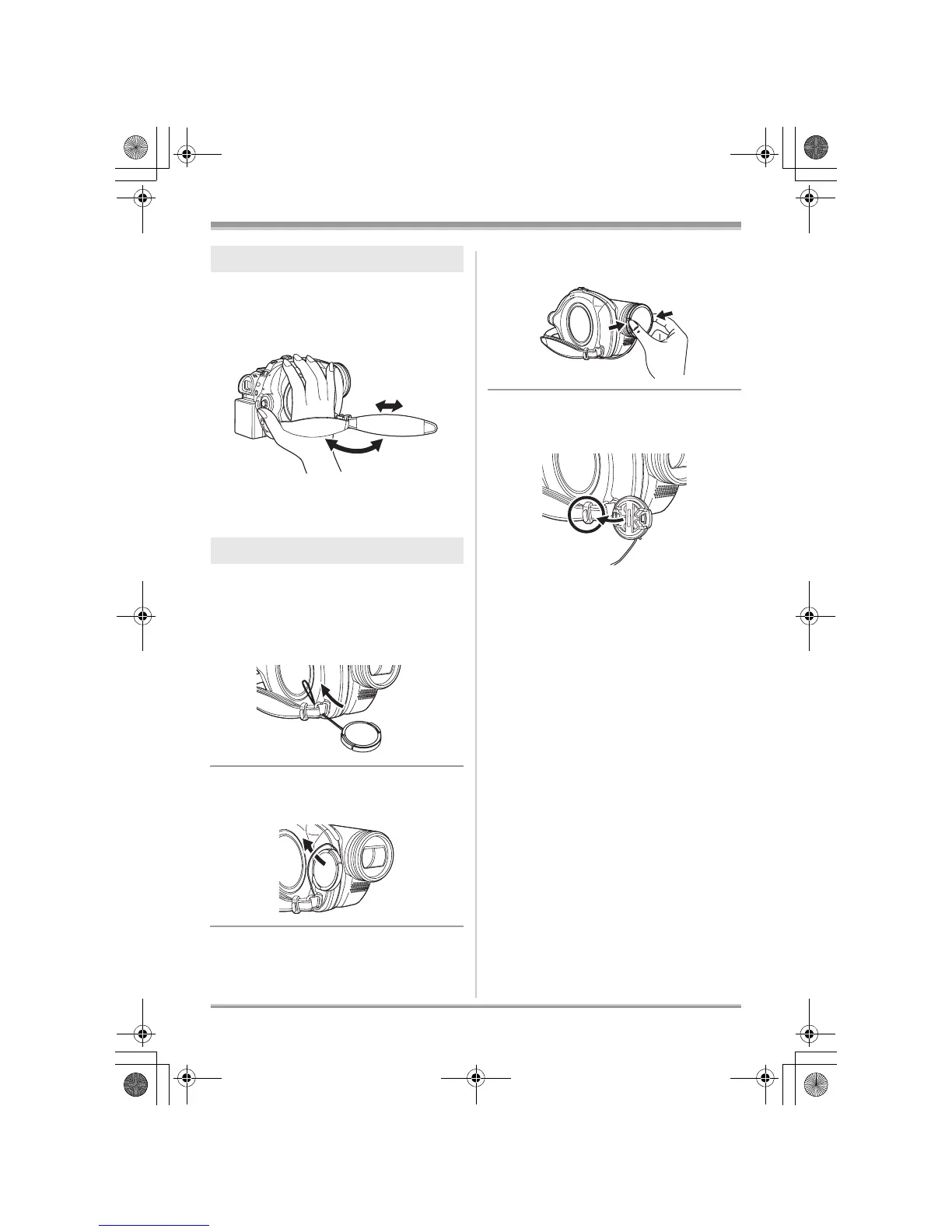
Adjust the belt length so it fits your hand.
Adjust the belt length and the pad
position.
1 Flip the belt.
2 Adjust the length.
3 Replace the belt.
Attach the lens cap to protect the surface of the
lens.
1 Pass the end of the lens cap cord
through the belt.
2 Pass the lens cap through the
loop.
3 To attach or remove the lens cap,
hold both sides of the lens cap
with the tips of your finger and
thumb.
During recording
The removed lens cap can be attached to the
lens cap fixture.
Using grip belt
Attaching the lens cap
3
1
2
LSQT1150.book 18 ページ 2007年1月19日 金曜日 午前9時27分














 To Next Page