31
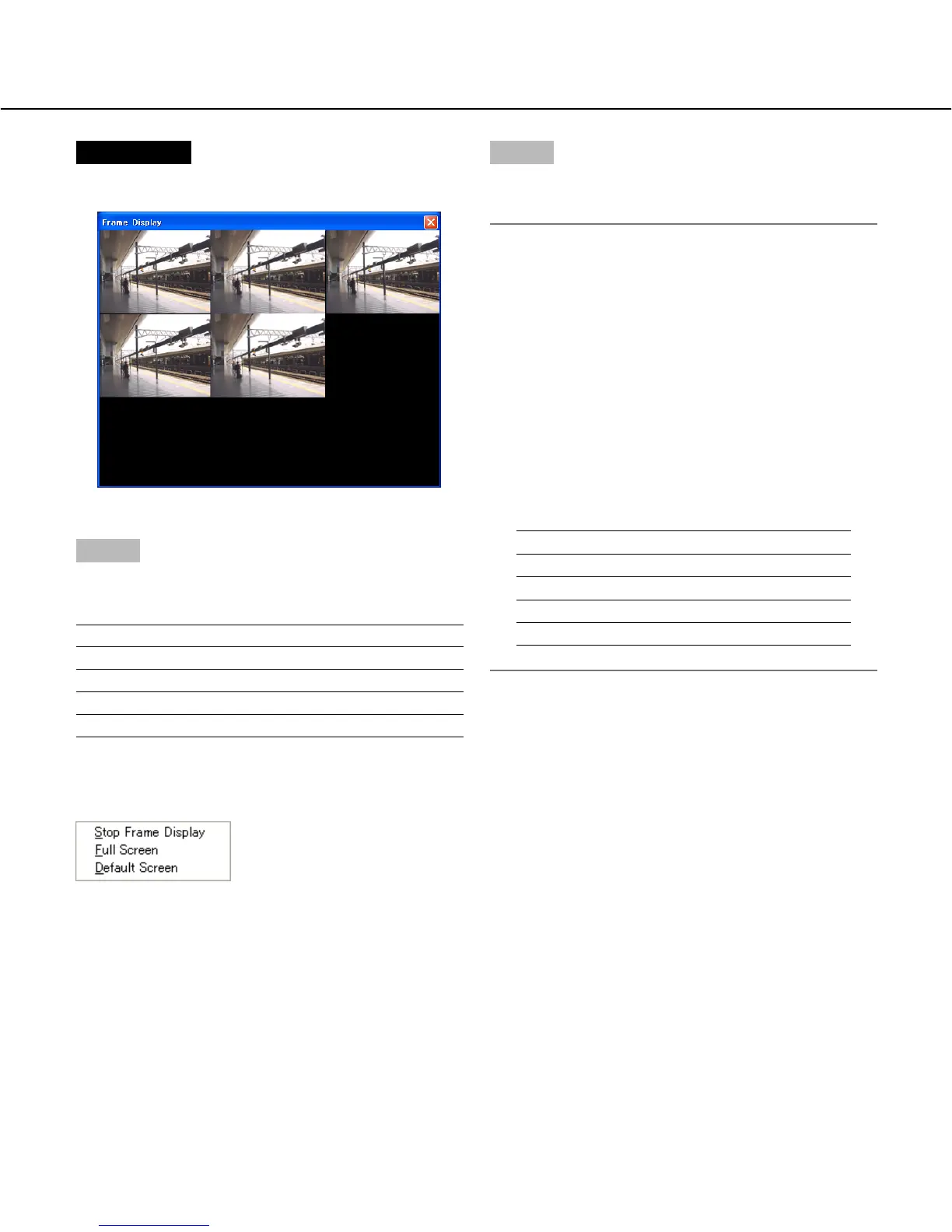
Screenshot 2
The frame display will start.
Step 2
Number of areas in the image display area will change
depending on a number of the selected cameras.
Number of the selected cameras Image display
1 Single screen
2 - 4 4-screen
5 - 9 9-screen
10 - 16 16-screen
When right-clicking on the displayed image, the follow-
ing pop-up menu will be displayed.
• Stop Frame Display: Stops the frame display
• Full Screen: Display the selected image on a full
screen
• Default Screen: Returns to the multi-screen from the
full screen display
Step 3
To exit from the frame display, click the [×] button at the
right top of the window.
Notes:
• When 5 cameras are selected, the frame display will
start on a 9-screen as shown is the image of
"Screenshot 2".
• When the resolution setting (Field/SIF) for the
selected cameras are set differently, frame display
works only for the cameras whose resolution setting
is the same as one for the youngest camera num-
ber.
When the selected cameras and their resolution set-
tings are as table 1 below, "Cam 1" and "Cam 4" are
available for the frame display since the resolution
setting of "Cam 4" is same as of the youngest cam-
era number "Cam 1".
Camera number Resolution
Cam 1 Field
Cam 2 SIF
Cam 3 SIF
Cam 4 Field








 To Next Page