24
8 Settings and Operations
(continue)
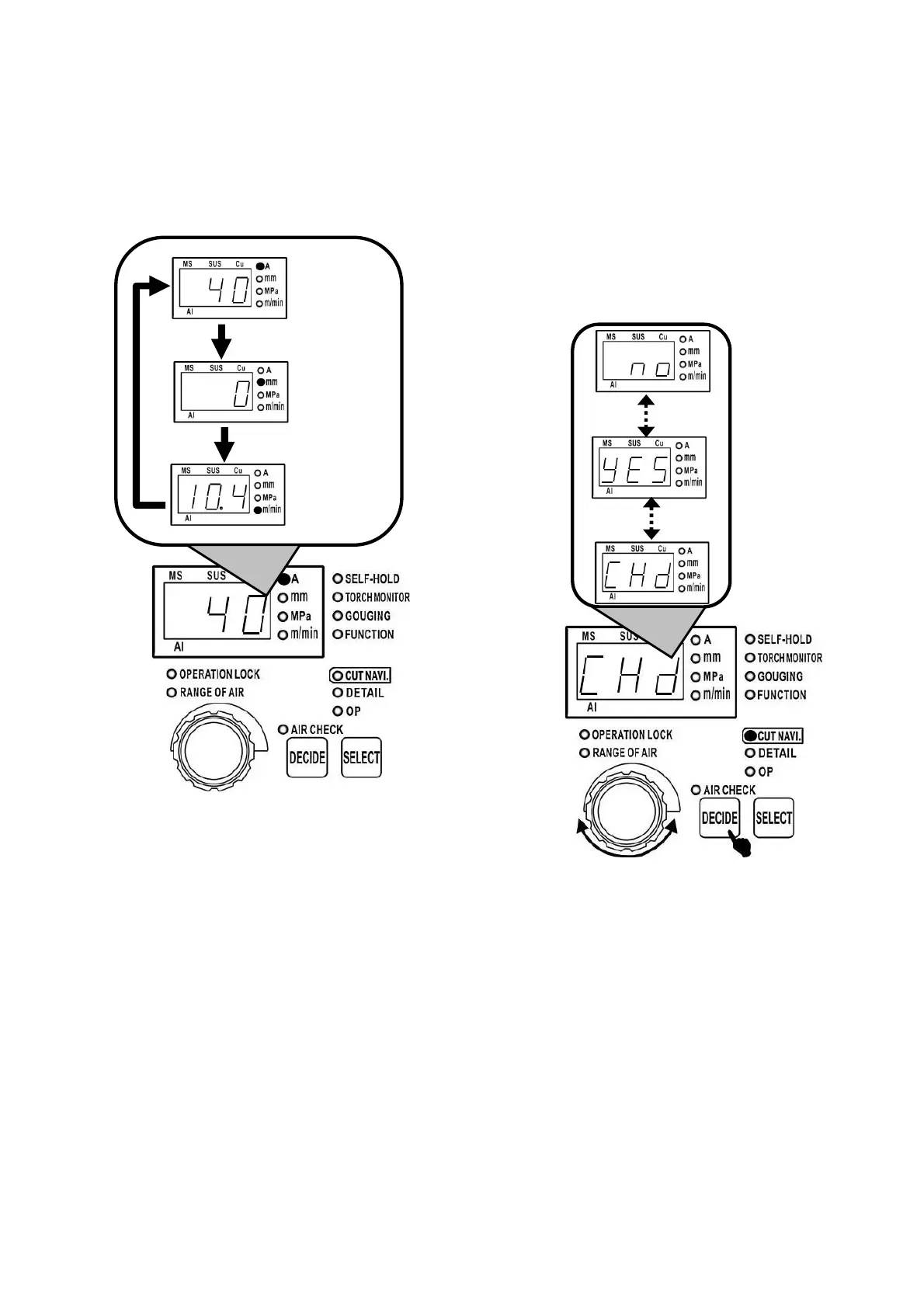
(6) Cutting condition is displayed circularly in the
sequence of「 cutting current 」, 「 cutting tip —
base metal distance」, 「 recommended cutting
speed 」
Note:
·When the cutting current value is changed by
means of the dial, the cutting navigation value
can be cancelled.
·For cutting navigation, please take the cutting
setting current value automatically confirmed and
the recommended cutting speed as reference
value. According the user’s purpose and
construction of work piece etc., please do the fine
adjustment on parameters.
·When the cutting tip - base metal distance is「0」,
the cutting mode is contact cutting ; when the
distance is 「 5 」 , non-contact cutting. For
non-contact cutting, the recommended distance
between the cutting tip - base metal distance is
5mm.
·The condition of the cutting navigation is「No
pulse 」 status.
8.4.2 The confirmation on the cutting
navigation condition
After the cutting navigation is confirmed, if cutting
setting current value is in the status of unchanged,
the cutting navigation condition can be confirmed.
The methods are as follows:
(1) On stand-by status, press selection button 4
times, cutting navigation LED is lit.
(2) Rotate the dial until the digital display window
shows 「CHd」, press the DECIDE button.
Recommended
cutting speed
Cutting tip —
base metal
distance
Cutting current



 To Next Page