DEVICE MAINTENANCE AND CLEANING
TRAINING
©Parata
How to Change the Printer Ribbon and Clean the Thermal Print Head
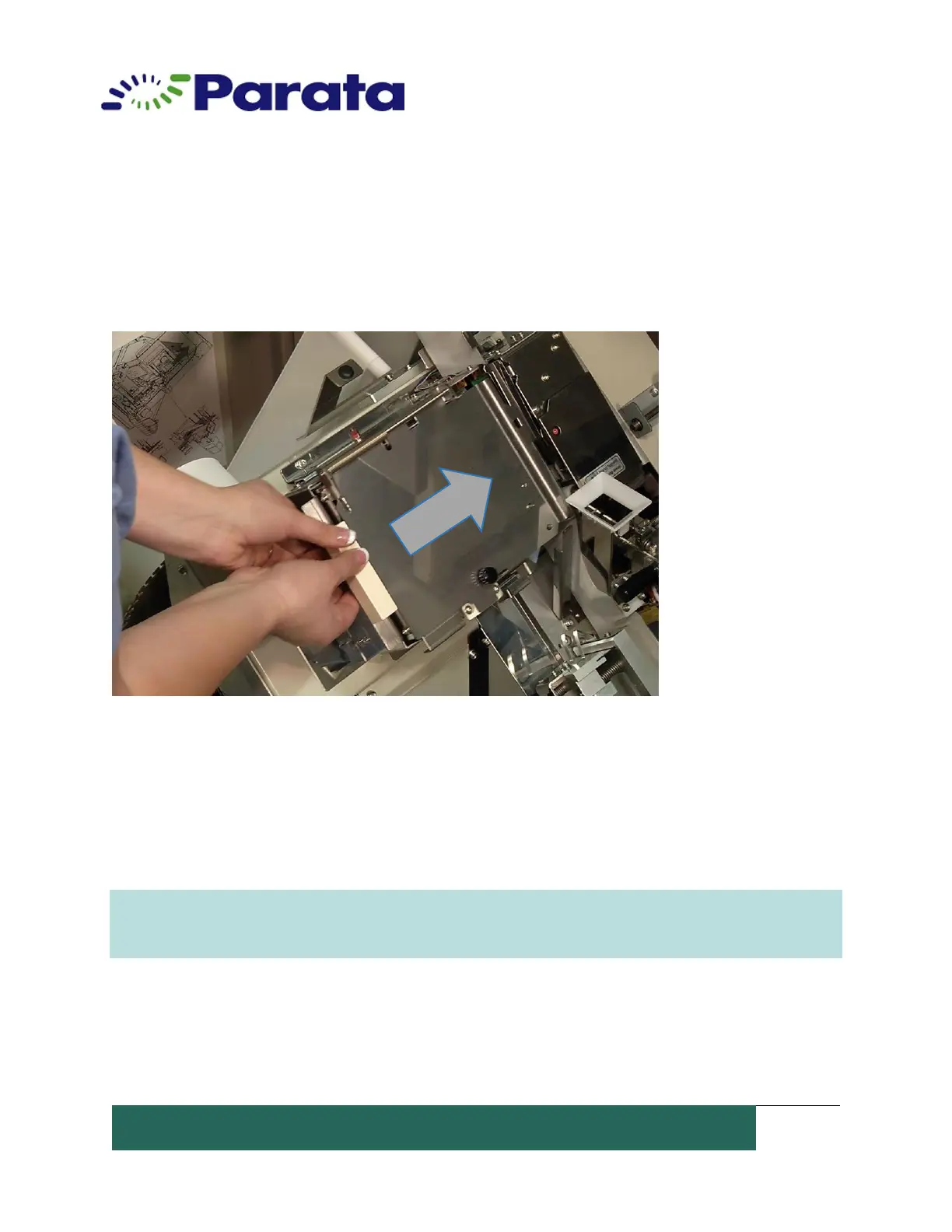
13. Close the ribbon unit and slide it back to the home position on the lower
packaging unit. Make sure the printer assembly latches closed. You may hear the
ribbon tighten.
14. Slide the lower packaging unit back into the ATP device until the release lever
locks the unit into place.
15. Close the left and right doors.
16. Select Resume on the ATP application.
WARNING: The printer ribbon is an article for consumption and it can be used only once. Do
not reuse the old ribbon as it causes print failure. Always use the specified printer ribbon.
Other printer ribbon may cause failure and will void the warranty.


 To Next Page