DEVICE MAINTENANCE AND CLEANING
TRAINING
©Parata
How to Replace the Cutter Blade (continued)
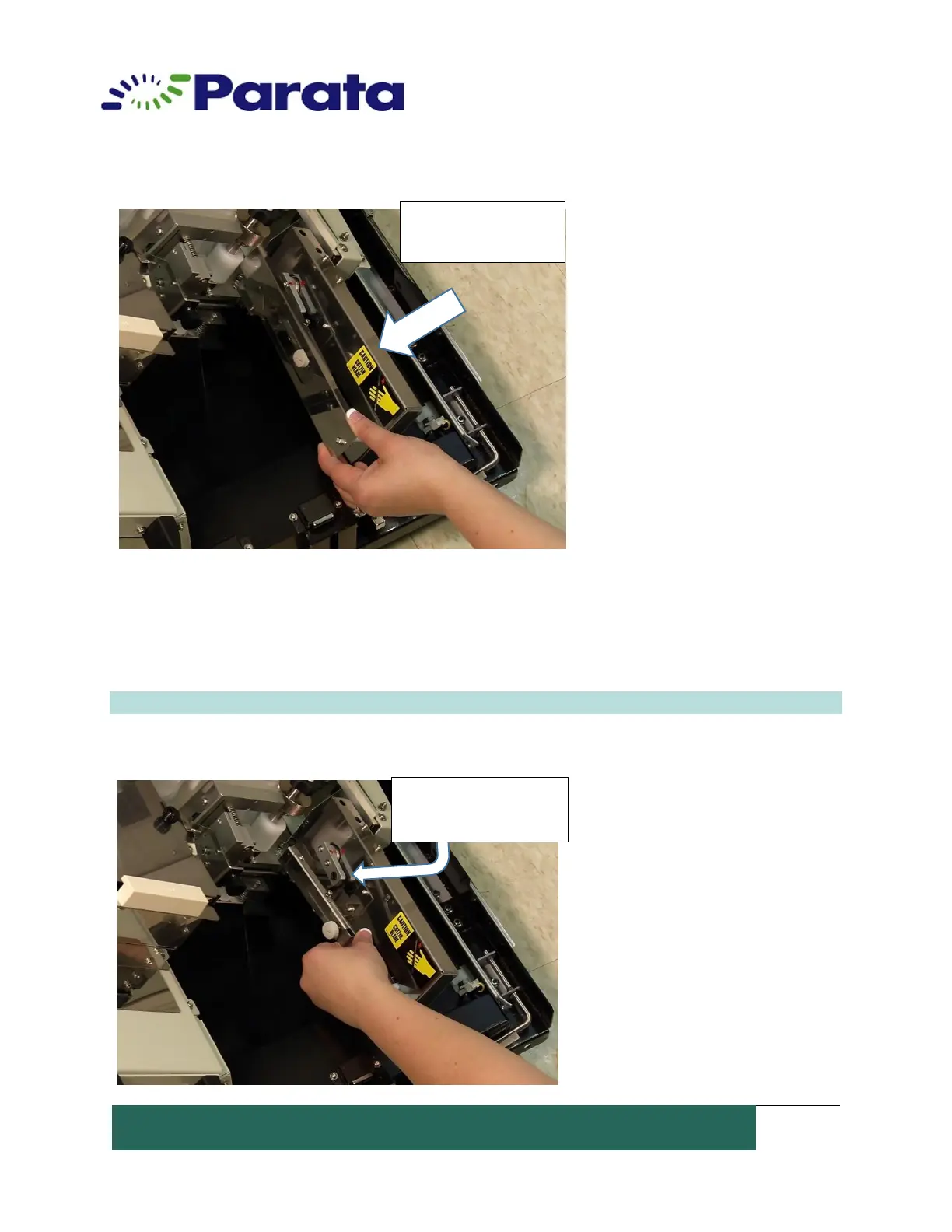
2. Remove the blade holder. The front of the blade holder assembly is held in by a pin
inserted into the black grommet on the motor rotating arm. Lift the blade holder to the
left to remove. The blade holder rear attachment is in a cut-out channel on the housing.
Note: Home position marks.
Remove the cutter
blade guard
Black holder pin
and black grommet


 To Next Page