36
General facts Information Operation Help
- Functions of the secondary systems -
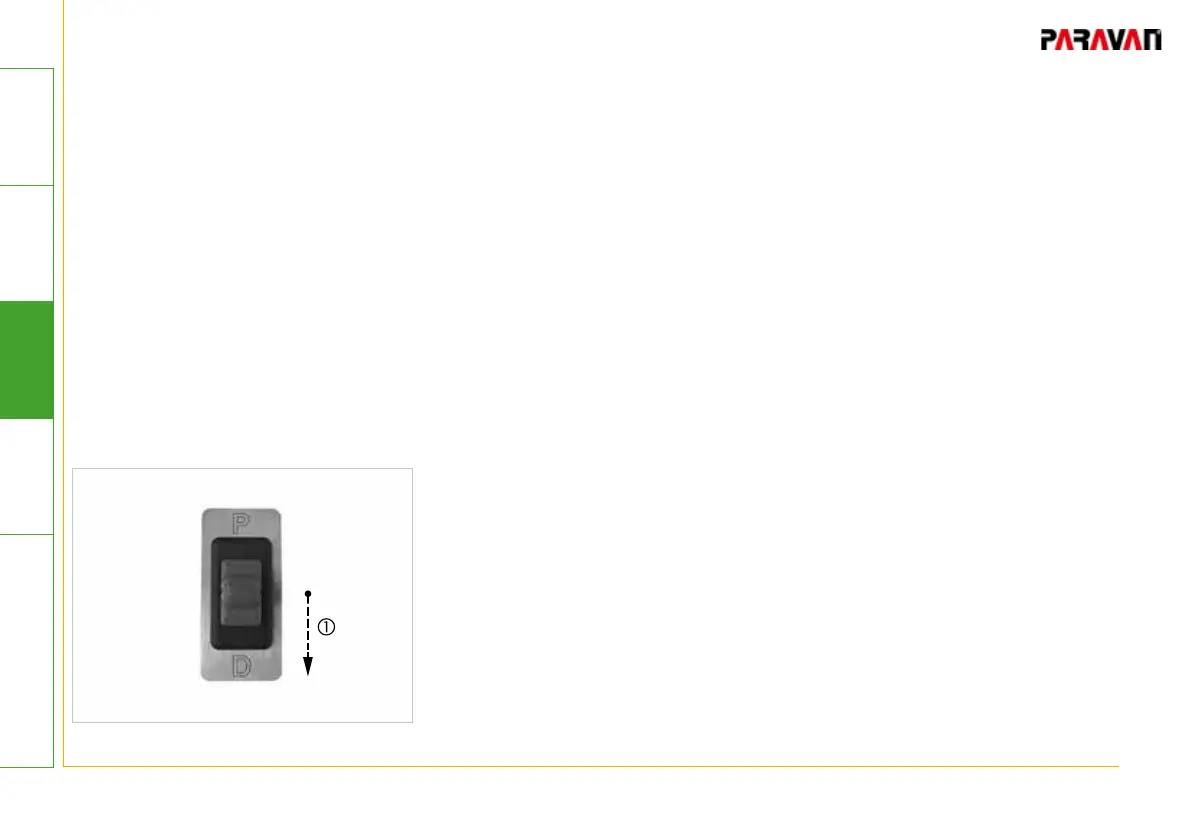
Selecting driving gears "R" and "N" via the emergency switch
The switch between the driving gears (P, R, N, and D) can only
occur with the vehicle's driving brake engaged.
• Bring the vehicle to a stop.
• Press and hold brakes
• Press and hold rocker switch (toggle switch) in the "D" direction
in till the desired driving gear is displayed on the vehicle's
instrument cluster.
-> The selected driving gear will be engaged.
-> The engaged driving gear will be displayed on the instrument
cluster of the vehicle.
• Release brake.
-> Vehicle will execute the selected action.
Fig. 20: Selecting driving gear


 To Next Page