41
General facts
InformationOperationHelp
- Functions of the secondary systems -
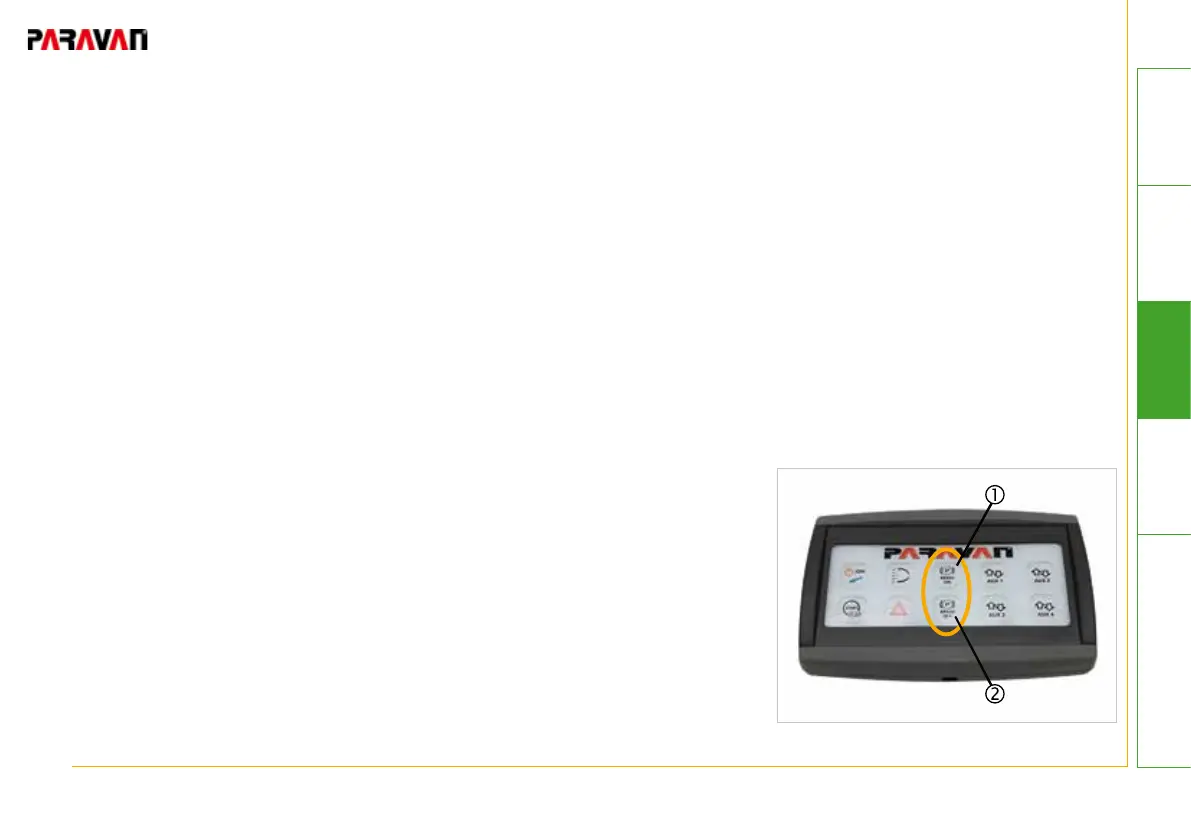
...with 10-button touchpad
Setting the parking brake:
• Bring the vehicle to a stop.
• Press and hold brakes
• Press the "BRAKE ON" pushbutton for at least 2 seconds
-> Blue LED status light will be lit.
-> The parking brake will be set electrically.
-> The vehicle indicator light for the parking brake will be lit.
• Parking brake is in operation.
Releasing the parking brake:
• Press and hold foot brakes.
• Press and hold the "BRAKE OFF" pushbutton.
-> Blue LED status light will be lit.
-> The parking brake will be released electrically.
-> The vehicle indicator light for the parking brake will go out.
The parking brake does not release automatically. Keep the
"BRAKE OFF" button pressed until the parking brake has fully
released.
Fig. 26: Brake ON/OFF


 To Next Page