2.3.1
Scan
•
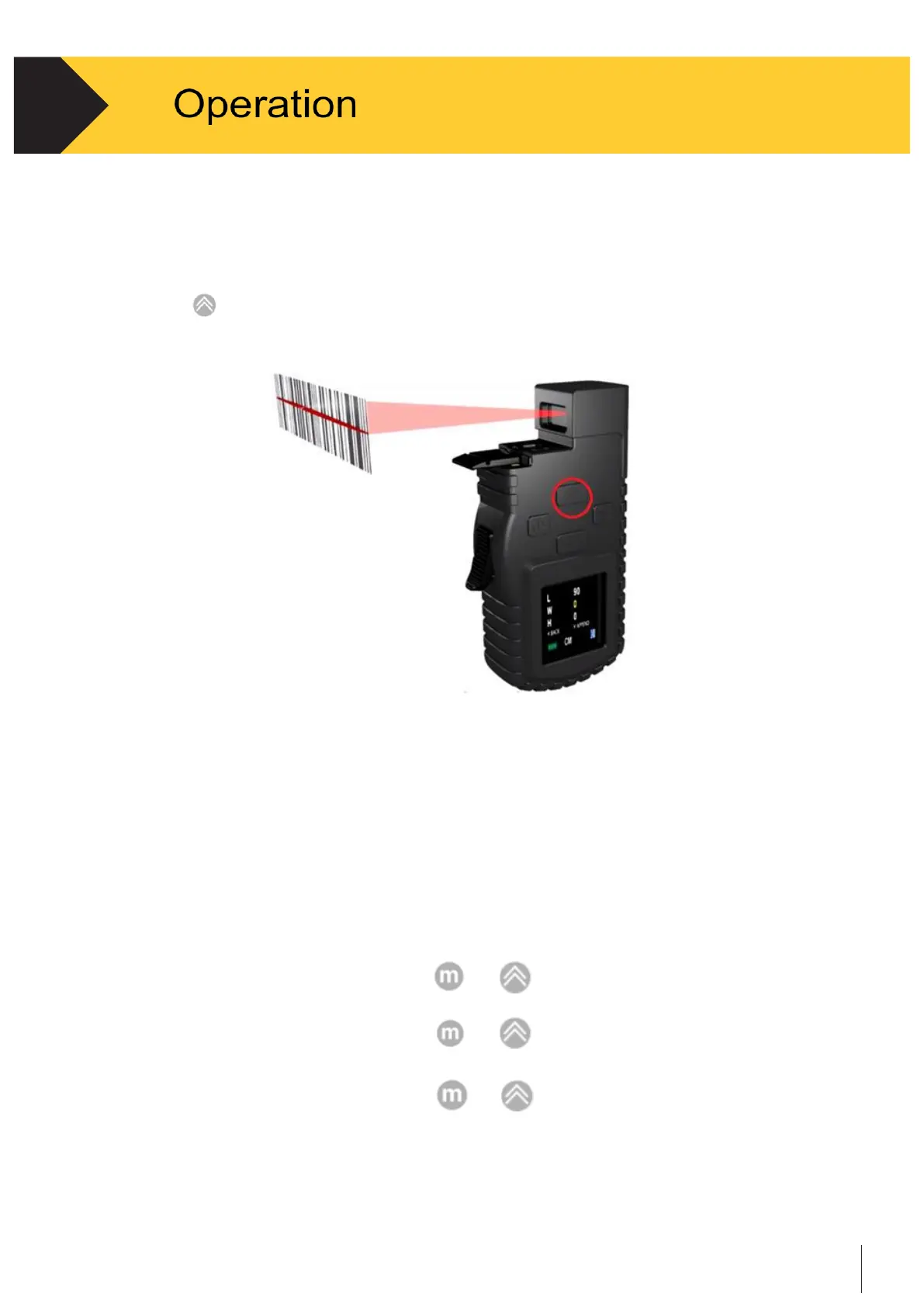
Turn on the device and “Scan Barcode” is indicated on screen.
•
Aim the scanner at a proper tilting angle (ideally perpendicular to the scanning surface).
•
Press
to scan.
Figure 2-1 Scan Operation
2.3.2
Measure
•
Stretch the tape tip to one end of the object, then align the Tape Stop with
other end of the object.
•
Make sure the tape is parallel with the edge of the object during measurement
•
Measure item length.
•
Record measured length by pressing
or
•
Measure item width.
•
Record measured width by pressing
or
•
Measure item height.
•
Record measured height by pressing or


 To Next Page