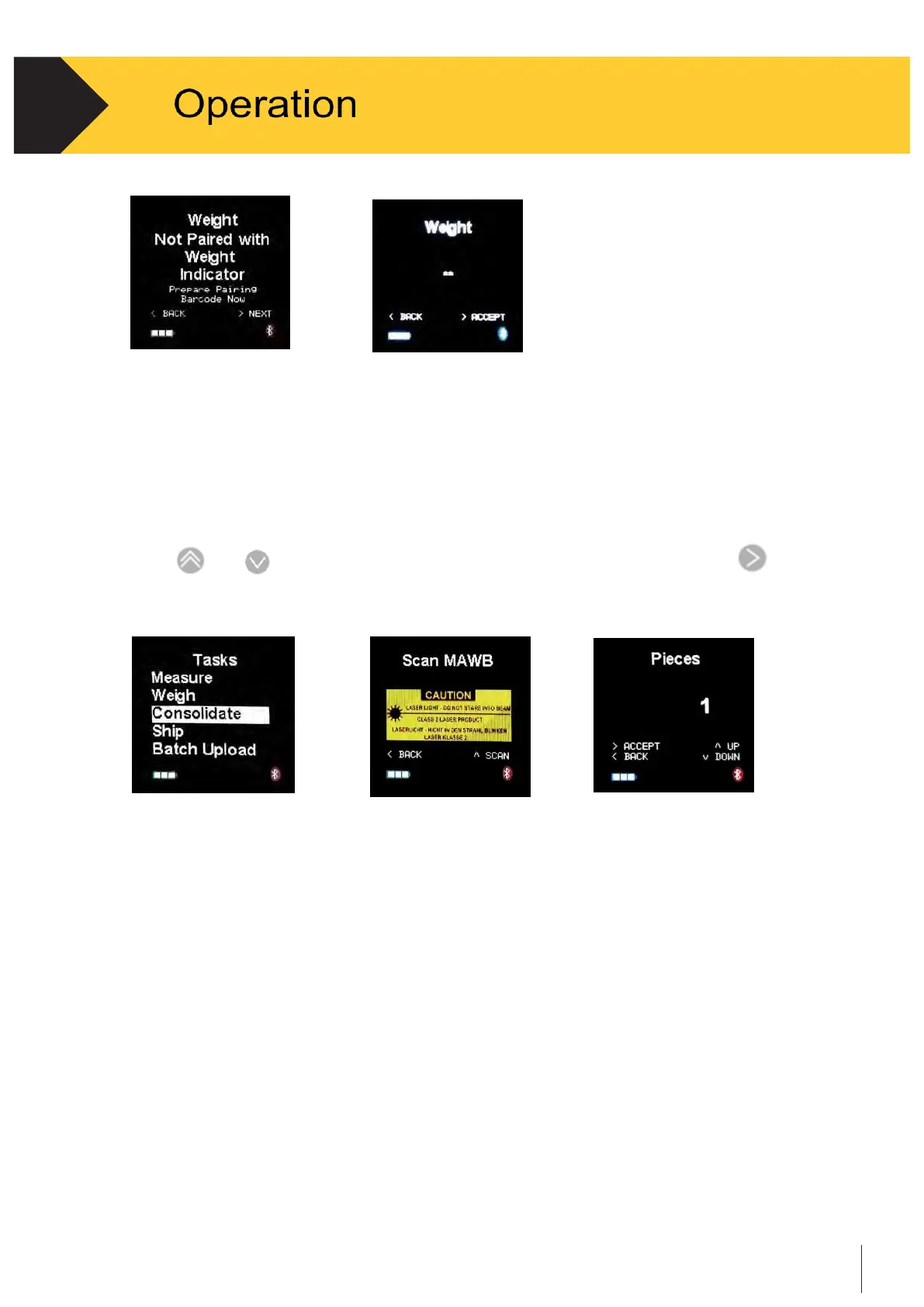
Figure 2-9 Figure 2-10
2.4.3
Consolidate
C190Cubetape can consolidate multiple items under one barcode. This application also works
in “batch” mode. The records needs be uploaded by the Batch Upload operation to a host.
•
Use
and
to scroll, when the cursor is on the Consolidate tab, press
to
select. See Figure 2-11.
Figure 2-11 Figure 2-12 Figure 2-13
•
The display will be redirected to the first step in the Consolidate workflow. The
process is similar to the “Measure” Task. See Section 2.4.1 for more details.
•
After the dimensioning measurements, the workflow loops back to collect data for
the next item (see Figure 2-13).
•
After the dimensioning measurements, the record is saved automatically.


 To Next Page