In a string value called “WedgeMask,” you can provision this value either:
•
Within a .cab Setup project specifying this registry key
•
Using a Registry Editor application on the device or remotely from a desktop PC
•
From your own application code using the Registry API or .NETCF RegistryKey class
4.6.6
Operating Notes
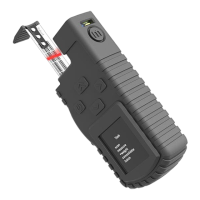
Quickstart instructions to pair with a PDA and transfer data records from Cubetape:
•
Power up the PDA
•
Ensure that Bluetooth is turned on
•
Power up the Cubetape
•
Select Cubetape sample from the PDA start menu or menu bar
•
To pair the devices scan the barcode on Cubetape, or select Search and select the
Cubetape mac address
•
Data collection screen will load in a few seconds while devices are now paired
•
Item and dimensional data can be collected on Cubetape and transferred to the PDA
•
Current item data will be displayed on the current item tab and all data for this
session will be displayed on All Data tab.


 To Next Page