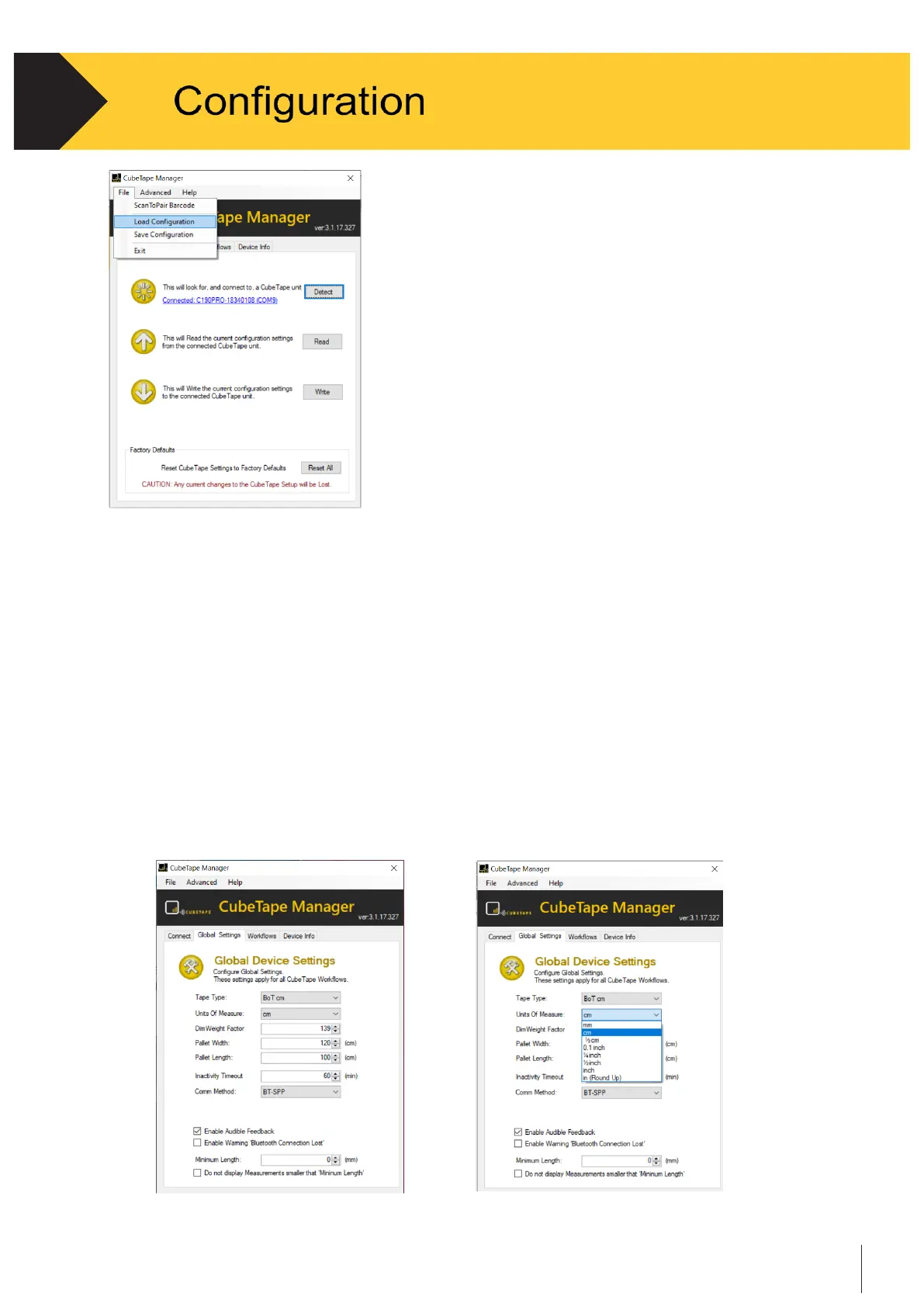
figure 3–4
3.3.5
Global Settings
The Global setting tab is used to set the device parameter including Units, Dimensional-Weight
Factor, Pallet Size, Communication Method, Audio Feed back etc… for CubetapePRO.
•
Use the navigation arrows on the menu bar and click on “Global Settings” tab. See Figure 3-5.
•
To change the unit for measurement, adjust in “Units of Measure” bar. See Figure 3-6.
•
To change values of dimension-weight factor, default pallet size, adjust in corresponding
bars under “Global Settings” tab. Note that pallet width and length are always expressed
in centimeters.
•
To change the communication method, adjust in “Comm Method” bar. For the on live
application, the communication should be set as Bluetooth (BT-SPP or BT-HID).
USB port is usually used for Batch Mode See Figure 3-7.
Figure 3-5
Figure 3-6


 To Next Page