(6)
Enable the Calculation of Volume or Dimensional Weight will show the result window
(See Figure 3-13) before the data transmission/save.
(7)
Select the correct working mode for different applications. For certain tasks, the working
mode is fixed as Live or Batch. Typically, On Live mode should be available for
Bluetooth communication.
(8)
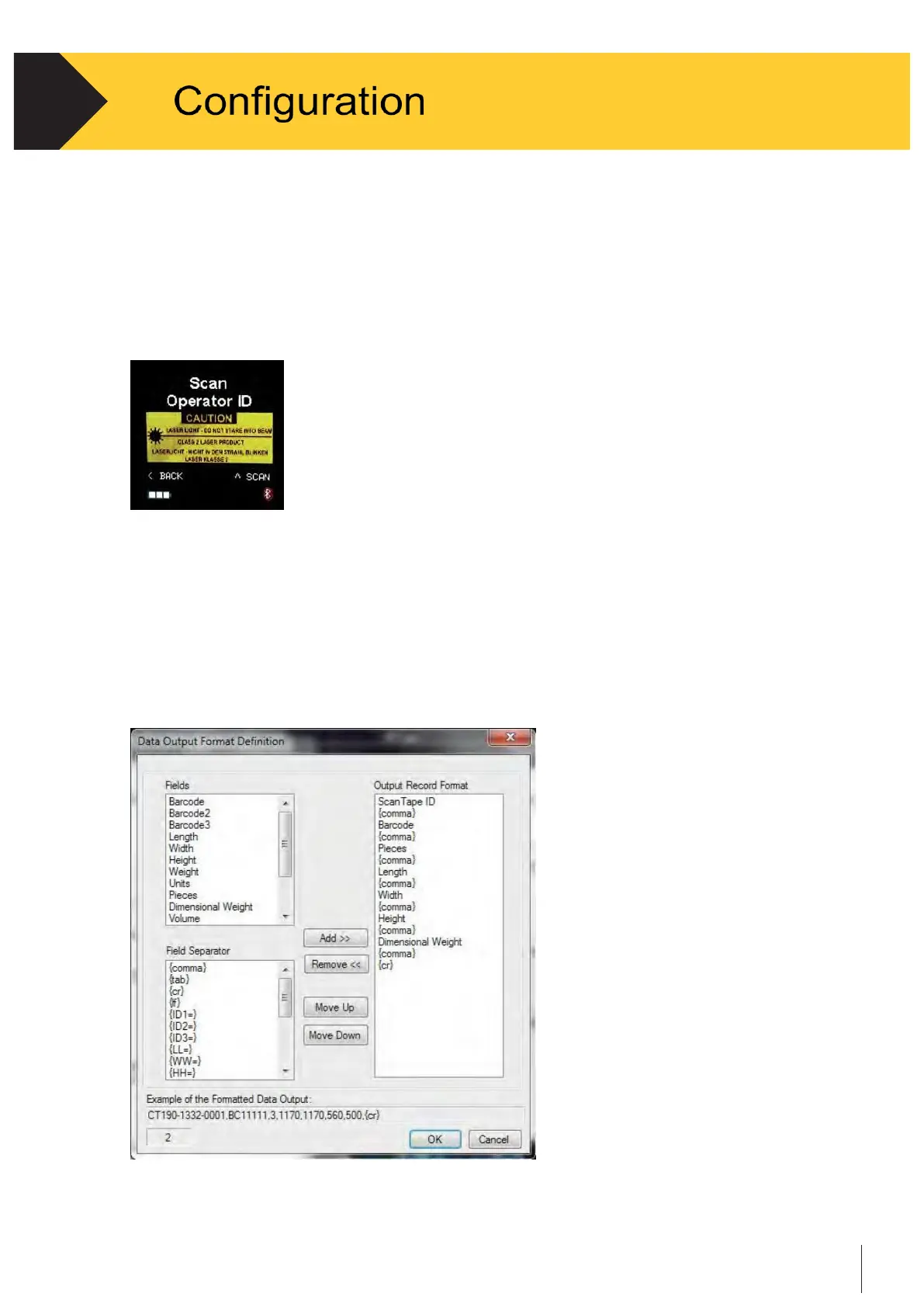
Enable Operator ID will show an Input ID window once. See Figure 3-14. When operator ID
is scanned successfully one time, the ID will store in the device.
Figure 3-14
Note that the Cubetape
needs to restart to reenter the operator ID.
(9)
The serial number of the Cubetape and real-time data can be included into the data
output. It can be configured in Data Format too.
(10)
Click the Configure button to go into the Output Data Format window. See Figure 3-15.
For Weighing, Consolidate Tasks that choose Batch communication. The Data Output
Format should be configured under Batch Upload Task. See more details on section 3-15.
(11)
Help window.
Figure 3-15


 To Next Page