4.2.2.1
PC Connection
•
Make sure Bluetooth is enabled on your PC.
•
Turn on the CubetapePRO.
•
Enter Settings on Cubetape, inside the Bluetooth option, select “BT SPP” by pressing
.
See Chapter 3 Section 3.2.1.1 for more details, or configure using Cubetape Manager.
•
Click on the “Bluetooth Device” icon at the bottom right corner of your PC screen,
then select “Add a Device.”
•
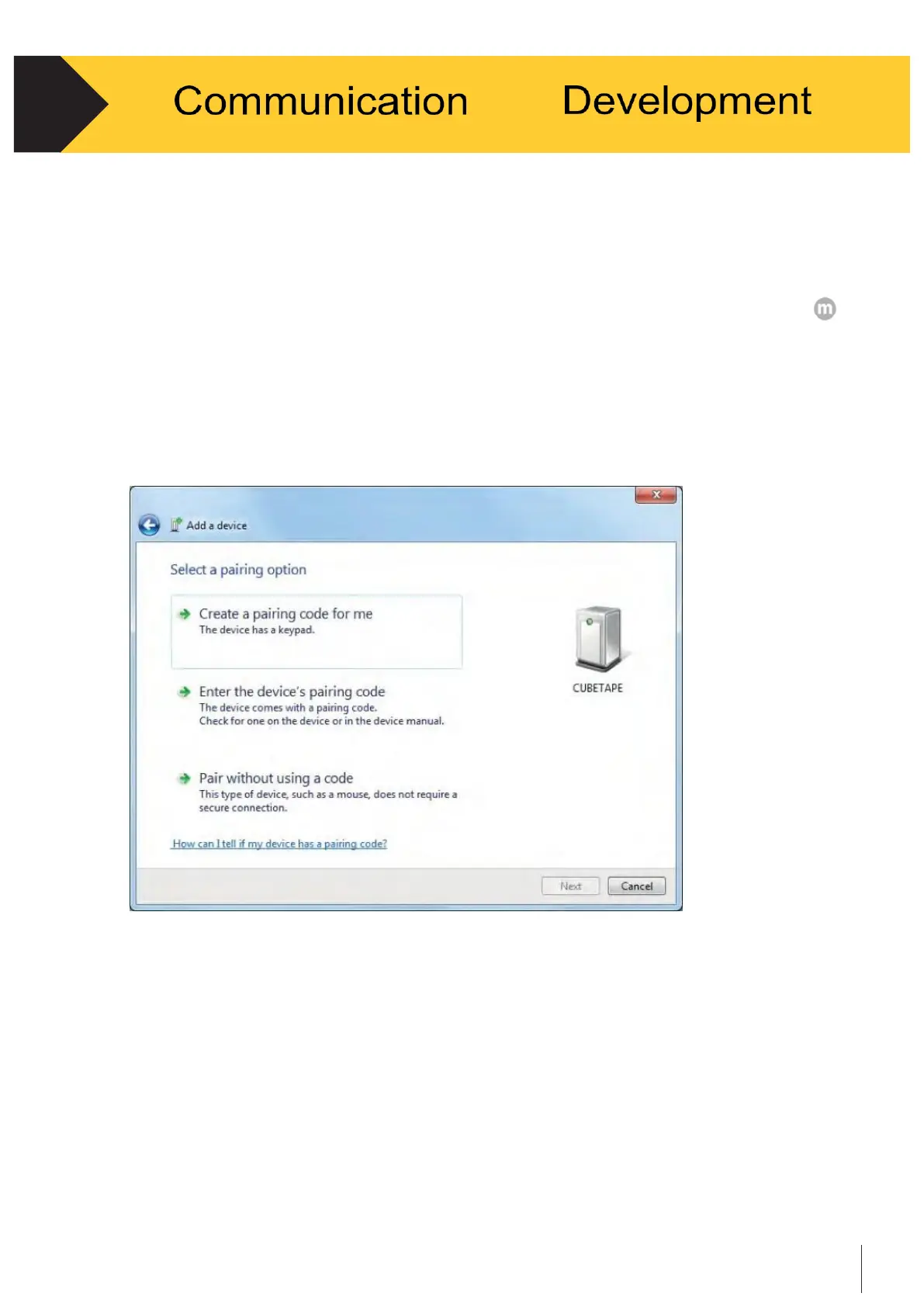
Cubetape should be displayed in the “Add a Device” dialogue box. This may take a
short while and may need to be repeated if the device is not found. See Figure 4-1.
Figure 4-1
•
Highlight Cubetape, select “Next,” and you may see the “Select a pairing option”
dialogue box. (This step can be omitted if the host is using SSP Bluetooth pairing).
See Figure 4-2.


 To Next Page